FORWARDING RECEIVED FAXES
(FAX DATA
FORWARD)
Overview
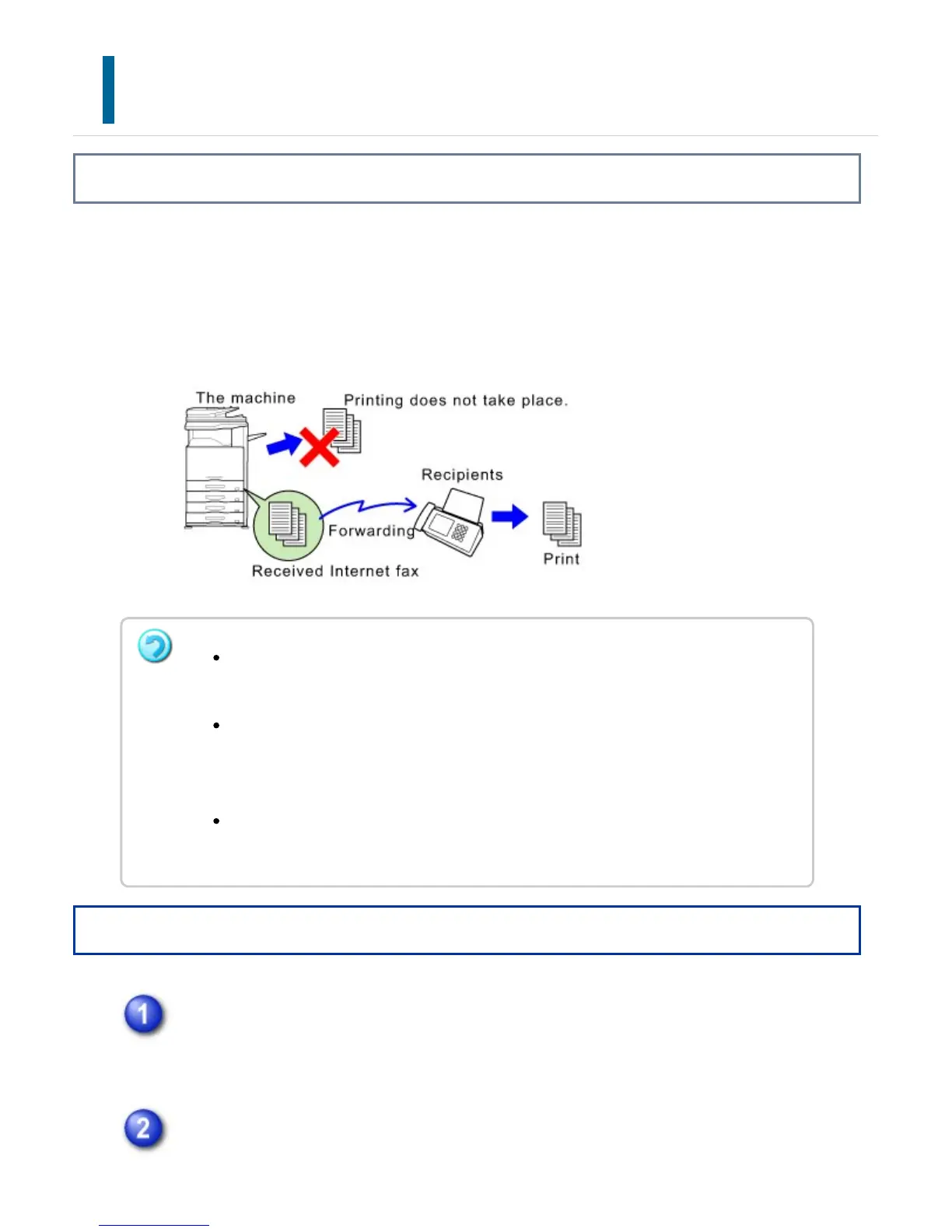
When the machine cannot print because it is out of paper or out of toner, received faxes
can be forwarded to another previously stored fax machine.
This function is convenient in an office or work area that has two or more telephone
lines and another fax machine is connected to a different line than the machine.
Operation
Tap the [Settings] key on the Home screen.
Select [System Settings] and tap the [Fax Data Receive/Forward] key.
If some pages of a fax that is being forwarded were successfully printed, only
those pages that were not printed will be forwarded.
A forwarded fax becomes a fax transmission job. If transmission does not take
place because the transmission was canceled or an error occurred, the fax will be
held in memory until it can be printed.
All faxes received are forwarded. Note, however, that faxes received and stored in
an F-code confidential memory box cannot be forwarded.
USER'S MANUAL | MX-M365N/MX-M465N/MX-M565N USER'S ... http://siica.sharpusa.com/portals/0/downloads/Manuals/MX-M365N-M...
605 of 1441 3/17/2016 7:14 AM



 To Next Page