SENDING A LARGE NUMBER OF PAGES
(JOB
BUILD)
Overview
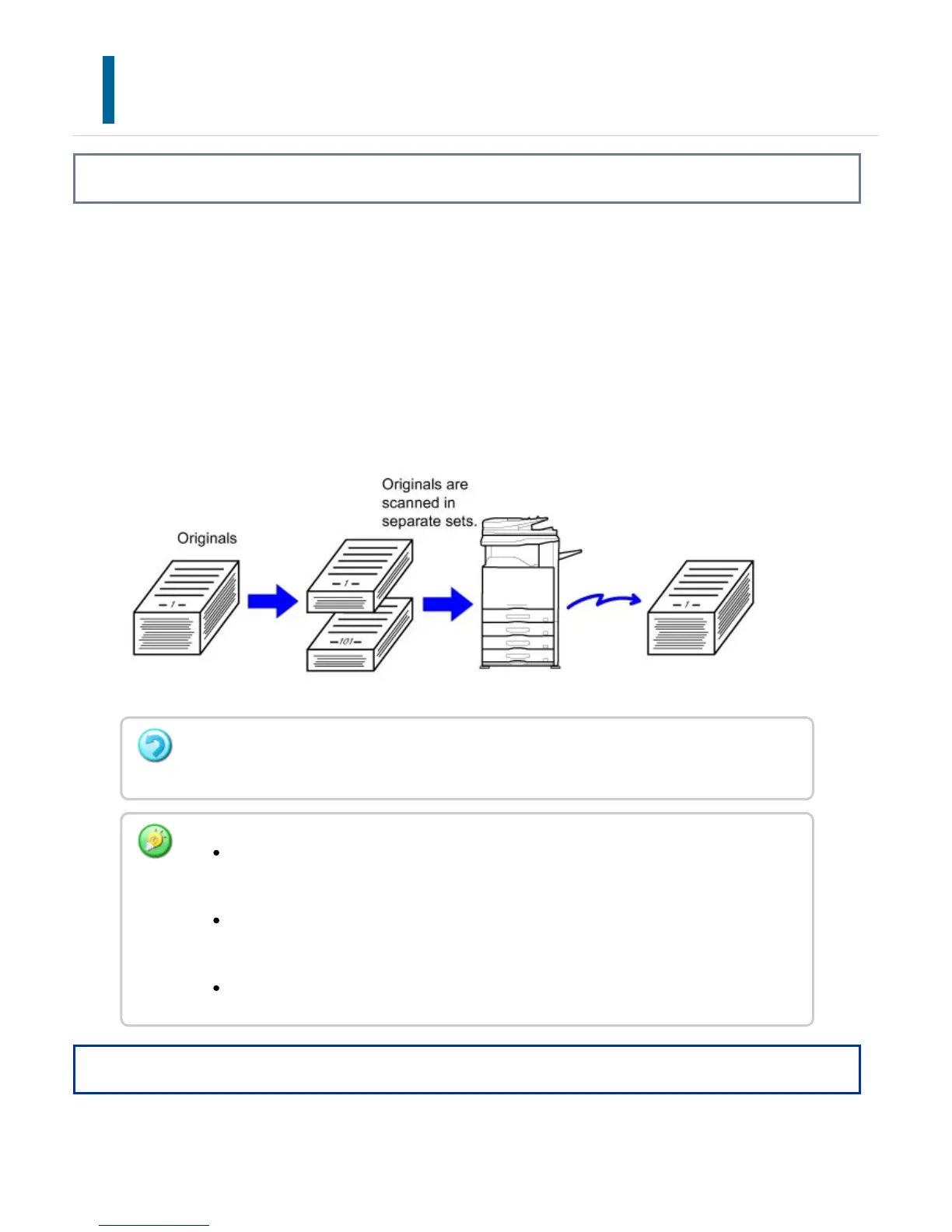
This function lets you separate an original consisting of numerous pages into sets, scan
each set using the automatic document feeder, and transmit the pages in a single
transmission. You can also send a fax by placing originals in both the automatic
document feeder and on the document glass. Use this function when there are more
original pages than can be placed at once in the automatic document feeder.
When scanning originals that are separated into sets, scan the set that has the first page
first. The settings that you select for the first set can be used for all remaining sets.
Operation
This function is not available for Quick On Line Sending, manual transmission, Direct TX,
or transmission using the speaker.
Up to 999 pages can be scanned. Note that when the memory is being used for
other jobs, fewer pages can be scanned.
If the memory becomes full during scanning, a message will appear and the
transmission will be canceled.
The scan settings can be changed for each set of originals.
USER'S MANUAL | MX-M365N/MX-M465N/MX-M565N USER'S ... http://siica.sharpusa.com/portals/0/downloads/Manuals/MX-M365N-M...
629 of 1441 3/17/2016 7:14 AM



 To Next Page