Place the original.
Place the original in the document feeder tray of the automatic document feeder,
or on the document glass.
AUTOMATIC DOCUMENT FEEDER
DOCUMENT GLASS
Specify the destination.
RETRIEVING A DESTINATION FROM AN ADDRESS BOOK
VIEWING A LIST OF THE SELECTED DESTINATIONS
Do not place any objects under the original size detector. Closing the automatic document
feeder with an object underneath may damage the original size detector plate and prevent
correct detection of the document size.
Place the original of the 5-1/2" x 8-1/2" (A5) size in the portrait orientation (
).
If placed in landscape (horizontal) orientation ( ), an incorrect size will be
detected.
For an 5-1/2" x 8-1/2"R (A5R) size original, enter the original size manually.
SPECIFYING THE ORIGINAL SCAN SIZE IN PAPER SIZE
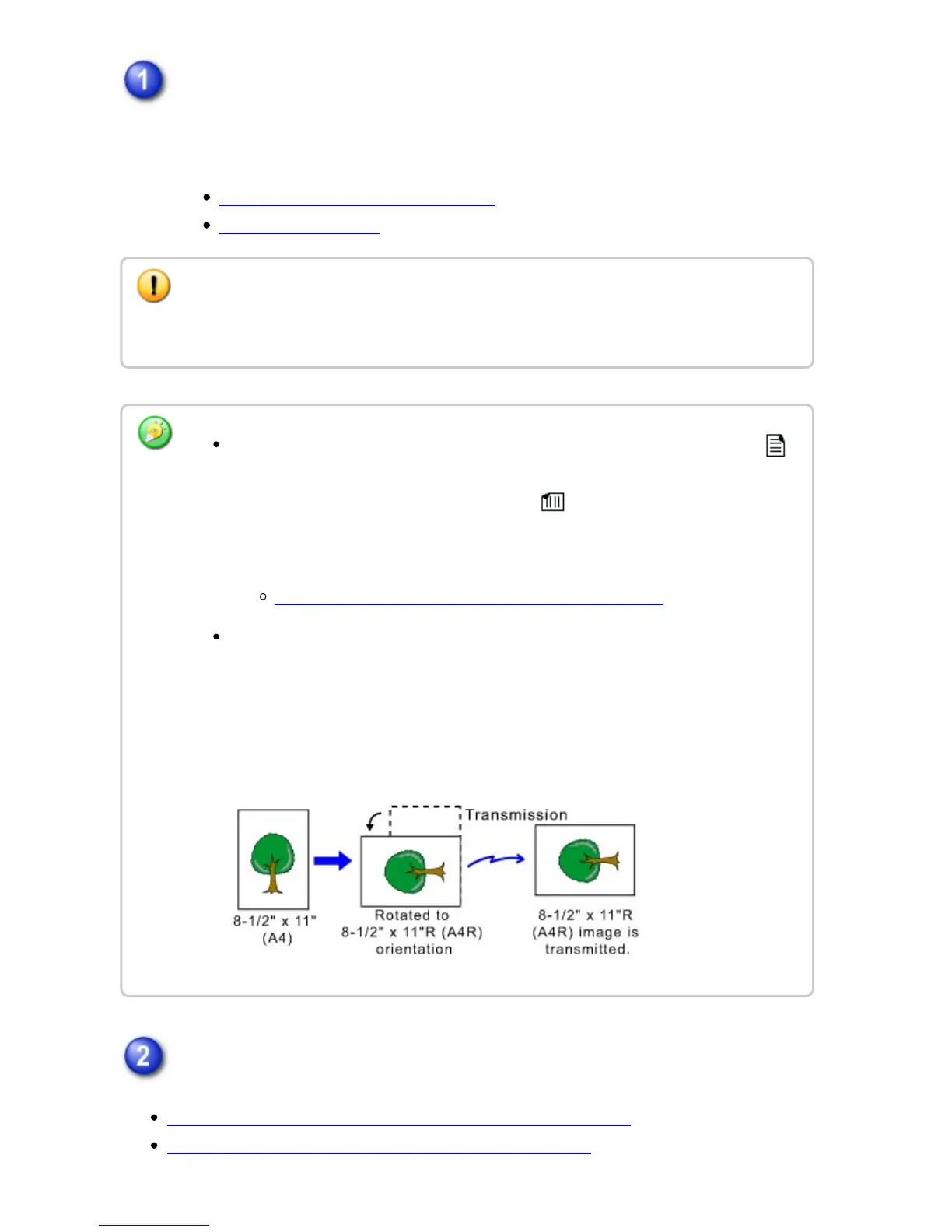
Rotation sending
8-1/2" x 11" and 5-1/2" x 8-1/2R (A4, B5R and A5R) originals are rotated 90
degrees, and respectively sent in the 8-1/2" x 11"R and 5-1/2" x 8-1/2 (A4R,
B5 and A5) orientations.
(Rotation sending is not available for originals with 8-1/2" x 11"R or 5-1/2" x
8-1/2" (A4R, B5, or A5) size.)
USER'S MANUAL | MX-M365N/MX-M465N/MX-M565N USER'S ... http://siica.sharpusa.com/portals/0/downloads/Manuals/MX-M365N-M...
748 of 1441 3/17/2016 7:14 AM



 To Next Page