TURNING ON THE POWER
This section describes how to turn on/off the machine's power and how to restart the
machine.
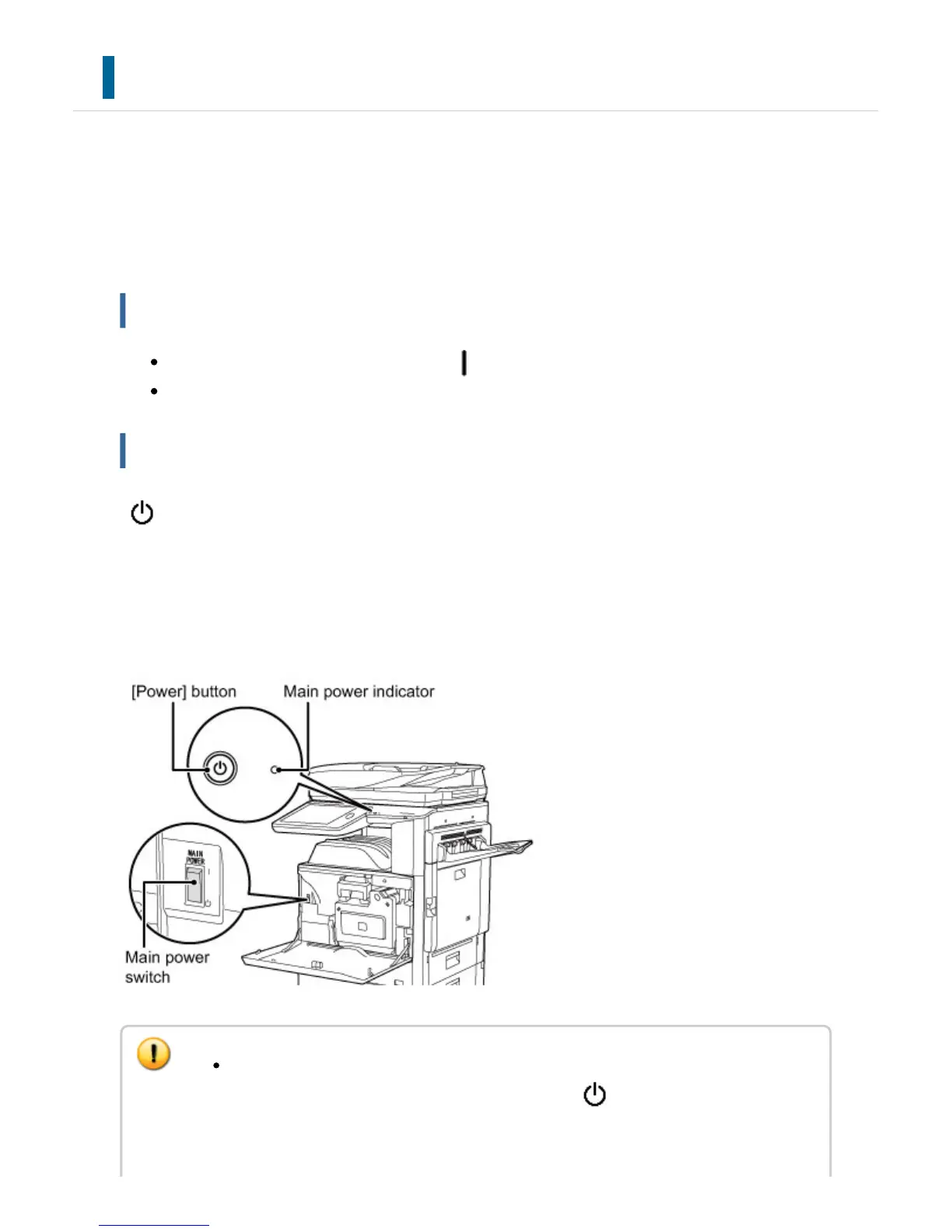
Operate two power switches: the main power switch inside the front cover, located in the
lower left corner, and the [Power] button on the operation panel.
Turning on the power
Turn the main power switch to the " " position.
After the main power indicator lights in green, press the [Power] button.
Turning off the power
Turn off the power by pressing the [Power] button, then turn the main power switch to the
" " position.
Restart the machine.
Turn off the power by pressing the [Power] button and then press it again to turn on the
power.
When turning off the main power switch, press the [Power] button on the operation
panel and then turn the main power switch to the " " position.
In a sudden case of main power outage , turn the power for the machine back on
and then turn it off in the correct order.
USER'S MANUAL | MX-M365N/MX-M465N/MX-M565N USER'S ... http://siica.sharpusa.com/portals/0/downloads/Manuals/MX-M365N-M...
76 of 1441 3/17/2016 7:14 AM



 To Next Page