READING THE JOB LIST
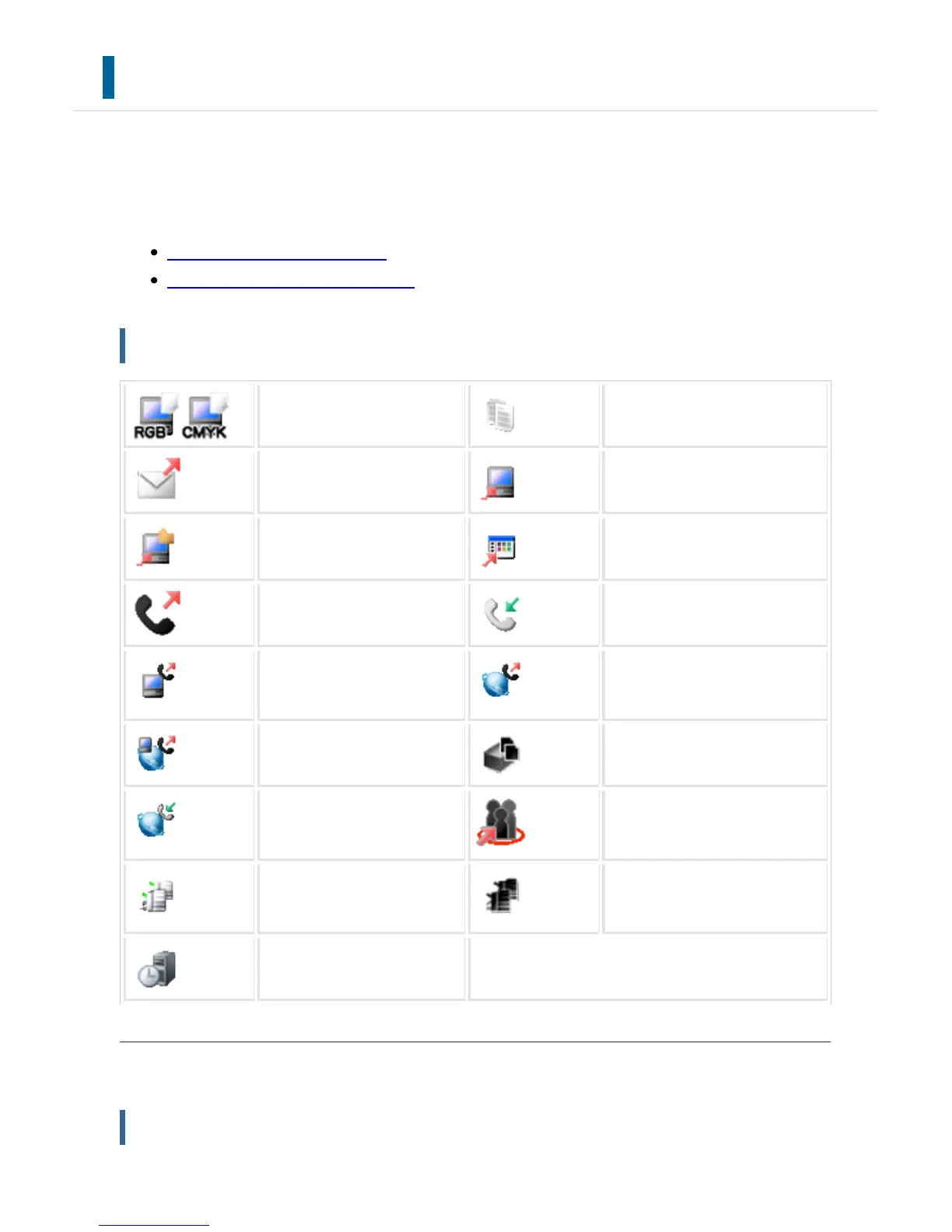
The meaning of each job icon and message displayed in "Status" is as follows:
Icons indicating the job type
Messages displayed in "Status"
Icons indicating the job type
Print job (RGB/CMYK) Copy job
Scan to E-mail job Scan to FTP job
Scan to Network Folder job Scan to Desktop job
Fax transmission job Fax reception job
PC-Fax transmission job Internet fax transmission job (I
ncluding Direct SMTP)
PC-I-Fax transmission job Scan to HDD file print job
Internet fax reception job (I
ncluding Direct SMTP)
Broadcast job
*
Inbound routin
g job
Tandem copy/print job Reprinting of multiple files (as
grouped into a single file)
OSA scan job
* This appears in a multi-mode broadcast job.
Messages displayed in "Status"
Job in progress
USER'S MANUAL | MX-M365N/MX-M465N/MX-M565N USER'S ... http://siica.sharpusa.com/portals/0/downloads/Manuals/MX-M365N-M...
85 of 1441 3/17/2016 7:14 AM



 To Next Page