BATCH PRINTING
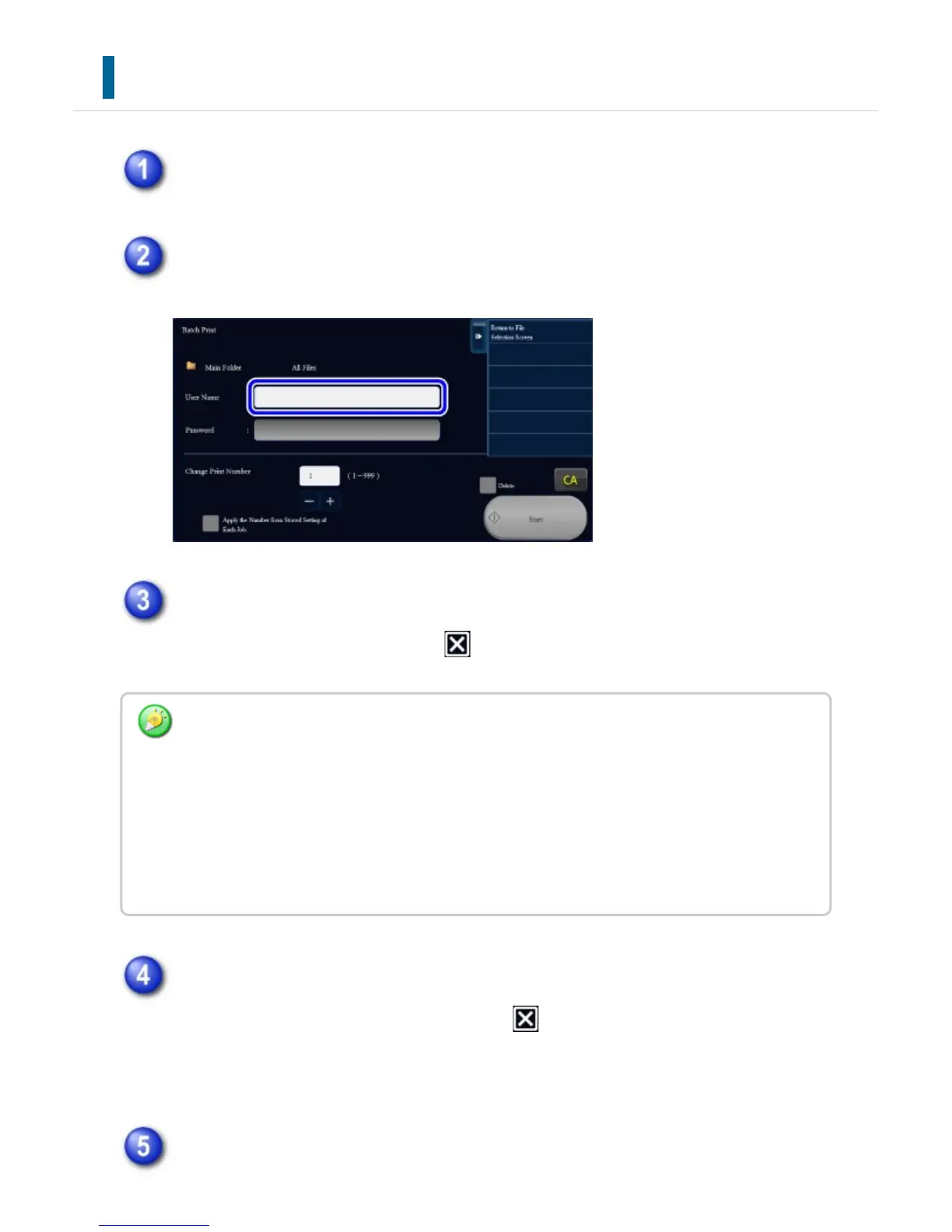
Tap the [Batch Print] key.
Tap the [User Name] text box.
Select the user name.
After selecting the user name, tap .
If a password has been established, tap the [Password] key.
Enter the password (5 to 32 digits) and tap . Only files that have the same
password will be selected.
If you do not wish to enter a password, go to the next step.
When not printing with the number of copies at data saving, tap the [Apply the
If you have selected [System Settings] in "Setting mode" →[Document Filing Settings] →
[Batch Print Settings] and disabled the [Selection of [All Users] is not allowed.] checkbox
and [Selection of [User Unknown] is not allowed.] checkbox, select the [All Users] key and
[User Unknown] key.
If you tap the [All Users] key, all files in the folder (the files of all users) are selected.
If you tap the [User Unknown] key, all files in the folder with no user name specified are
selected.
USER'S MANUAL | MX-M365N/MX-M465N/MX-M565N USER'S ... http://siica.sharpusa.com/portals/0/downloads/Manuals/MX-M365N-M...
904 of 1441 3/17/2016 7:14 AM



 To Next Page