Tap .
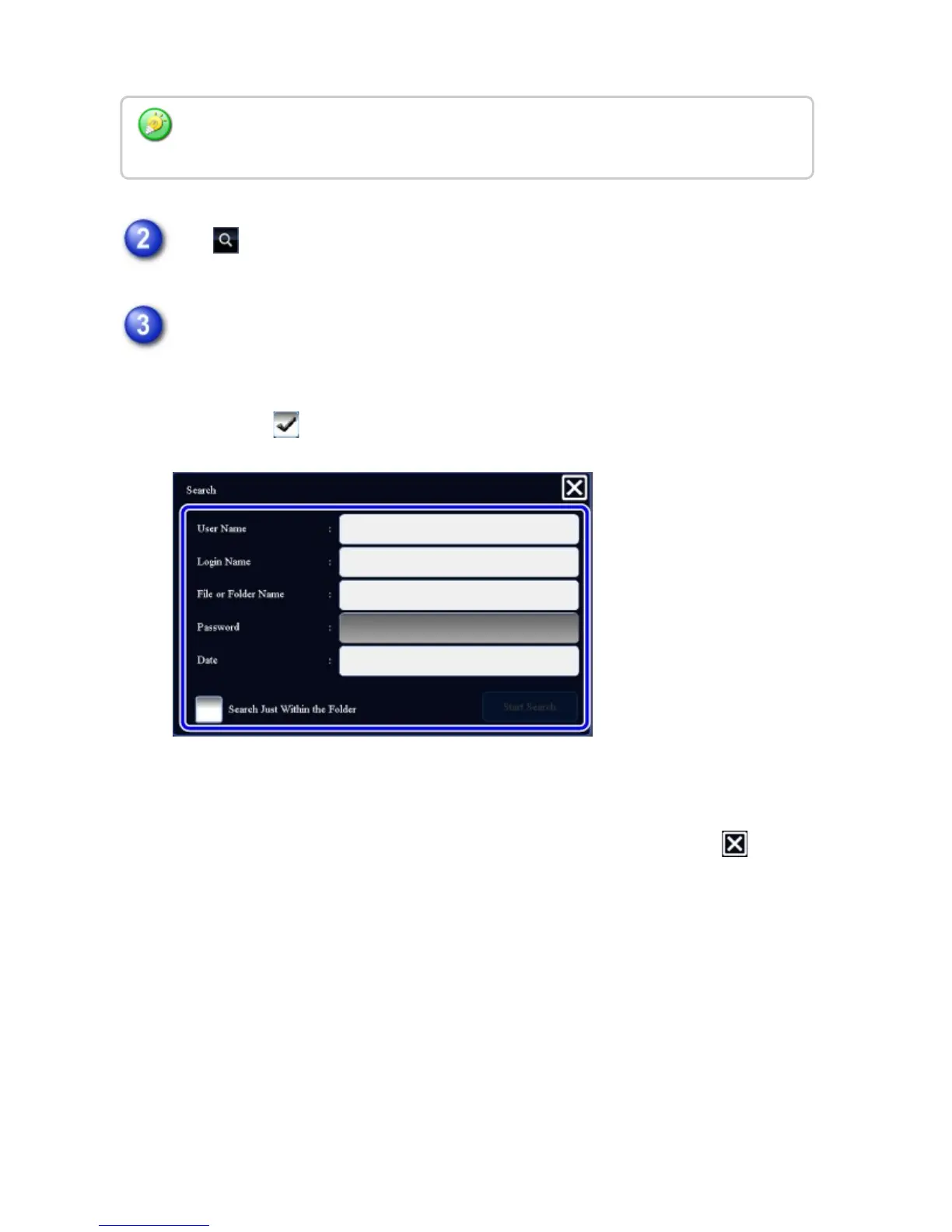
Select search conditions.
Tap each text box and set the search condition.
To search for the current folder, set the [Search Just Within the Folder]
checkbox to .
[User Name]
Search using the user name.
Select a user on the user selection screen that appears, and then tap .
[Login Name]
Search using the login name.
Enter the file name or folder name on the soft keyboard that appears and tap the
[OK] key.
[File or Folder Name]
Search using the file name or folder name.
Enter the file name or folder name on the soft keyboard that appears and tap the
[OK] key.
[Date]
Search using the date when the file was created.
If the folder with a password is tapped, a password entry screen will appear. Enter the
password (5 to 8 digits) using the numeric keys.
USER'S MANUAL | MX-M365N/MX-M465N/MX-M565N USER'S ... http://siica.sharpusa.com/portals/0/downloads/Manuals/MX-M365N-M...
919 of 1441 3/17/2016 7:14 AM



 To Next Page