EasyManua.ls Logo

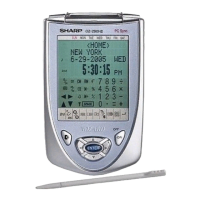
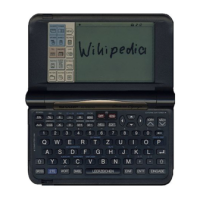
Sharp OZ-770 - User Manual

Sharp OZ-770
91 pages
Print Icon
To Next Page IconTo Next Page
Loading...
Getting Started
General Operation
Time Management
Creating Your Own Database
Memo
Desk Accessories
Expense
Features and Utilities for
Added Power
Data Transfer
Personalizing Your Organizer
How to use the Add-on
Appendices
........................................
5
.................................
13
...............................
23
...............
31
....................................................
33
..................................
35
................................................
43
........................................
47
........................................
51
...............
53
.......................... 59
...........................................
61
ELECTRONIC ORGANIZER
OPERATION MANUAL

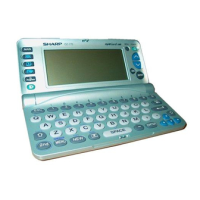
Table of Contents

Questions and Answers

  • R
    Regina GardnerJul 30, 2025
    What to do if Sharp OZ-770 Organizer displays 'Not enough memory'?
    • H
      halekiaraJul 31, 2025
      If your Sharp Organizer displays 'Not enough memory,' it means the device's memory is either full or nearly full. To resolve this, delete any data that you no longer need.
  • H
    hannahbarajasAug 5, 2025
    Why doesn't the alarm sound on my Sharp OZ-770?
    • L
      Laurie AndrewsAug 6, 2025
      If the alarm on your Sharp Organizer doesn't sound at the set time, ensure that alarms are enabled within the SOUND application located in the Second Main Menu.
  • M
    Mrs. Donna Harris PhDAug 11, 2025
    How to fix a blank display on a Sharp OZ-770?
    • M
      Michael LucasAug 11, 2025
      If the display remains blank after pressing the power button on your Sharp Organizer: * Adjust the LCD contrast. * Install new batteries.
  • W
    Wendy JosephAug 17, 2025
    What to do if Sharp OZ-770 Organizer keys are not working?
    • J
      Jessica CarpenterAug 17, 2025
      If your Sharp Organizer is on but pressing the keys has no effect, reset the Organizer.
  • J
    Jessica MathisAug 23, 2025
    Why is the backlight not working on my Sharp OZ-770?
    • S
      Sarah ThomasAug 23, 2025
      The backlight on your Sharp Organizer does not function during data transfer or in PC-LINK mode. If the Battery Alert appears, replace the batteries.

Summary

Getting Started

Getting the Organizer Up and Running

Guides through installing batteries and basic organizer setup.

Setting the Time and Date

Configures the organizer's internal clock and date accurately.

General Operation

Creating and Editing Entries

Covers the procedures for adding new data and modifying existing entries.

Creating Your Own Database

Desk Accessories

Expense

Entering Expense Record

Guides on logging expenses with details like category, amount, and payment type.

Data Transfer

Exchanging Information with a Personal Computer

Explains transferring data using Organizer Link software and a PC.

Personalizing Your Organizer

Locking the Organizer

Explains setting a password to secure data and lock the device.

Appendices

A. Resetting the Organizer

Provides steps for resetting the organizer if it becomes inoperative.

B. Battery Replacement

Details the procedure and guidelines for replacing the device's batteries.

Troubleshooting

Common Problems and Solutions

Offers solutions for typical issues like blank display or poor contrast.

Sharp OZ-770 Specifications

General IconGeneral
BrandSharp
ModelOZ-770
CategoryOrganizer
LanguageEnglish

Related product manuals