EasyManua.ls Logo

Sharp PC-1403 - Page 223

Sharp PC-1403
252 pages
Print Icon
To Next Page IconTo Next Page
To Previous Page IconTo Previous Page
Loading...
217
(
5
)
V
ar
iab
l
es
When
th
e RUN
c
o
m
mand
h
as
bee
n
e
xec
u
te
d
i
n t
he
P
C-
1
21
O
Series, all
v
ari
a
b
l
es
a
r
e
re
t
a
i
ned
. I
n
t
he
PC
-
140
3,
h
owever
,
a
ll
va
r
ia
b
l
es
fro
m
A
(
27) and upwards
a
re
cleared
.
T
herefore
,
if
t
here
i
s
a need to retain
v
a
ri
ab
l
e
s
a
t
t
he
s
t
art
o
f program
execution
,
start the program
e
x
ecu
t
i
on
usi
ng
t
h
e GOTO
c
o
m
mand
o
r
fun
cti
on defined
key
s
.
(3
)
Om
itt
in
g
")"
1n
the
PC
-
121
O
Ser
i
es
,
the ")"
w
h
ich co
m
e
s
i
mmediatel
y
be
f
ore the
[
ENT
E
R
I
o
r
:
(colon) can be om
itt
ed
. I
t
can
n
o
t
be
o
m
itt
ed in the
P
C-1403
.
Therefore
,
be
s
u
re
to add
th
e ")" to
th
e
p
ro
gram
,
if om
i
tt
e
d
.
(4)
P
r
i
nt
c
ommand
T
he
PC
-140
3
h
as a
PR
I
N
T command
fo
r
d
i
sp
l
a
y
s
and
an
L
PRIN
T
c
o
mmand for
pri
n
ting
.
H
ow
e
ver
,
a
ll
P
R
I
NT
comma
nd
s
c
an be used
to
r
p
r
inting
if
PRINT
=
LPR
INT
is
spe
cifi
ed
.
The
P
C-1210
Ser
ies does
no
t
ha
v
e
t
he
LP
R1N
T
comman
d
.
To
pri
nt
u
s
ing a
PC
-
1
2
1
O
Se
ri
es
p
rogr
am
,
add
PRI
N
T
=
L
P
R
lN
T to the
progr
a
m
or
,
execu
t
e
manually
.
F
or
t
he execution of
li
ne 30
in
the
P
C-121
O
Se
ri
es
,
the
disp
l
a
y on
t
he
left
s
i
d
e
al
so
f
oll
o
ws
th
e displayed
fo
r
mat
o
n
t
h
e
r
ight
s
i
de
.
In
t
he
P
C
-
1403
,
the
d
i
s
p
l
a
y
follow
s
the
p
r
e
v
i
ous
spec
i
fied format.
T
his
applie
s not
on
l
y to the
PAU
SE
c
omm
and
,
b
ut
al
so to the
PR
I
NT and
LPRIN
T
command
s
.
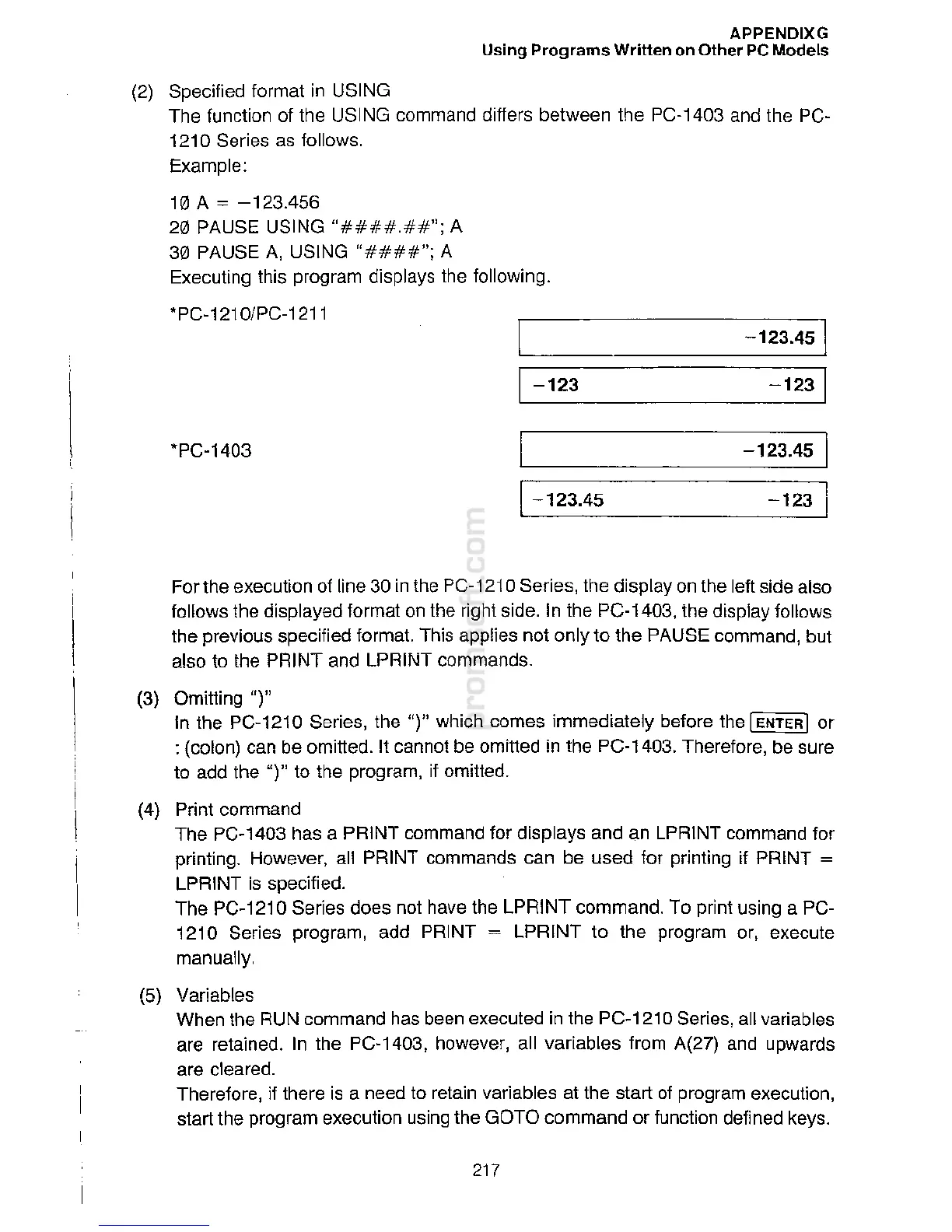
-
123
1
-
123.
45
-
1
23
.45
·pc-1403
-
1
2
31
-
12
3
-
1
2
3
.
45
1
•pc
-
1210
/
PC
-
1
2
11
(2)
Specified
fo
r
mat
i
n
U
S
I
N
G
T
he function of
t
he
U
SI
N
G
co
m
mand
d
iff
ers
b
etw
een the
P
C
-1403 and the PC-
1
2
1
0
Seri
es
a
s
fo
llows.
Example
:
10
A=
-1
23
.4
5
6
20 PAUSE
U
SI
N
G"##
##
.
##
"
;
A
30 PAUSE A,
USI
N
G"
##
#
#"
;
A
E
x
e
c
u
ting
t
h
i
s
p
r
og
r
a
m
di
s
p
l
ays
t
h
e
f
oll
ow
i
ng
.
APPENDIXG
Us
ing
Pr
o
gr
a
m
s
Wr
i
tt
e
n
o
n
O
th
e
r PC Models

Related product manuals