All
and
more about
Sharp
PC
-
150
0 at http:/lwww.PC-1500.info
SHARP
PROGRAM
T I T L E
[ Outline ]
ES
TIMATI
ON
ADD
ITION
PROGRAM
N
O.
P5
-
D-
5
CE-
I
SO
required
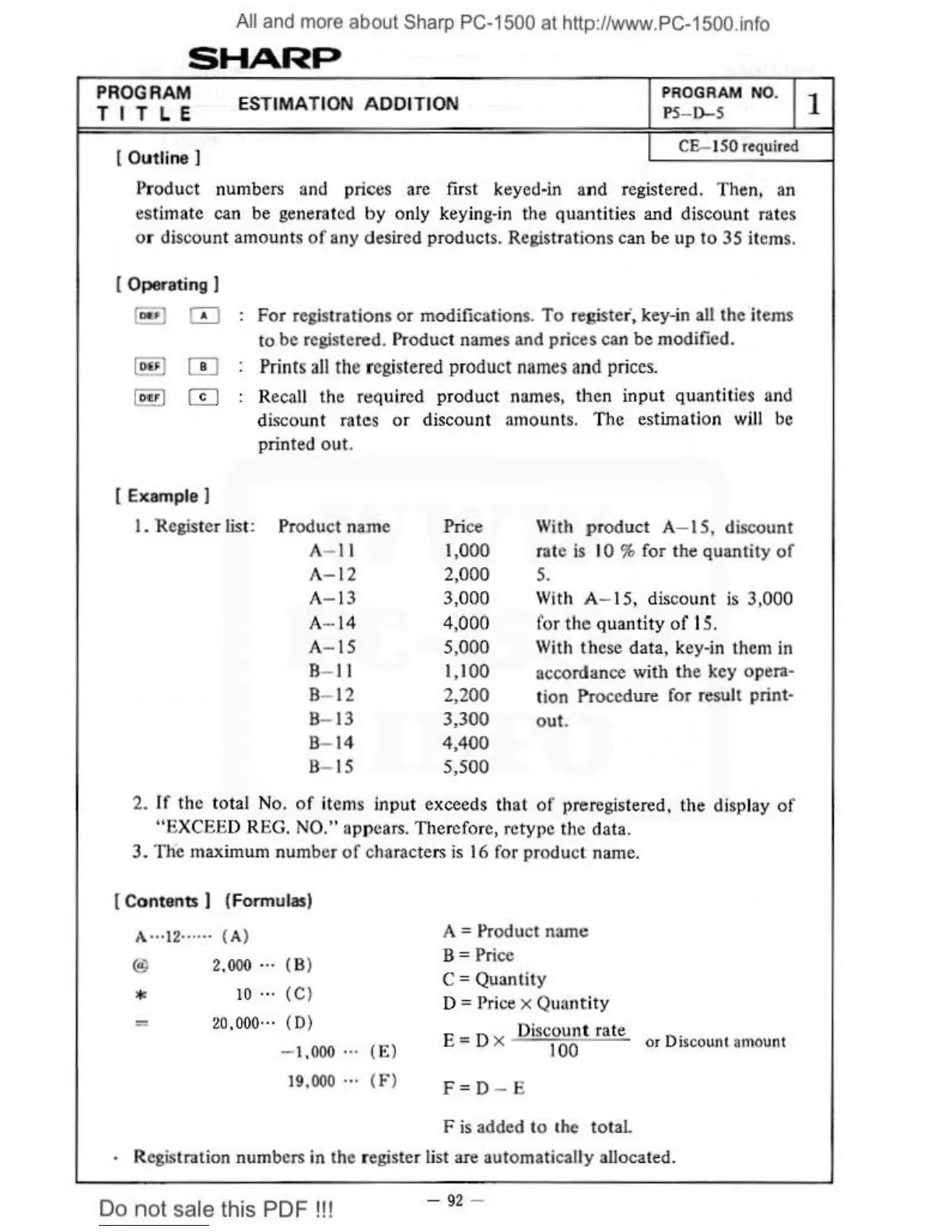
Product numbers and prices arc
firs
t keyed-in and registered. Then, an
estimate can be generated
by
only key
in
g-in
the
quant
ities and discount rates
or discount amounts
of
any desired products. Registrations can be up to 35 items.
[
Operat ing ]
10 ... 1
IT]
For
registrations
or
modifications.
To
registe
r',
key-in all the items
to
be registered. Product names and prices can be modified.
Prints
all
the registered product
nam
es
and
prices
.
Recall the required product nam
es,
t
he
n input quantities and
discount rates
or
discount amounts. The estimation will be
print
ed
out.
[Example
I
I.
Register list:
Product name
Pri
ce
With
product
A- 15, discount
A-
11
1,000
rate
is IO % for the quantity
of
A-
12
2,000
5.
A- 13 3,
000
With A- 15, discount is 3,000
A- 14 4,
00
0 for the
qu
antity
of
15
.
A-
15
5,
000
With
these data, k
ey-i
n them in
B-
11
I,
I
00
accordance with the key opera-
B-
12
2,200
tion
Pr
ocedure for result print-
B-
13
3,300
out.
B-
14
4,400
B-
15
5,500
2.
If
the total
No
.
of
items input exceeds that
of
preregistered, the display
of
"EXCEED REG. NO." appears. There
fo
re, retype the data.
3.
Tne maximum number
of
characters is
16
for product name.
[C
ontents ) (Formulas)
A·
··
l2
····
··
(
A)
@ 2,000 ···
(B)
*
10
...
(
C)
=
20.000
···
(
0)
- 1,000
...
19.000 ...
(E)
( F )
A = Product name
B = Price
C = Quantity
D =
Price X Quantity
E = D x Discount rate
or
Di
sco
unl
amou
nt
100
F = D - E
F
is
added to the total.
· Registration numbers in the register list are automatically allocated.
Do
not
sale this PDF !!!
-
92
-
1



 To Next Page