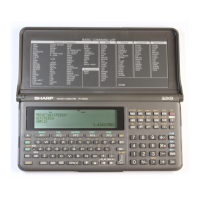
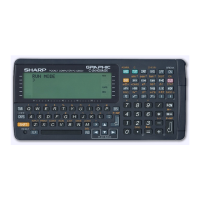
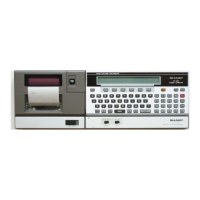
All and more about Sharp PC
-1
500
at
http:/lwww.PC-1500.info
t_
I
STATUS?
---t::~
..1-
J
STATUS :1
----t::J
-
~
J
'--
A()M
tnform
at.on
'
Rt"~ierve
a
re
a
--i
lq(hine
language
Pfogram
area
BA
SIC orogram ar
ta
!S
TA
TUS!
'
rr
;-1
Unoccupied ar
ea
STATUSO
Da ta area
NOTE: ROM informahon is 8 bytes and the reserve area
is
189 bytes.
5-1-3. PEEK
Format
PEEK
1
:.J
LY
express
io
n -
CD
PEEK e
xpr
ession
User area
(RAM)
Re
ca
ll
s
th
e data in
MEO
area who
se
addr
ess
is repr
ese
nt
ed by
th
e
ex
pr
es
sio
n.
CD
PEEK
II
expression
Recalls t
he
data in the
MF.
I area whose addre
ss
is represented by the expression.
5-1
-
4.
POKE
Format
POKE
L.J!..J
ex
pr
ession-1
l.
• - expression-i
:L
0 POKE expres
sio
n-1, expression-2, expres.sion-3,
Starting from
th
e M
EO
area addr
ess
repr
ese
nt
ed
by the
exprcs~ion-1.
it b
eg
in
s to store
su
cc
es
si
ve
da
ta in order
of
the
cx
prcssio
n-
2,
expr
css
ion-3
..
. .
CD
POKE
II
expression-1, expression-2, expression3,
..
.
Starting from
th
e ME I area address represent
ed
by the cxprcssi on
-I
. it b
eg
in
s to store
s
ucc
essive data
in
order
of
th
e expr
css
ion-2, expr
ess
ion-3
....
CAUTI
ON
: Since the
110
port
contro
ller os on the M
E1
area
for
th
e
PC-
1500. care must be
taken
not
to
have a
wrong
use
of
this
command
, as 1t may possibly result
in
destruction.
(EX): POKE &4700, &01. &02. &03
Address Data
470
0H
01
;:;--
-
4
701
H
02
H
4703H 03H
Do not sell this PDF !!!
113


 To Next Page