ENGLISH
7
E
Supplied Accessories
If any component should be missing, please contact your dealer.
INPUT
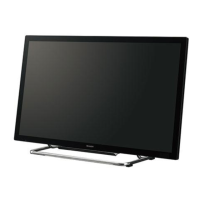
� Liquid Crystal Display: 1
� Remote control
unit: 1
� Cable clamp: 2� Temporary stand: 2 � Power cord
clamp:
1
� Power cord (Approx. 13.1 feet [4 m]): 1
� “AA” size battery: 2
� CD-ROM (Utility Disk for Windows): 1
� Operation manual: 1
� Blank sticker: 1
Place a blank sticker onto the SHARP logo to cover the logo.
� Vertical logo
sticker: 2
* Sharp Corporation holds authorship rights to the Utility Disk program. Do not reproduce it without permission.
* For environmental protection!
Do not dispose of batteries in household garbage. Follow the disposal instructions for your area.
Part Names
Front view
1. LCD panel
2. Remote control sensor (See page 13.)
3. Input switch (See page 15.)
4. Power switch (See page 14.)
5. Power LED (See page 14.)
TIPS
• Use a pointed object such as a pen tip to press the
switches at the front of the monitor.



 To Next Page