PN-L803C/80TC3 INSTALLATION, ADJUSTMENT, SETTING, OPERATION 2 - 4
■ CONNECTION WITH A PC OR AV EQUIPMENT
Signal type Name Contents
Video input/output
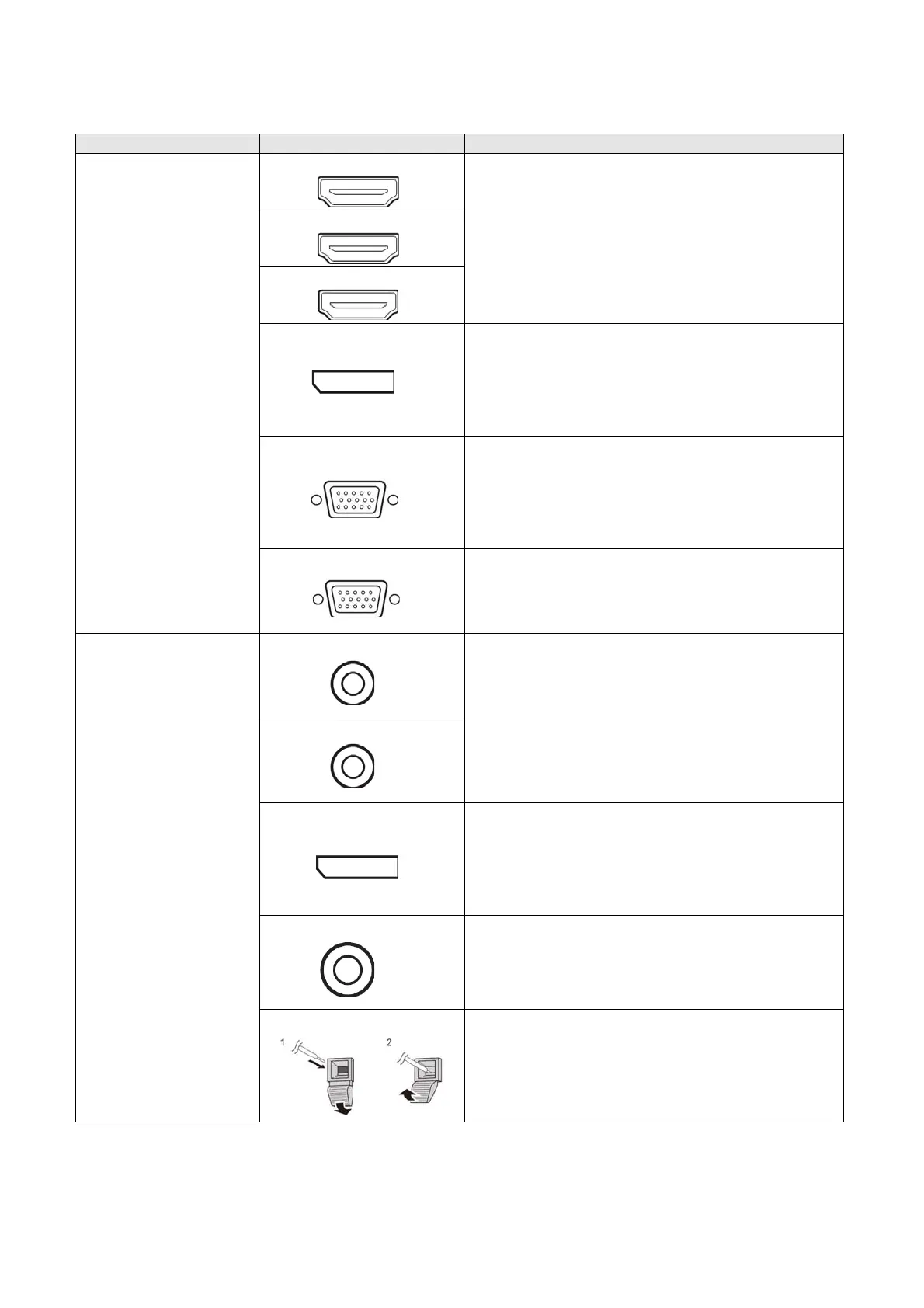
HDMI 1 input terminal
- Use a commercially available HDMI cable (conforming to the
HDMI standard).
- Set HDMI1/HDMI2/HDMI3 of INPUT SELECT on the SETUP
menu according to the device to be connected.
- Select the audio input terminal to be used in AUDIO SELECT of
the SETUP menu.
When HDMI is selected, connection to the audio input terminal is
unnecessary.
HDMI 2 input terminal
HDMI 3 input terminal
DisplayPort input terminal
- Use a commercially available DisplayPort cable (conforming to
the DisplayPort standard).
- Select the audio input terminal to be used in AUDIO SELECT of
the SETUP menu.
When DisplayPort is selected, connection to the audio input
terminal is unnecessary.
D-sub 1 input terminal
- Set D-SUB1 of INPUT SELECT on the SETUP menu according
to the device to be connected.
- To use with D-SUB1[VIDEO], connect the green terminal to the
device’s video output.
- Select the audio input terminal to be used in AUDIO SELECT of
the SETUP menu.
D-sub 2 input terminal
- Select the audio input terminal to be used in AUDIO SELECT of
the SETUP menu.
Audio input/output
Audio 1 input terminal
- Use an audio cable without resistance.
- Set the audio input terminal to be used in each input mode in
AUDIO SELECT on the SETUP menu.
Audio 2 input terminal
DisplayPort output terminal
- The screen displayed on the monitor and the audio output from
the monitor can be output to an external device.
- Use a commercially available DisplayPort cable (conforming to
the DisplayPort standard).
- Outputting HDCP-encrypted video requires an external device
which supports HDCP.
Audio output terminal
- The output sound varies depending on the input mode.
- The volume of the output sound can be fixed by setting AUDIO
OUTPUT of AUDIO OPTION on the SETUP menu.
- It is not possible to control the sound output from the audio output
terminals with the AUDIO menu.
External speaker terminals
- To use external speakers, set SPEAKER SELECT to EXTERNAL
in AUDIO OPTION on the SETUP menu.
- Be sure to use external speakers with an impedance of 6 Ω or
greater and a rated input of at least 10 W.


 To Next Page