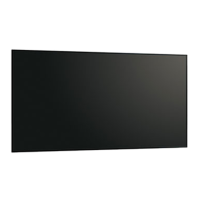
Need help?
Do you have a question about the Sharp PN-HW501T and is the answer not in the manual?
This document outlines the dismantling instructions for the SHARP PN-HW501T LCD Monitor, adhering to Annex VII of Directive 2012/19/EU. It serves as a comprehensive guide for technicians and service personnel who need to disassemble the monitor for repair, recycling, or component replacement. The instructions are structured to ensure a systematic and safe dismantling process, covering various components from the outer casing to internal printed circuit boards and specific parts like batteries and capacitors.
The primary function of this document is to provide a clear, step-by-step methodology for disassembling the PN-HW501T LCD Monitor. This is crucial for environmental compliance, allowing for the proper segregation and recycling of materials, especially hazardous components. The instructions are designed to be practical, detailing the necessary tools and the sequence of operations to prevent damage to salvageable parts and ensure the safe handling of potentially sensitive components.
For usage features, the document emphasizes the simplicity of the required tools: a screw driver and a nipper. This indicates that the monitor's design facilitates relatively straightforward disassembly, not requiring specialized or complex equipment beyond common hand tools. This approach makes the dismantling process accessible to a broader range of technicians, reducing the barrier to entry for maintenance and recycling operations. The sequential nature of the instructions, starting from the back covers and progressing to internal components, ensures that users can follow a logical path, minimizing the risk of errors or damage during disassembly. The inclusion of visual aids, such as images of the monitor's back covers and various printed circuit boards, further enhances the clarity and usability of the instructions, allowing technicians to easily identify the components they need to remove.
Maintenance features are extensively covered through the detailed dismantling procedure. The document breaks down the monitor into its major components, providing specific instructions for each. For instance, it details how to remove the back covers, which is the initial step to access the internal components. This is followed by instructions for removing the printed circuit boards (PWBs), including the Main I/F PWB, Power PWB, LED driver PWB, and T-CON PWB. The explicit mention of "1pcs" for each PWB type helps in inventory management and ensures that all relevant boards are accounted for during disassembly.
A significant maintenance feature is the instruction for battery removal. The document specifies that the model uses AAA batteries for the remote control and highlights that these can be "easily removed." This is an important detail for both routine maintenance, such as battery replacement, and for end-of-life recycling, as batteries often contain hazardous materials that require separate disposal. The visual representation of the remote control with the battery compartment open further aids in this process.
The instructions for dismantling the LCD Module are particularly detailed, outlining a five-step process that includes removing brackets, the touch panel, the rear cover, PWBs, and cables. This level of detail is critical for safely separating the LCD panel, which is often the largest and most delicate component of the monitor. The exploded view diagram of the LCD module provides an excellent visual guide, illustrating the relationship between different parts and their assembly, which is invaluable for understanding the disassembly sequence.
Furthermore, the document addresses the removal of electrolyte capacitors, specifically those with a diameter/height larger than 25mm, which are located on the Power PWB. This is a crucial maintenance and recycling consideration, as large capacitors can store significant electrical charge and may contain hazardous electrolytes. The instruction to use a nipper to cut the leads provides a practical method for their safe removal. The accompanying image of the Power PWB with the capacitors clearly visible helps technicians identify these components accurately.
Finally, the "Parts List" section, which describes parts according to Annex VII of Directive 2012/19/EU, serves as a comprehensive guide for material recovery and recycling. It categorizes components such as the LCD module, various printed circuit boards, batteries, electrolyte capacitors, and external electric cables. This list not only aids in identifying components for removal but also provides a framework for proper waste management and resource recovery, ensuring that valuable materials are recycled and hazardous substances are handled responsibly. The mention of "2 kinds of Power Cord" (for EU and UK) also highlights regional variations that might be relevant for replacement parts or recycling efforts.
In summary, this dismantle instruction manual for the SHARP PN-HW501T LCD Monitor is a well-structured and detailed guide that supports efficient and environmentally responsible maintenance and end-of-life processing. Its clear instructions, minimal tool requirements, and visual aids make it a practical resource for technicians, ensuring the safe and effective disassembly of the device.
 General
| Contrast Ratio | 4000:1 |
|---|---|
| Viewing Angle (H/V) | 178°/178° |
| Output Terminals | HDMI, DisplayPort |
| Aspect Ratio | 16:9 |
| Screen Size (Diagonal) | 50 inches |
| Response Time | 8 ms |
| Input Terminals | HDMI, DisplayPort |
| Built-in Speakers | Yes |
| Input Ports | HDMI, DisplayPort, DVI-D, VGA |
| Resolution | 1920 x 1080 pixels |

 To Next Page