EN 3
Attaching the Stand
90/80 inch only
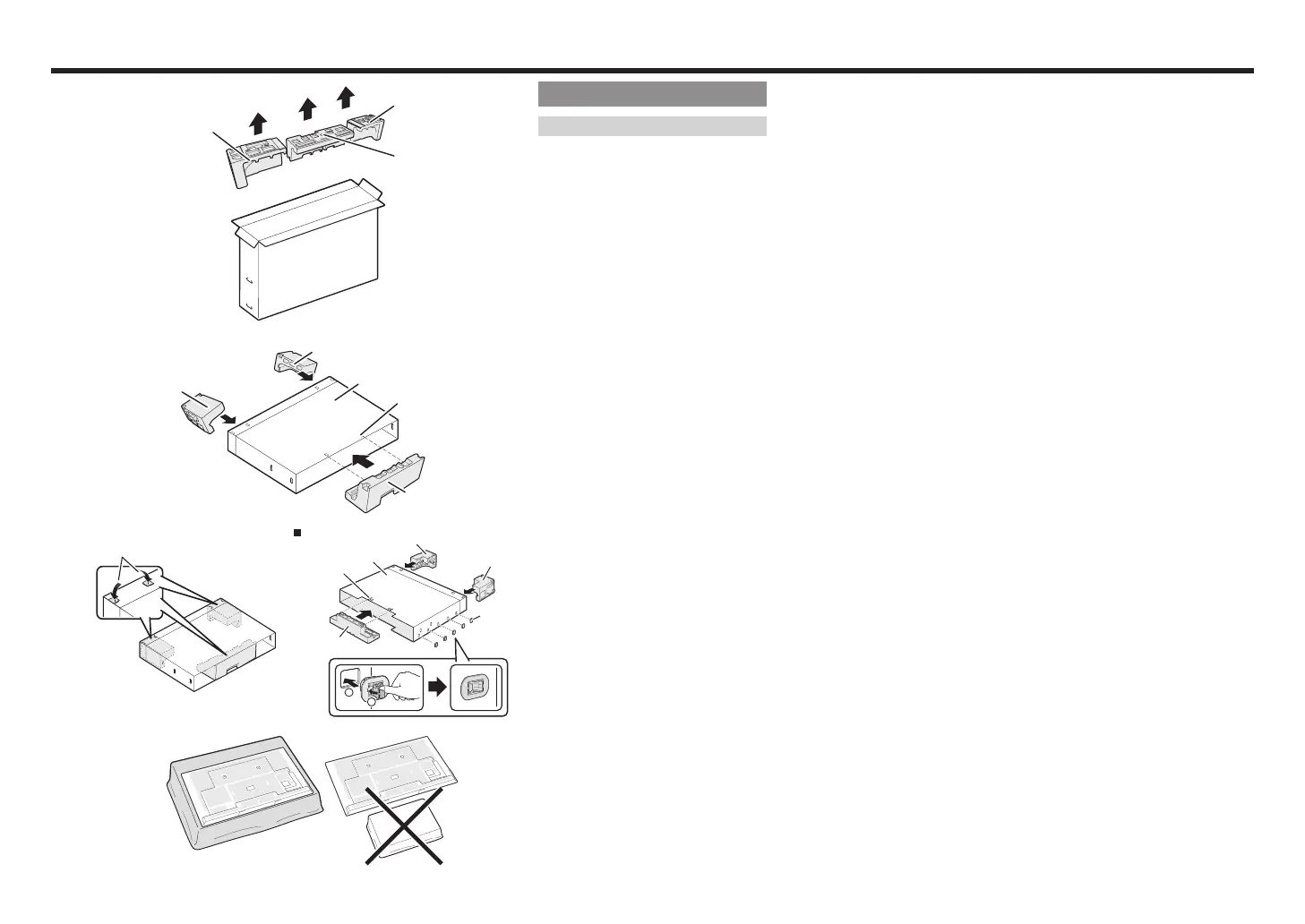
Building the Work Table
Before attaching the stand to the Monitor,
build a work table on which to rest the
Monitor.
• To build the table, use the cushioning
materials used in the packaging.
• Of the cushioning materials used, TOP-C
is also used during stand unit assembly.
Be sure to assemble the stand unit
before building the work table.
1
Insert each of the cushioning materials
in the respective directions shown in
the figure.
• Insert TOP-L and TOP-R into the left
and right sides of the case respectively.
• Insert TOP-C to fit between the lines
on the other side of the case.
2
The case is equipped with push-in
tabs to hold the cushioning materials
in place. Push in the tabs (2 for each
location) to secure the cushioning
materials in the case.
PN-Q901
Attach the joints and close the case.
1
Insert a joint into the hole on the
side of the case.
2
Pressing the tab, fix the joint into
place.
3
After you have built the work table,
spread a blanket or similar soft cloth
over the table and then lay the Monitor
display down on the covered table
before attaching the stand to the
Monitor.
• Do not use a small table for this.
• For information on attaching the stand,
See page
EN 1
to
EN 2
BACK
TOP-L
TOP-R
TOP-C
1
TOP-L
CASE
LINE
TOP-R
TOP-C
2
Push-in tabs
PN-Q901
1
2
TOP-L
TOP-R
JOINT
CASE
LINE
TOP-C
3



 To Next Page