26
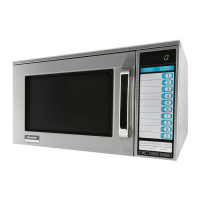
R-22GV
R-22GT
R-23GT
R-24GT
OTHER SETTING AND CHECKING PROCEDURE
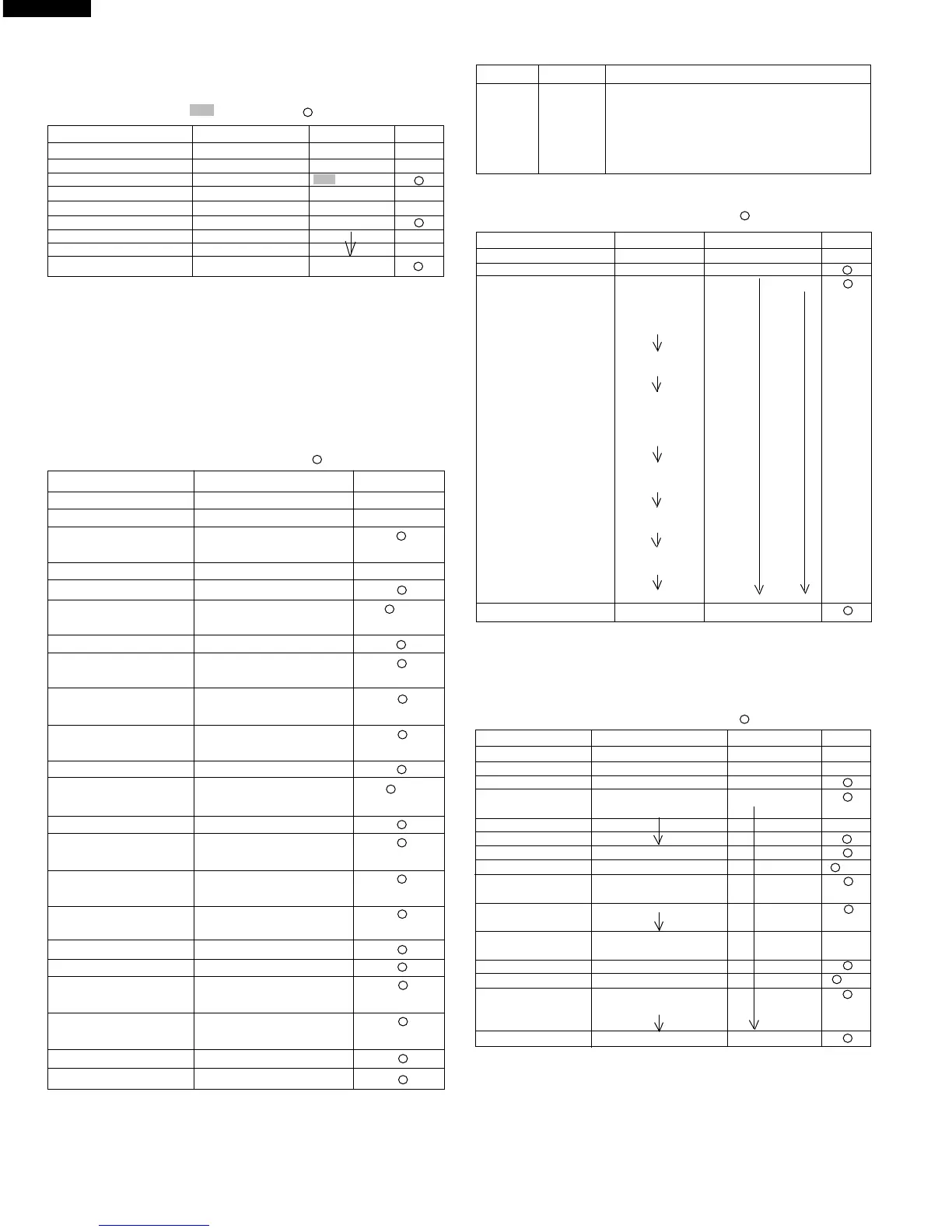
1. EXPRESS DEFROST
T = STG1 + STG 2 + STG3
STG = A x T + B
1) To set the constants of Express defrost.
(
Ex. 0.20T + 20, 40% at 1st stage
)
0.13T + 30, 30% at 2nd stage
0.67T - 50, 20% at 3rd stage
" ": Flicker / : 0.1 sec BUZZER
PAD ORDER DISPLAY TONE
(Door close) .
SET .
SET "NO" .
(within 2 sec.)
#1 START .
EXPRESS DEF 0.00 DEF.
2,0 0.20 DEF x 2
(A)
#2 SELECTATIME 0 DEF
2 20 DEF
(+ - B)
DEF
#4 SELECTAPOWER P -
DEF
4 P - 40
SELECTATIME 0.00 DEF
1,3 0.13 DEF x 2
(A)
SELECTATIME 0 DEF
3 30 DEF
(+ - B)
DEF
#4 SELECTAPOWER P -
DEF
3 P - 30
SELECTATIME 0 DEF
#3 5 5 DEF
DEF
#4 SELECTAPOWER P -
DEF
2 P - 20
SET . DEF
SET .
#1 : No key entry signal.
#2 : To set -B, touch the selectapower key twice.
#3 : Ex. defrost is paused after 50% of cooking time has lapsed when 5 key
is entered, otherwise it is paused at the end of each stage.
#4 : For R-22GV, change selectapower key to signal key.
KEY DISPLAY PAUSE
0 0 End of each stage
1 1 After 10% of total cooking time is passed
:::
9 9 After 90% of total cooking time is passed
START A There is no pause
5) Practice for cancelling total using times and total operation
time (user and service) and all other counter.
... Flashing / ... 0.1sec BUZZER
PAD DISPLAY INDICATOR TONE
(Door close) .
SET .
SET . No.
(within 2.0sec.) .
.
DOUBLE QUANTITY . DOUBLE
CHECK .
SINGLE .
SET .
2) To check the constants of Express defrost.
" ": Flicker / : 0.1 sec BUZZER
PAD DISPLAY INDICATOR TONE
.
CHECK . "No." CHECK
EXPRESS DEFROST 0.20 DEF
( A )
20
( +-B )
P - 40
( PL )
0.13
( A )
30
( +-B )
P - 30
( PL )
5
( pause time )
P - 20
( PL )
( repeat )
CHECK .
3) To set user counts
Practice for inputting total number of using times (Ex.
3100 times), and using times of Memory 1 (Ex. 100
times).
" ": Flicker / : 0.1 sec BUZZER
PAD DISPLAY INDICATOR TONE
(Door close) .
.
CHECK . CHECK No.
CHECK 82 68 CHECK
(user total count)
DOUBLE QUANTITY
SIGNAL
SET 0
3,1,0,0 31 00 x 4
SET 31 00
(user total count 3100 set)
#A 1 1 No.
(after 1 sec.) 1 32
(memory 1 count)
SET 0
1,0,0 1 00 x 3
SET 1 00
(memory 1 count 100 set)
CHECK .
NOTE:
1 : To input using times of other memory, touch necessary Memory key at
above step #A.
2 : To input using times of manual cooking, touch SELECTATIME key at
above step #A.
3 : To input using times of Express Defrost, touch EXPRESS DEFROST
key at above step #A.


 To Next Page