
 To Next Page
B
Brian JohnsonAug 1, 2025
Why is my Sharp R-92A0V cooking so slowly?
- EEmily CannonAug 1, 2025
If your Sharp Microwave Oven is cooking too slowly, make sure that you have selected the correct power level for your food.

Why is my Sharp R-92A0V cooking so slowly?
If your Sharp Microwave Oven is cooking too slowly, make sure that you have selected the correct power level for your food.
What to do if the control panel of my Sharp R-92A0V Microwave Oven doesn't work?
If the display of your Sharp Microwave Oven is lit, but the control panel does not work when pressed, check that the door is closed properly.
Why does my Sharp Microwave Oven make a noise during operation?
The microwave energy pulses ON and OFF during cooking and defrosting cycles. This is a normal operation, so the noise is expected.
Why is there condensation in my Sharp R-92A0V?
Condensation forms because the oven cavity is typically colder than the food being cooked. Steam produced during cooking condenses on the colder surface. The amount of steam depends on the food's water content. Condensation trapped in the door glass should clear after a few hours.
How to prevent arcing when cooking potatoes in my Sharp R-92A0V?
To prevent arcing when cooking potatoes, ensure all "eyes" are removed and the potatoes have been pierced. Place them directly onto the turntable or in a heat-resistant flan dish.
Why is there a draught circulating around the door of my Sharp R-92A0V Microwave Oven?
When the oven is working, air circulates within the cavity. The door does not form an airtight seal, so air may escape from the door.
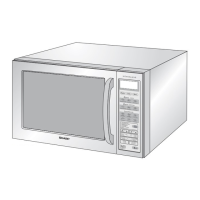
Lists and identifies internal and external parts of the oven.
Details provided accessories like turntable, support, coupling, and rack.
Provides critical notes on waveguide cover care, cleaning, and turntable fit.
Details the functions of the digital display and various indicator lights.
Lists the available automatic cooking menus for various food types.
Explains the function of buttons like CONVECTION, GRILL/COMBI, START, and the ENTRY dial.
Covers installation, safe operation, fire prevention, and electrical safety guidelines.
Details safety regarding hot parts, supervision, steam, and cleaning precautions.
Addresses preventing injury, burns, electric shock, and child misuse.
Provides guidance to prevent explosions, scalding, and covers general operational warnings.
Details steps for oven placement, ventilation, and ensuring a level surface.
Specifies voltage, fuse requirements, and safe plug connection procedures.
Instructions for setting the 24-hour clock function.
Explains how to use the kitchen timer for non-cooking timing needs.
Details the 5 power levels and recommendations for their use.
Guide to manual microwave cooking, including time input and power levels.
Instructions for using the grill and combination grill/microwave cooking modes.
Explains the 4 combination modes of microwave, grill, and convection.
Guide to using the convection facility, including preheating and temperature settings.
Enables programming multiple cooking stages sequentially.
Allows direct start cooking and extending cooking time by 30-second increments.
Instructions for setting and cancelling the child lock.
Guide to defrosting food by weight, with specific steps and notes.
Instructions for defrosting food using a pre-set time period.
Explains how to use automatic cooking programs for various food types.
Details specific auto menus for pizza, potato, meat, fish, vegetables, etc.
Provides important notes on using auto menus and specific instructions for popcorn.
Details which cookware materials are safe for microwave, grill, convection, and mix cook modes.
Warns about monitoring the oven when heating food in plastic or paper containers.
Provides detailed steps for cleaning the oven exterior, controls, interior, and accessories.
Instructions for cleaning accessories and the oven door, seals, and glass.
Simple self-checks to perform before calling for service for common issues.
A chart detailing common problems, their causes, and solutions for the microwave oven.
 General
| Type | Microwave Oven |
|---|---|
| Category | Countertop |
| Manufacturer | Sharp |
| Model | R-92A0V |
| Power Output | 900 watts |
| Turntable Diameter | 315 mm |
| Voltage | 230 V |
| Frequency | 50 Hz |
| Cooking Modes | Microwave, Grill, Combination |
| Auto Cook Menu | Yes |
| Child Lock | Yes |
| Display Type | Digital |