7
DISPLAY
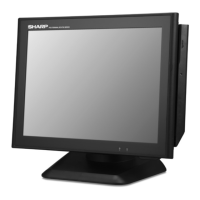
Display angle
The display may be tilted for the best viewing angle. The angle can be adjusted within
140 degrees left/right and 45 degrees up/down as illustrated in the picture.
Caution:
•
Donotpullthedisplaybeyondthemaximumtiltanglenorapplyexcessivepressureto
thedisplay.
•
Makesuretoholdthebodywhenpullingthedisplaysothattheterminalmaynot
move.
•
TheLCDmodulebuiltinthisPOSterminalismanufacturedwithhighlyprecise
technology,howeverbrightpixelsorblankpixelsmayappear.Alsoanirregularcolor
andbrightnessmayoccurdependingontheviewangle.Pleasenotethatthistypeof
phenomenaiscommonforLCDsandmaynotbeamalfunction.
•
Thebacklightinthedisplayisaconsumablepart.
•
WhentheLCDdisplaycannolongerbeadjustedandbecomesdarker,youshould
replacetheLCDmodule.ConsultyourauthorizedSHARPdealerforfurtherdetails.


 To Next Page