6
To start operation
1
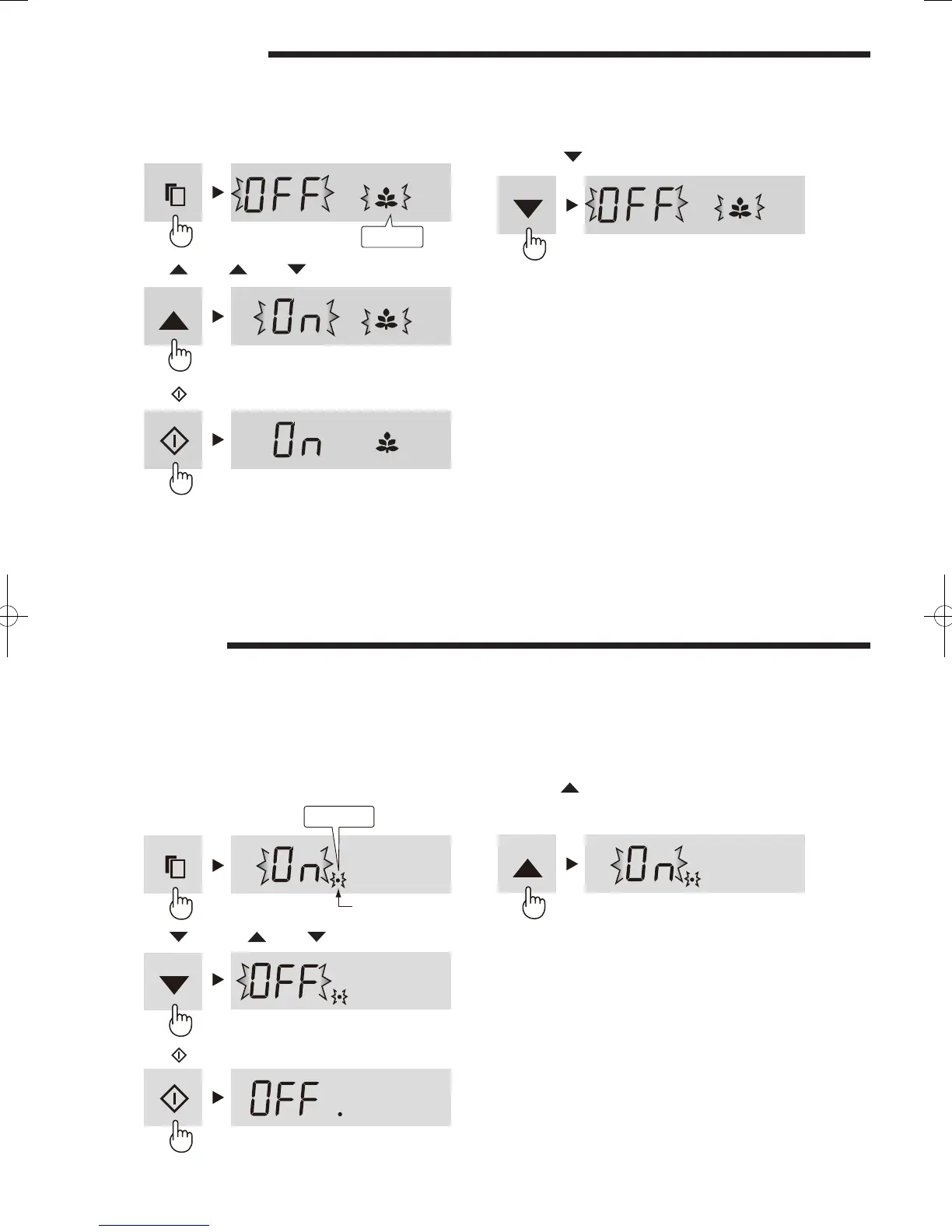
Press the select key and select Energy saving icon.
2
Press the key. [ : ON, : OFF ]
3
Press the
key.
Energy Saving
Use this feature when you want to switch the appliance to energy-saving operation.
To cancel operation
It is the same method as starting operation.
Press the
key in step 2.
NOTE
While this feature is operating, the inside temperature of the •
refrigerator and freezer compartment will be higher than the
preset temperature as follows ; R: about 1°C, F: about 2°C.
(If the preset temperature is set at R: 3°C, F: -18°C.)
The displayed temperature will not be changed.
The efciency of power saving depends on the usage •
environment (controlling temperature, ambient temperature,
frequency of opening or closing the door, amount of food).
Cancel this feature when you feel the beverages are not •
cooled enough or ice making takes time.
Flashing
Door Alarm
At rst, door alarm is set “ON”.•
When the refrigerator or freezer door is left open, the door alarm will sound.•
The door alarm will sound in 1 minute after opening the door and again after 1 minute (once in each case).•
If the door is left open for approx. 3 minutes, the alarm will sound continuously.•
To cancel operation
1
Press the select key and select the door alarm
indication like the below gure.
2
Press the key. [
: ON, : OFF ]
3
Press the
key.
To start operation
It is the same method as canceling operation.
Press the
key in step 2.
Flashing
Door alarm indication
(B344).indb 6 2012/05/28 9:46:45


 To Next Page