EasyManua.ls Logo

Sharp VC-MH321HM - Page 34

Sharp VC-MH321HM
41 pages
Print Icon
To Next Page IconTo Next Page
To Previous Page IconTo Previous Page
Loading...
CUSTOMISED
INSTALLATION
MANUALLY
SORTING
CHANNELS
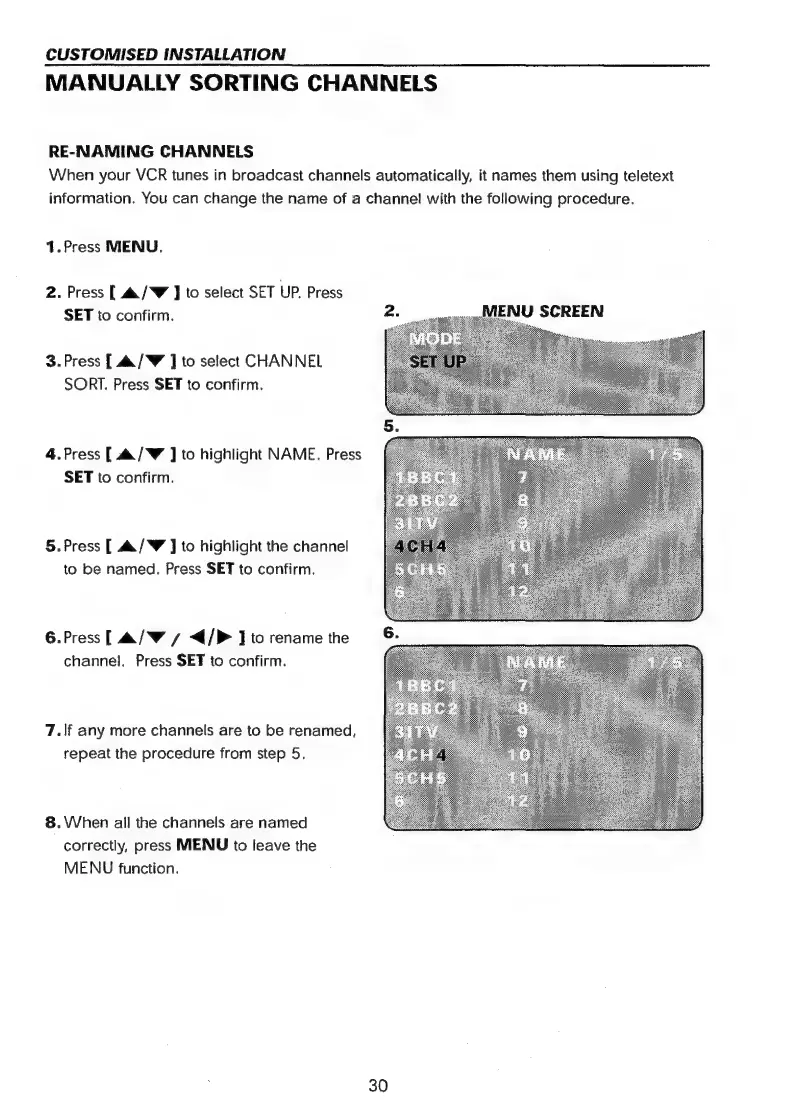
RE-NAMING
CHANNELS
When
your
VCR
tunes
in
broadcast
channels
automatically,
it
names
them
using
teletext
information.
You
can
change
the
name
of
a
channel!
with
the
following
procedure.
1.Press
MENU,
2.
Press
[
4
/W
J
to
select
SET
UP.
Press
SET
to
confirm.
3.Press
[
&/W
]
to
select
CHANNEL
SORT.
Press
SET
to
confirm.
4.Press
[
a/W
]
to
highlight
NAME.
Press
SET
to
confirm.
5.Press
[
4./W
]
to
highlight
the
channel
to
be
named.
Press
SET
to
confirm.
6.Press[
&/W/
</P
J
to
rename
the
channel.
Press
SET
to
confirm.
7.\/f
any
more
channels
are
to
be
renamed,
repeat
the
procedure
from
step
5.
8.
When
all
the
channels
are
named
correctly,
press
MENU
to
leave
the
MENU
function.
30

Related product manuals