EasyManua.ls Logo

Sharp VC-MH321HM - Page 35

Sharp VC-MH321HM
41 pages
Print Icon
To Next Page IconTo Next Page
To Previous Page IconTo Previous Page
Loading...
CUSTOMISED
INSTALLATION
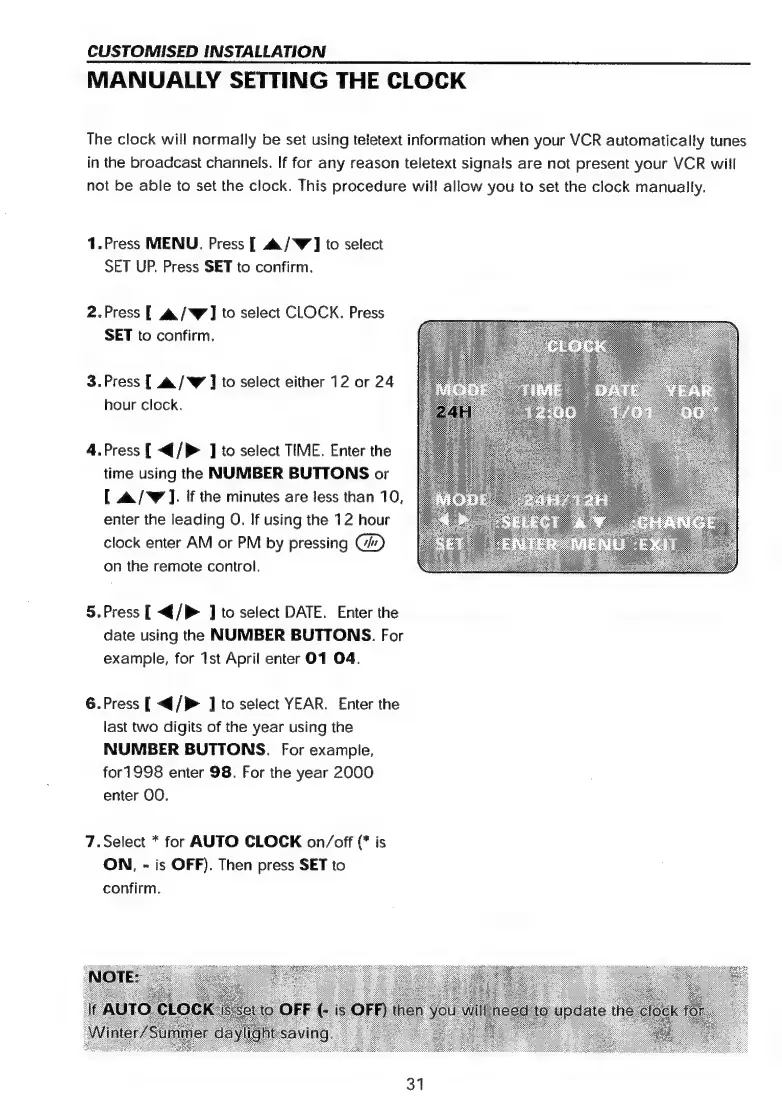
MANUALLY
SETTING
THE
CLOCK
The
clock
will
normally
be
set
using
teletext
information
when
your
VCR
automatically
tunes
in
the
broadcast
channels.
If
for
any
reason
teletext
signals
are
not
present
your
VCR
will
not
be
able
to
set
the
clock.
This
procedure
wil!
allow
you
to
set
the
clock
manually.
1.Press
MENU,
Press
[
a
/W]
to
select
SET
UP.
Press
SET
to
confirm.
2.Press
[
a&/W]
to
select
CLOCK.
Press
SET
to
confirm.
3.Press
[
a
/W
]
to
select
either
12
or
24
hour
clock.
4.Press
[
<{/P
]
to
select
TIME.
Enter
the
time
using
the
NUMBER
BUTTONS
or
[
&/W
].
If
the
minutes
are
less
than
10,
enter
the
leading
O.
If
using
the
12
hour
clock
enter
AM
or
PM
by
pressing
C/)
on
the
remote
control.
5.Press
[
<{/P
]
to
select
DATE.
Enter
the
date
using
the
NUMBER
BUTTONS.
For
example,
for
1st
April
enter
01
O4.
6.Press
[
</P>
]
to
select
YEAR.
Enter
the
last
two
digits
of
the
year
using
the
NUMBER
BUTTONS.
For
example,
for1998
enter
98.
For
the
year
2000
enter
OO.
7.Select
*
for
AUTO
CLOCK
on/off
(*
is
ON,
-
is
OFF).
Then
press
SET
to
confirm.
31

Related product manuals