32
VT-G14
VT-G21
Note:
Surely put the torque gauge on the reel disk to measure.
If the torque gauge is raised, accurate measurement is
impossible.
• Adjustment
1. If the rewinding playback winding-up torque is not
within the setting, replace the limiter pulley assembly.
Note:
The winding-up torque fluctuates due to variation of
rotation torque of supply reel disk. Read the center value
of fluctuation as setting.
Set value LP6.9 ± 2.5mN⋅m (70 ± 25gf⋅cm)
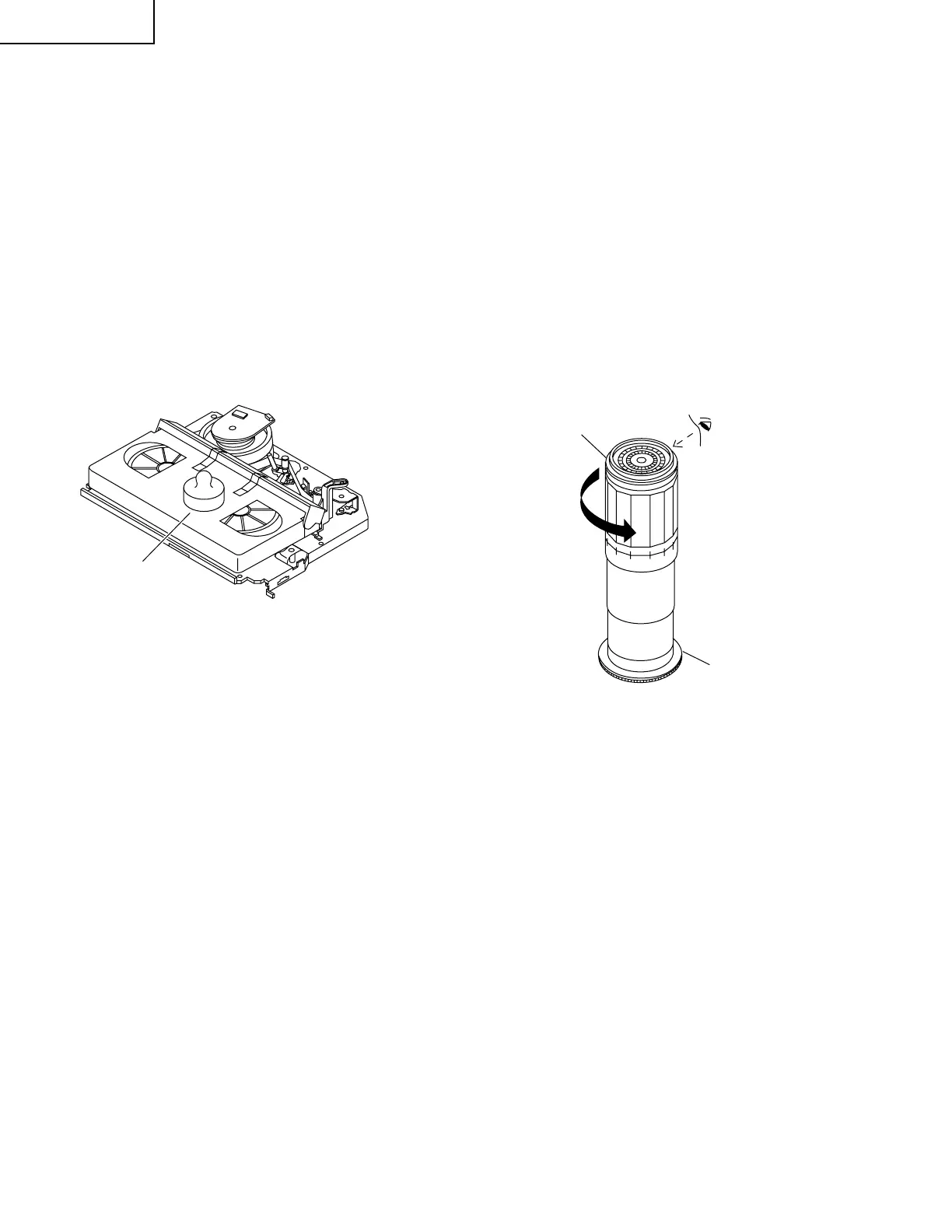
Cassette torque meter
Figure 1-10.
Torque gauge
Supply reel disk
CCW
Figure 1-11.
CHECKING AND ADJUSTMENT OF TAKE-
UP TORQUE IN RECORD/PLAYBACK MODE
• Remove the cassette housing control assembly.
• After short-circuiting TP7701 (J301) and TP7702
(J302) provided at the left on the main PWB, plug
in the power cord.
• Turn off the power switch.
• Open the cassette torque meter lid, and fix it with
tape.
• Load the cassette torque meter into the unit.
• Put the weight (500g) on the cassette torque
meter.
• Turn on the power switch.
• Press the REC button, and set LP picture record
mode.
500g
• Checking
1. Make sure that value is within the setting 6.9±2.5mN·m
(70±25gf·cm).
2. The winding-up torque fluctuates due to variation of
rotation torque of limiter pulley ass'y. Read the center
value of fluctuation as setting.
3. Set the LP record mode and make sure that the
winding-up torque is within setting.
• Adjustment
1. If the playback winding-up torque is not within the
setting, replace the limiter pulley assembly.
Note:
When the torque cassette is set, put a weight (500g) to
prevent rise.
When the cassette torque meter is taken out, turn off the
power switch.
CHECKING AND ADJUSTMENT OF TAKE-
UP TORQUE IN VIDEO SEARCH REWIND
MODE
• Remove the cassette housing control assembly.
• After short-circuiting TP7701 (J301) and TP7702
(J302) provided at the left on the main PWB, plug
in the power cord, then turn on the power.
• Setting
1. Press the playback button and rewind button to set
the video search rewinding mode.
• Checking
1. Place the torque gauge on the supply reel disk, and
turn it counterclockwise very slowly (one rotation
every 1 to 2 seconds) and check that the torque is
within the set value 14.0 ± 3.9mN⋅m. (144 ± 40gf⋅cm)



 To Next Page