36
VT-G14
VT-G21
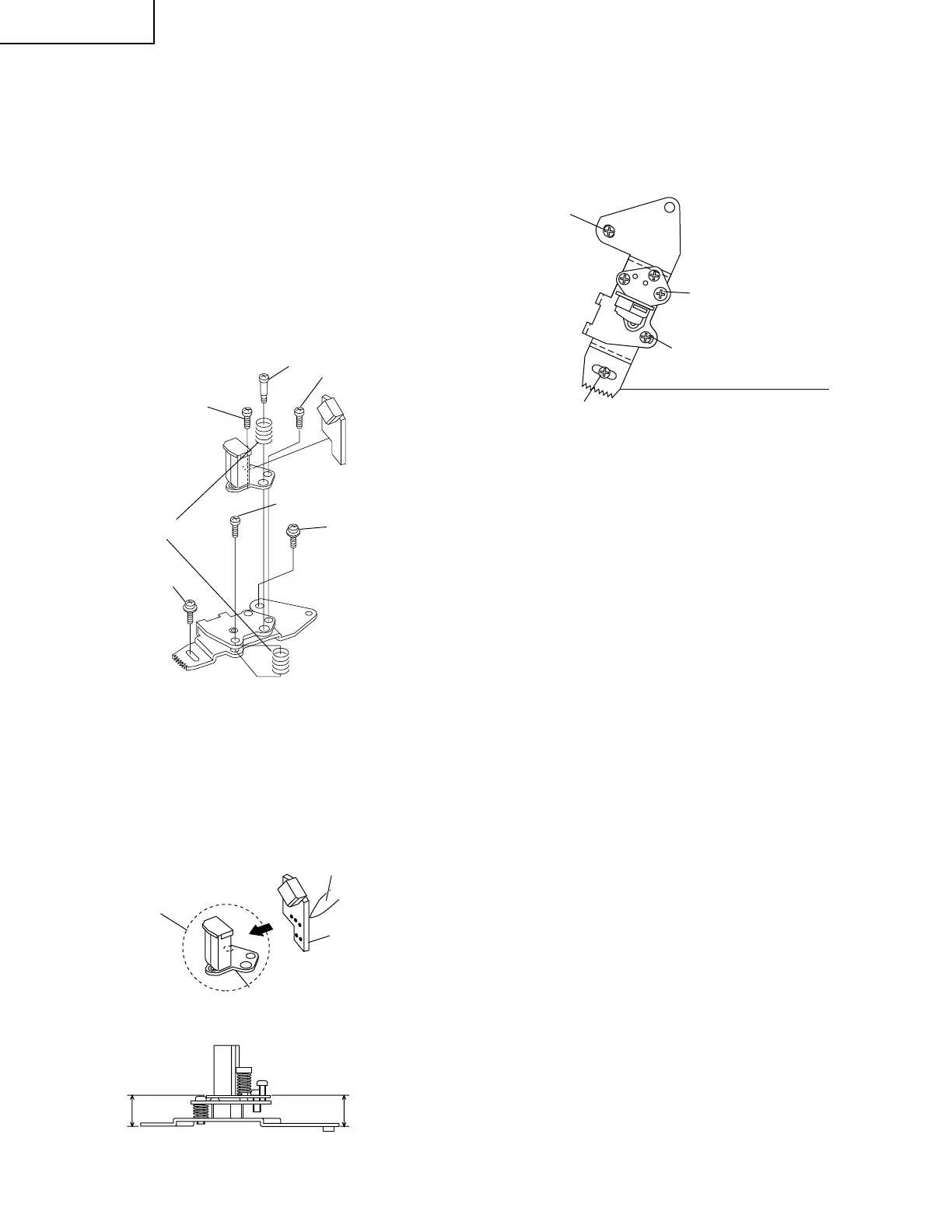
3. Align the left end of gear of A/C head plate with the
punched mark of chassis, tentatively tighten the
screws 1 and 2 so as to ensure smooth motion of
A/C head plate. Tentative tightening torque must be
0.15 to 0.20 N·m (1.5 to 2.0kgf·cm).
Height screw
Figure 1-23.
Figure 1-24.
Figure 1-25.
3
Azimuth screw
1
2
Spring
Tilt screw
New A/C head ass'y
∗
Never touch the head
A/C head base
A/C head PWB
Solder
10.8mm
10.8mm
Left end of A/C head plate gear
Punched line mark on chassis
Height screw
1
3
2
Notes:
1. If the screws 1 and 2 are tighten tentatively too
loose, the azimuth and height of A/C head may
change when they are finally tightened. Therefore
care must be taken.
2. After completion of A/C head be sure to adjust tape
running. (Execute the running adjustment by the
method described in Pages 38 and 39.)
• Replacement
1. Solder the removed PWB to the new head assembly.
2. Adjust the height from the A/C head plate (lower
surface) to the A/C head base to 10.8mm with slide
calipers. (3 places of azimuth screw section, tilt screw
section and height screw section)(See the figure
below.)
REPLACEMENT OF A/C (Audio/Control)
HEAD
1. Remove the cassette housing control assembly.
2. In unloading state unplug the power cord.
• Removal
1. Remove the screws 123, Azimuth screw and
Tilt screw.
2. Unsolder the PWB fitted to the A/C head
Notes:
1. When replacing, never touch the head. If you touched,
clean with the cleaning liquid.
2. When removing the screw 3, take care so that the
spring may spring out.



 To Next Page