SL-C1000/3x00 Quickstart ///TRIsoft OHG
SHARP SL-C1000/3x00 Page 23
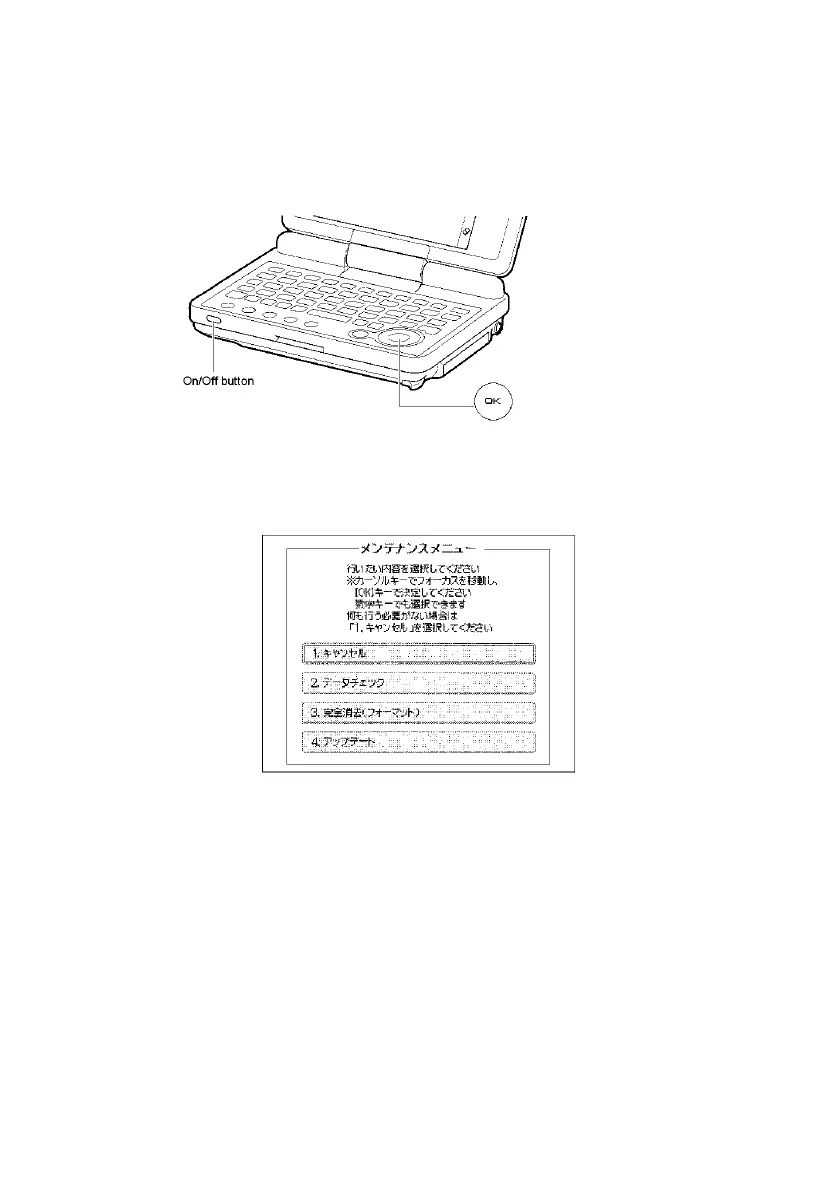
• Hold the “OK” key on the keyboard and turn on the device with the button
"On/Off".
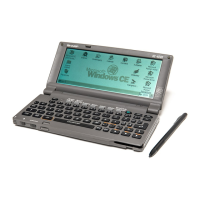
The flash menu appears in Japanese:
The 4 shown menu options mean (from top to bottom):
• Cancel (quit flash menu and boot normally)
• Execute FSCK (filesystem check)
• Reset (reset factory defaults)
Reset also deletes the data partition of the harddisk !
• Flash / Update


 To Next Page