my Zaurus SL-C3000 and SL-C3100 http://www.users.on.net/~hluc/myzaurus/
32 of 212 16/09/2007 12:23
use the Appearance application under the Settings tab, your selected image will be tiled unless you
pick an image that exactly fits the screen (640x420 or 480x620 minus the Qtbar) depending on
which your preferred orientation is. However, if you rotate the screen, then the image will be out of
proportion and will be tiled.
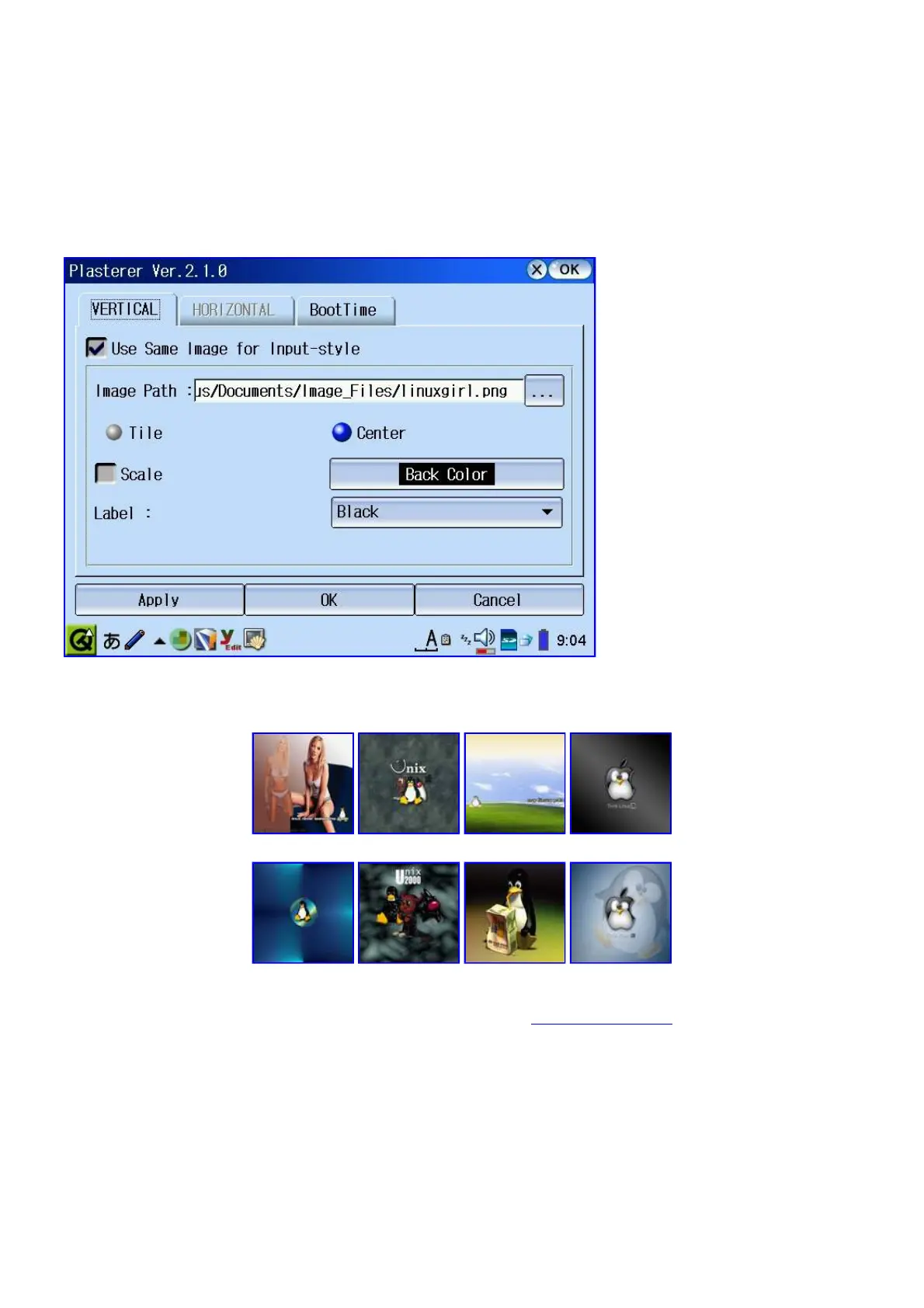
There is a way around this if you install Plasterer [plasterer_2.1.0-1_arm.ipk] which allows you to
choose an image that you can center or tile. It will then generate two images for you, vImage.png
and hImage.png which will be used as your wallpaper depending on which orientation you are in.
You can replace those two files with your preferred images which can be two completely different
images.
I have created the following background images with their horizontal and vertical pairs so they look
decent on the Zaurus in either orientation:
linuxgirl 11linux mypda thinklinux
tuxback unix2000 tuxdrinkxp thinkshell
Note: Most of the above images were taken from Cresho's zaurusthemes.org site. There are plenty
more pretty background images over there. These are just my favourite ones.
You will notice that this application is in Japanese. Use the Menu Language Switcher (en) tool under
the Settings tab (if you have langswitch installed) to move the qm file and it will be in English.
Once you have used Plasterer to generate hImage.png and vImage.png you can use bgswitch
[bgswitch_0.1_arm.ipk] to switch between your available backgrounds provided they are located in
/home/zaurus/Documents/Image_Files/wallpaper
ScreenSaver Customisation



 To Next Page