my Zaurus SL-C3000 and SL-C3100 http://www.users.on.net/~hluc/myzaurus/
64 of 212 16/09/2007 12:23
to the following
sleep 3
Enabling IrDa
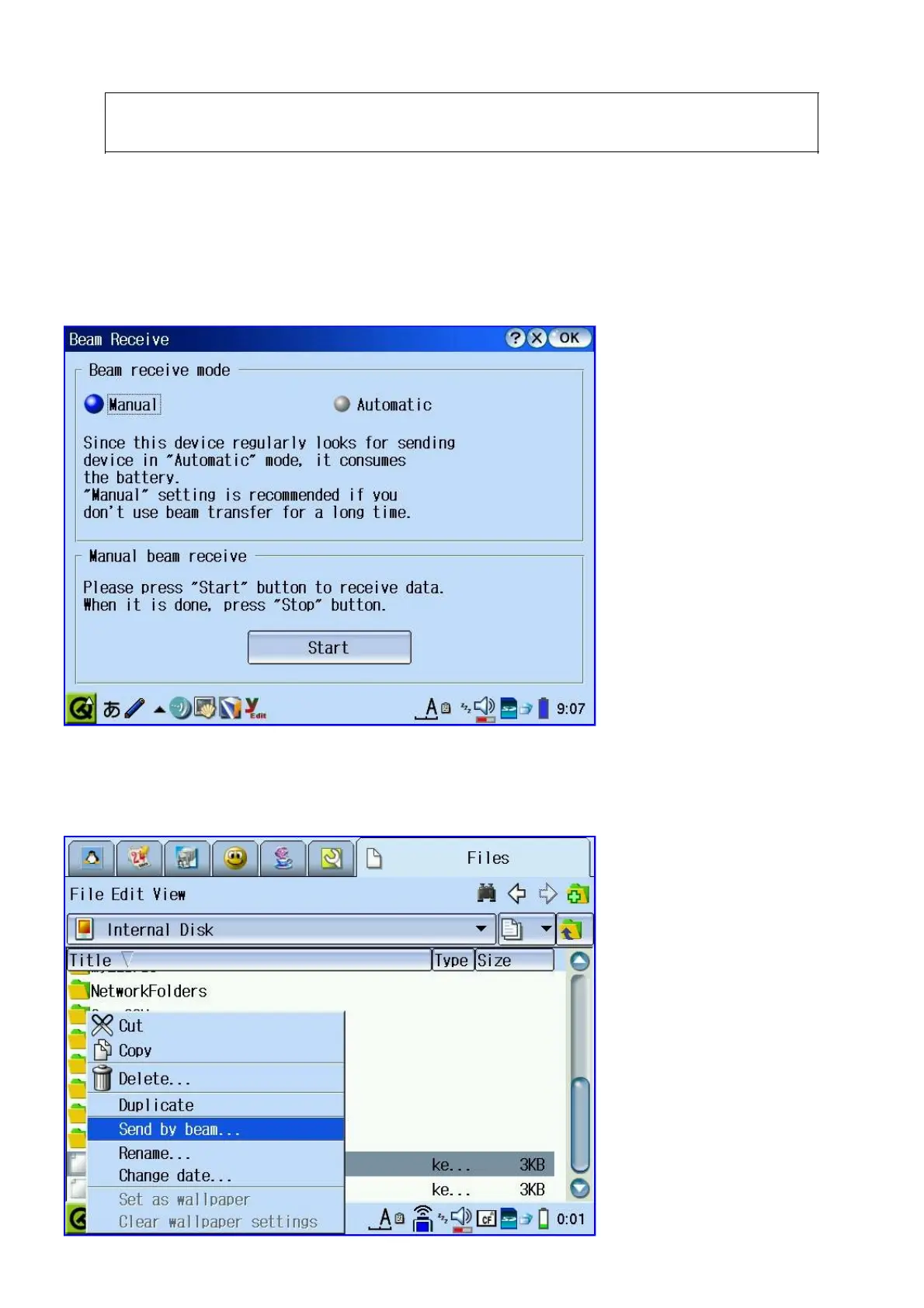
The Zaurus has an IrDa port build-in, but for security and power saving, it is disabled by default.
You can temporarily enable it to receive files. Use the IR-Receive tool under the Settings tab and
enable it to receive files. You should disable it once you finished receiving files.
You can also send files via IrDa. For that, select the file you want to beam from the Files Tab and
hold the stylus on it for a few seconds and select Send by beam.... I have tested this feature and it
works fine to send and receive files to my Laptop (Toshiba Libretto 50CT) and Mobile phone (Sony
Ericsson K750i).



 To Next Page