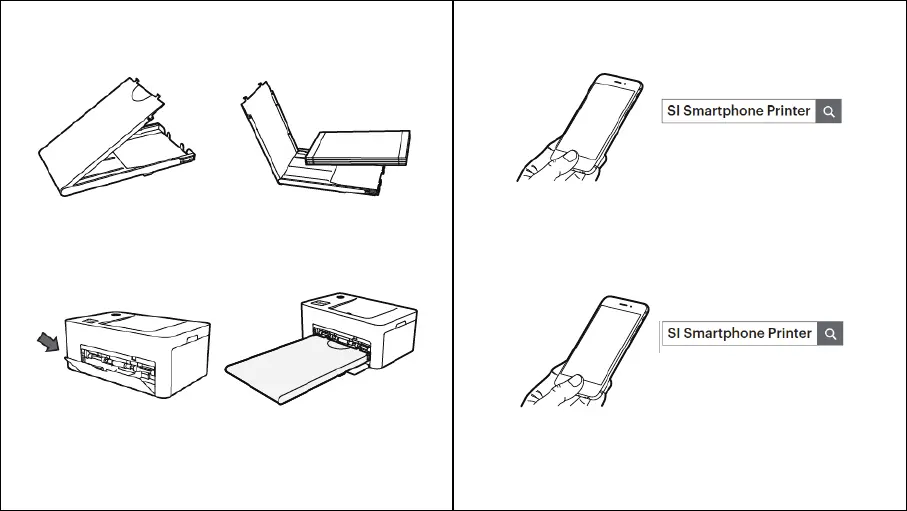
INSERTING PAPER CASSETTE
- 10 - - 11 -
1. iPhone, iPad and iPod
- Visit the App Store via your device.
- Search for “SI Smartphone Printer.”
- Install the application.
2. Android Phones and Tablets
- Go to the Play Store via your device.
- Search for “SI Smartphone Printer.”
- Install the application.
1. Open the cassette cover.
2. Insert paper facing shiny side up. You
can insert up to 20 sheets. Inserting over
21 sheets may cause a malfunction. Avoid
touching the coated paper with your hands
as it may affect the photo quality.
3. Open the printer’s cassette cover.
4. Insert the cassette until it clicks
into place.



 To Next Page