
 Need help?
Do you have a question about the Sharper Image 208583 and is the answer not in the manual?
Learn about the bird feeder's built-in sensors for identifying and recording bird species.
Lists all components provided with the bird feeder, including brackets, screws, and cables.
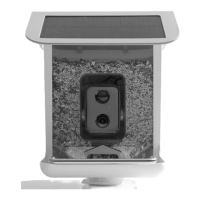
Identifies the main parts of the bird feeder, such as the roof, solar panel, camera, and stand.
Details item number, detection method, power, camera, video, connectivity, field of view, and dimensions.
Information on the solar panel's efficiency, voltage, current, and other electrical characteristics.
Diagram and list identifying the camera's status LED, infrared LED, microphone, sensors, lens, and ports.
Covers camera power, consumption, battery life, image quality, viewing angle, and wireless connection.
Covers safety, charging, operating temperature, humidity, sunlight, and waterproofing.
Provides essential notes on Wi-Fi compatibility, placement, and device range for optimal use.
Step-by-step instructions for marking holes, installing anchors, and mounting the bracket.
Procedure for attaching the bracket connector using long screws.
Instructions on using short screws to secure the bird feeder lid against squirrels.
Guide to downloading the required mobile app via QR code or app stores.
Instructions for connecting the bird feeder to your Wi-Fi network via the app.
Details on app functions such as sharpness adjustment, battery level, recording, and settings.
Answers common questions regarding Wi-Fi operation, storage, sharing, languages, and battery life.
Information on voice control capabilities and troubleshooting saved videos.
Guidance on factors affecting bird identification accuracy and optimal photo angles.
Details on the 1-year limited replacement warranty and customer service contact information.
This document describes the Sharper Image Video Camera Bird Feeder, Item No. 208583.
The Sharper Image Video Camera Bird Feeder is designed to detect, identify, and record up to 10,000 species of birds. When a bird lands on the feeder, its built-in sensors identify the bird and send images to your smartphone via a dedicated app. The device offers live streaming video, motion detection, and the ability to save photos and videos. It can be used for bird watching, identification, and creating a collection of bird sightings.
General:
Camera & Video:
Connectivity:
Solar Panel Specifications:
Camera Identification Components:
LED Indicator Light Status:
Assembly and Installation: The device comes with a bird feeder bracket, bracket connector, screws, anchors, and a waterproof rubber pin. Installation involves marking holes on a wall using a template, drilling, installing wall anchors, mounting the bracket, and securing the bracket connector. The bird feeder lid can be opened to add bird food and then fastened with short screws to prevent access by squirrels.
App Download and Wi-Fi Connection: Users need to download the "BIRD LOVER" app from the iTunes App Store or Google Play by scanning a QR code or searching for the app. After downloading, users register their device, receive a registration code via email or text, and create a password. To connect the device to Wi-Fi, open the app, click "Add Device" or "+", select a "Smart Bird Feeder" icon, turn on the Bird Feeder, and ensure the Red LED is flashing quickly. Follow in-app instructions to complete the connection.
Using the App: The app provides various features for interacting with the bird feeder:
Voice Control: The app supports third-party voice services like Amazon Alexa and Google Assistant, allowing for voice control if compatible devices are available.
Local Storage: The device supports local storage via an included memory card or purchased iCloud service within the app, allowing users to store, view, and play back photos and videos.
Multi-User Access: Only one person can directly connect to a bird feeder, but the device can be shared with other users by setting up different accounts, each with its own data.
Language Support: The Bird Lover app is translated into major world languages, but bird identification results are only available in English or Chinese.
Charging: The battery can be charged indoors via the Type C USB charging port using a DC 5V/2A adapter. For continuous hassle-free charging, the included charging cable can be plugged directly into the solar panel during daylight hours. Users should choose the charging method best suited to their weather conditions.
Optimal Photo Angle for Bird Identification: For accurate bird identification, ensure pictures are clear, identifying features (bird head, tail, wings, feather patterns) are not obstructed, and the bird occupies the main position in the picture. If multiple bird species are present, the identification will focus on the one in the main position.
Troubleshooting:
Care and Safety:
 General
| Brand | Sharper Image |
|---|---|
| Model | 208583 |
| Category | Digital Camera |
| Language | English |

 To Next Page