11
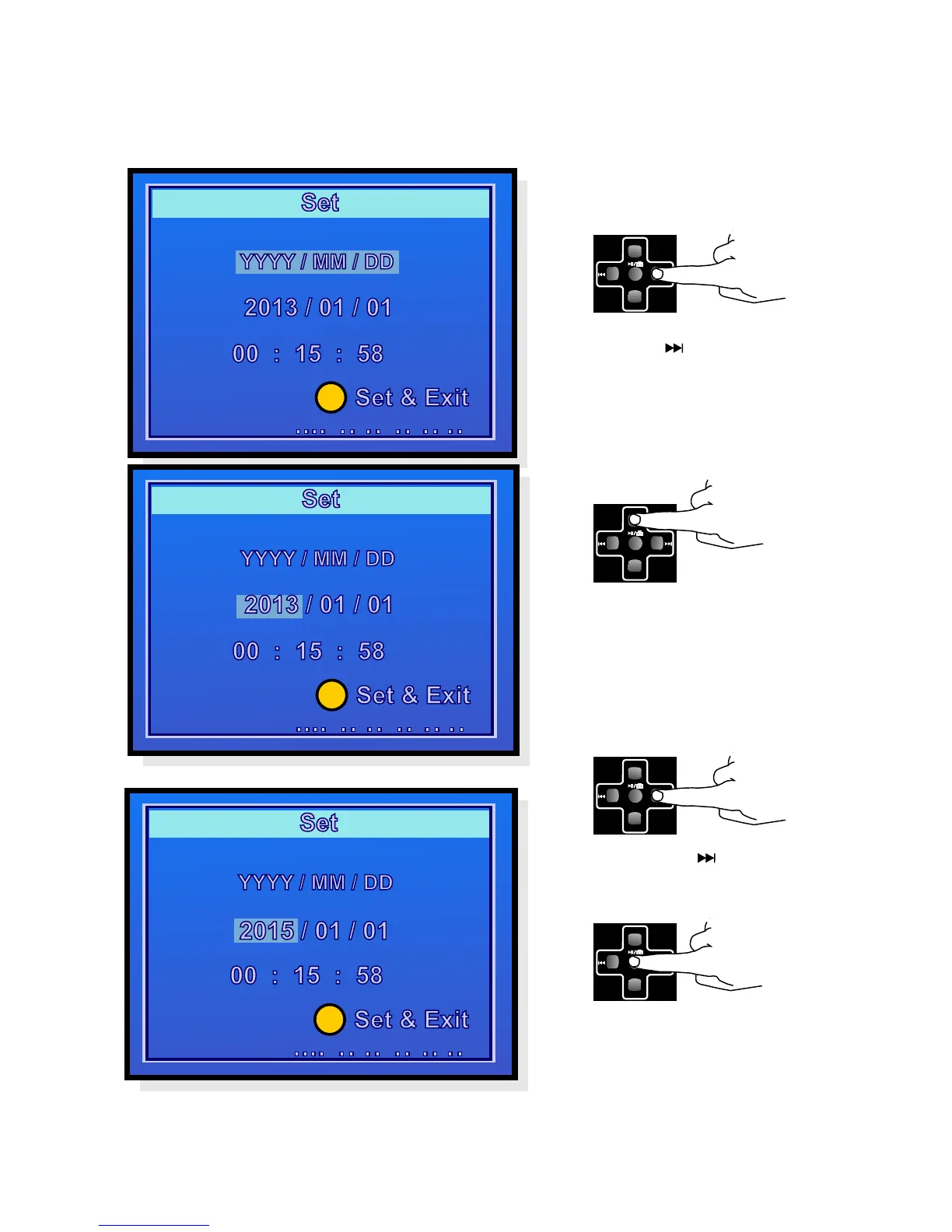
Then use the button to
scroll further to the month etc.
Press OK to save the settings
and return to the settings
menu.
OK
VOL-
VOL+
Using the button, scroll
down to the year.
OK
VOL-
VOL+
Set the correct year by using
the VOL- and VOL+ buttons.
OK
VOL-
VOL+
OK
VOL-
VOL+
OK
OK
OK
Setting the Date and Time
.
In the video recording mode, briefly press the On/Off
Menu button
Once all the settings are made, return to the video recording mode by pressing
the On/Off Menu button. The selected settings remain saved even if the device
is switched off.



 To Next Page