16
Playback
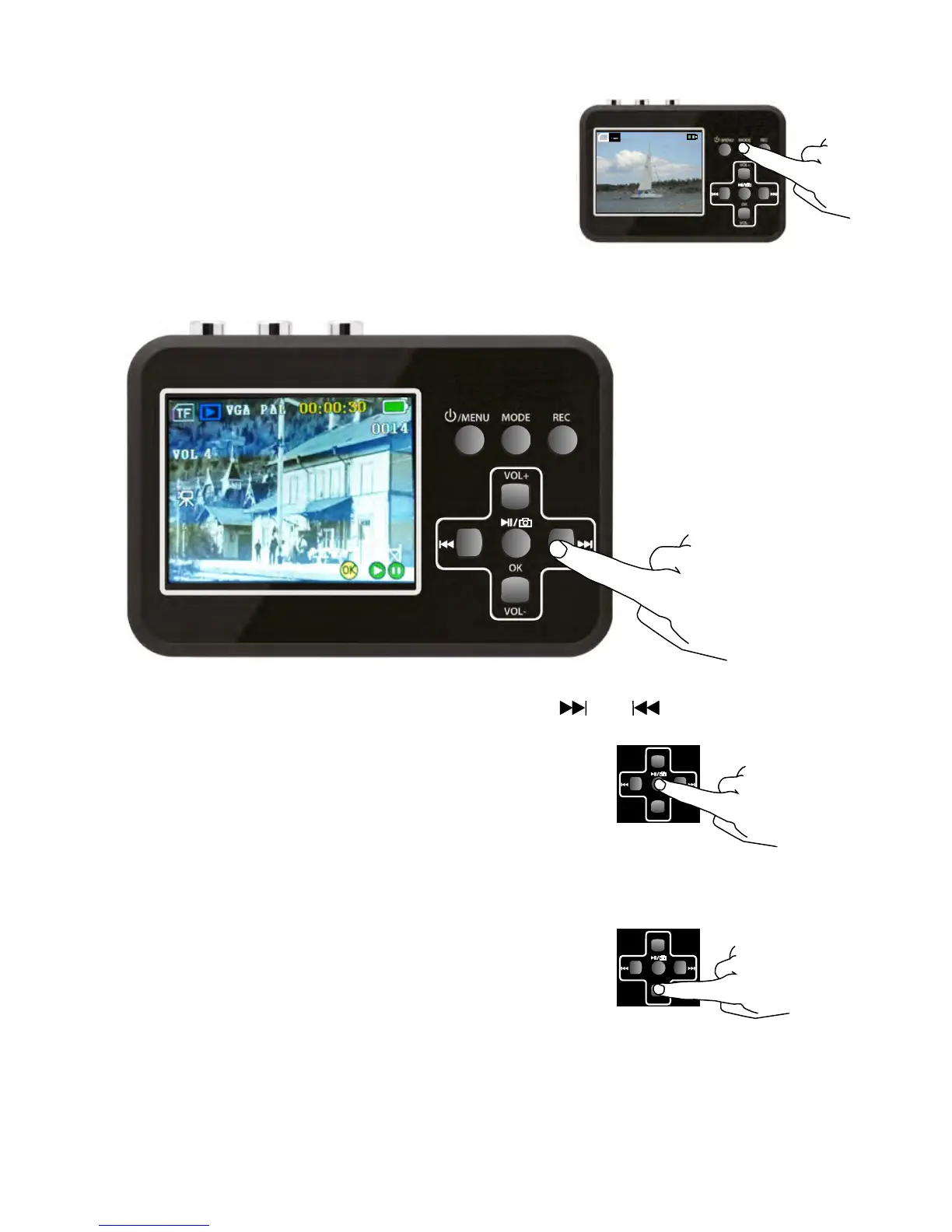
1. Turn on your Video Grabber
2. Use the MODE button to select
the play mode.
Your Video Grabber is now in play mode.
OK
VOL-
VOL+
TF
VGA PAL
00:51:09
VOL 4
OK
VOL-
VOL+
3. Select the desired film using the or buttons.
4. Press OK to play the film.
OK
VOL-
VOL+
You can zoom in and out on snapshots in several steps
by pressing the OK or VOL+ button.
OK
VOL-
VOL+
Pressing the VOL- button will zoom back and ultimately
data about the image file are shown.


 To Next Page