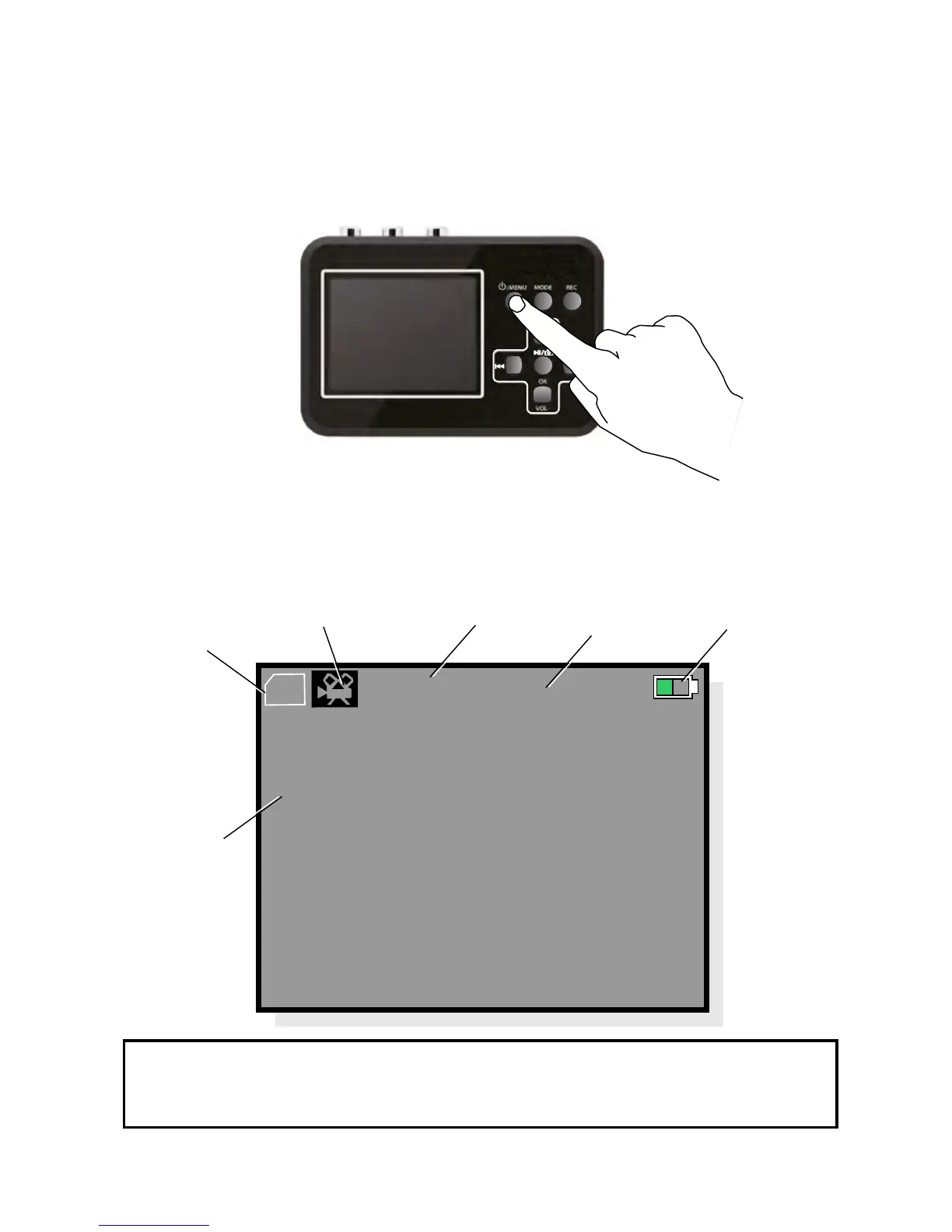
shown on the display:
video recording mode and the following information is
8
Starting Your Video Grabber:
Make sure that the battery is charged and that the memory
card is in place. Press the On/Off Menu button for
approximately three seconds.
OK
VOL-
VOL+
TF
VGA PAL
00:51:09
VOL 4
Upon being powered up, the Video Grabber starts off in
SD-card
in place
Video recording
mode
Video format
Time
Battery
charge
status
Volume level
N.B.! If no memory card is in place, the message
No Card appears on the display.


 To Next Page