- 2 -
WARNING—READ BEFORE CHARGING
Lithium Polymer batteries can expand, burst or catch fired if used incorrectly, causing
personal injury and property damage. It is essential that you read and follow all
instructions and safety warnings. SharperImage.com and its affiliated companies
assume no liability for failure to comply with these safety instructions and warnings.
1. Turn off the drone.
2. If the battery has been used recently, allow it to cool before recharging.
3. Charging must be performed by an adult.
4. Use only the charging cable that came with this product. Do not use any other
charging cables.
5. Always charge the battery on a non-flammable, heat-resistant surface with non-
flammable surroundings.
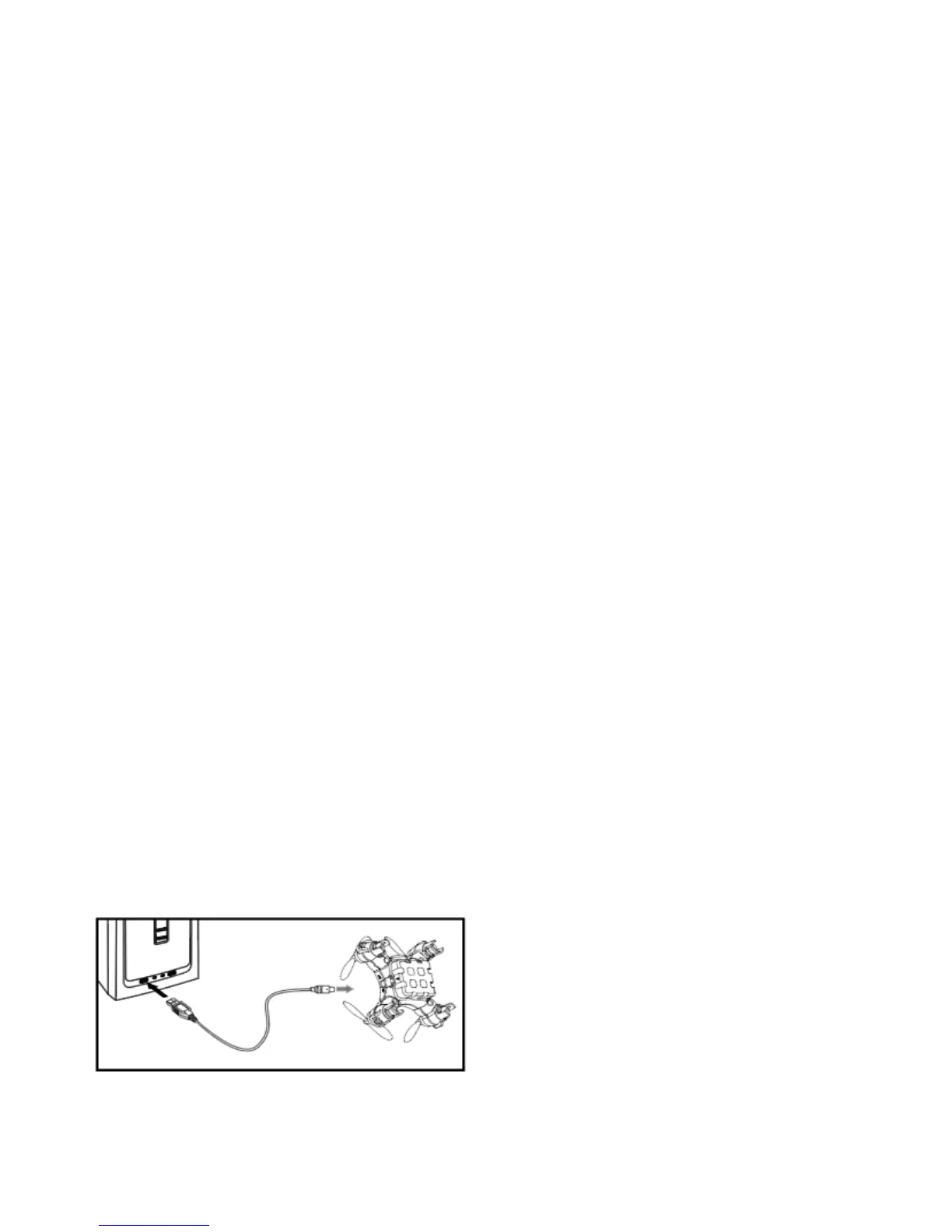
6. Connect the battery to the USB charging cable by inserting the “T”-shaped battery
plug into the “T”-shaped socket. (See illustration below.) Never try to force the
connection. If the pins are bent, do not attempt to charge the battery. Consult
Sharper Image Customer Service.
7. Connect the other end of the charging cable into a COMPUTER USB PORT ONLY. Do
not use a mobile phone charging adapter.
8. The LED on the USB charging cable will light up RED when it is charging, and will
turn OFF when it is fully charged.
9. Remove the battery from the charging cable as soon as the LED turns off, or after
30 minutes, whichever comes first. DO NOT charge the Lithium Polymer battery
for more than 45 minutes. Do not continue charging the battery once the LED has
turned off. Always disconnect the USB cable after charging.
10. Lithium Polymer batteries do not last forever. If your battery becomes damaged in
a crash, or no longer charges properly, immediately replace it with a new battery.
To prolong the life of your battery, it is always best to retain a bit of charge in your
battery prior to charging it.
CHARGING YOUR MOSQUITO DRONE



 To Next Page