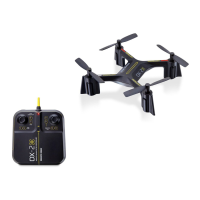
Photo button
Throttle lever
(with speed control button)
Indicator light
Power switch
Video button
Forward/backward lever
Flip button
Aileron trim (left/right)
Elevator trim (forward/backward)
- 1 -
FEATURES
• Reliable 2.4 gHz RF communication
• Built-in gyro for smooth flying
• Indoor/outdoor use
• 3 speed levels (40%, 75%, 100%)
• Shoots high definition AVI video (1280x720P)
• Shoots high-quality JPEG images
CONTROLLER COMPONENTS
SETTING UP THE CONTROLLER
1. Unscrew the battery cover.
2. Insert 2 AA batteries, making sure you follow the correct polarity (“+”
or “-”) as indicated in the battery compartment.
3. Re-attach the battery cover.
NOTE: Always use alkaline batteries. Do not mix old and new batteries.
Keep batteries out of reach of children at all times. Always have an adult
install the batteries.
• 360° flips
• Flight range: 60 ft.
• LED lights
• Charge time: approximately
50 minutes
• Flight time: approximately 5 minutes
Item No. 206003
MOSQUITO HD VIDEO DRONE WITH LED LIGHTS
User Manual
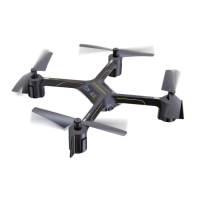
Thank you for purchasing the Sharper Image Mosquito HD Video Drone with LED Lights.
This advanced nano quadcopter is designed for all skill levels.

 Need help?
 General

 To Next Page