1. Plug the lamp into a 110-120V three-prong power outlet.
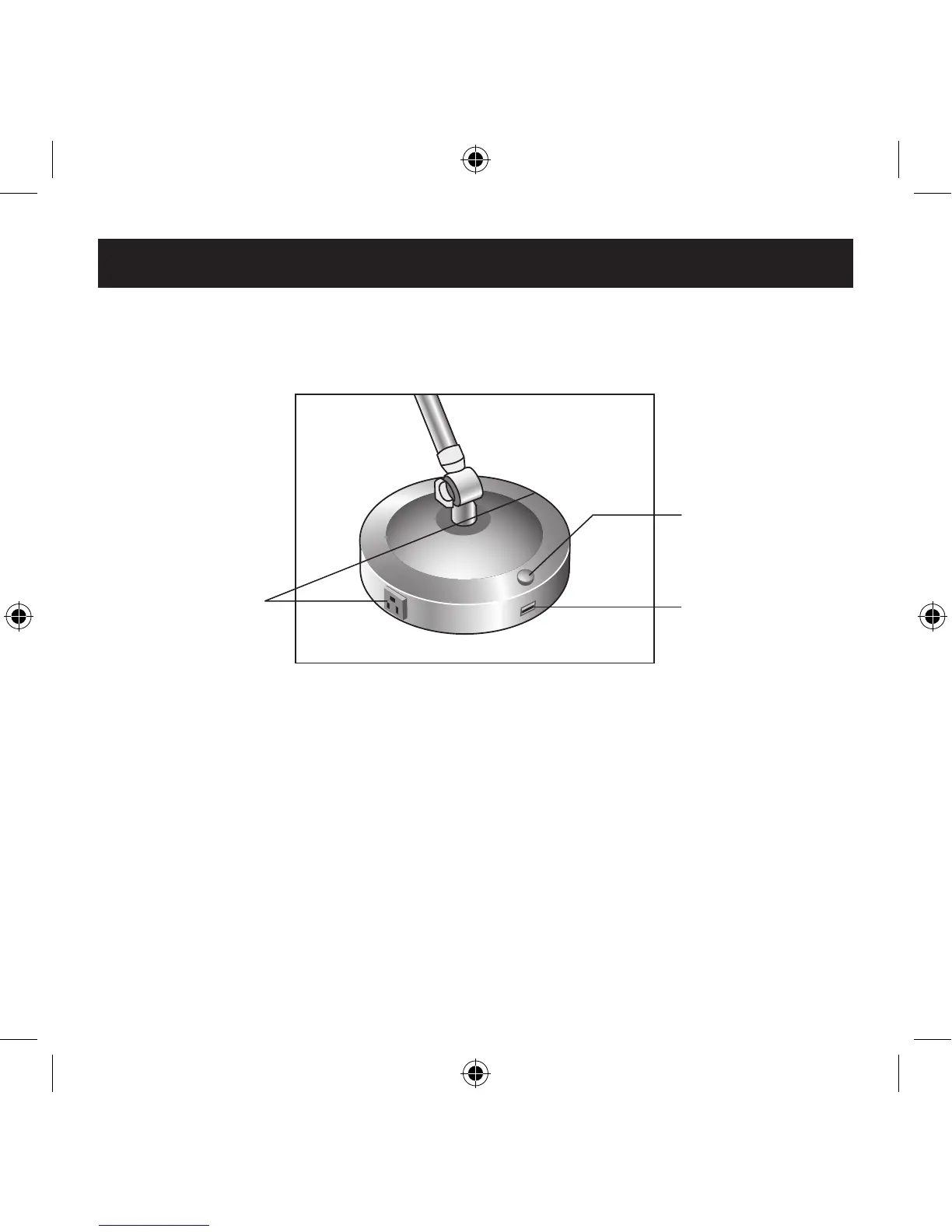
2. Turn the POWER CONTROL KNOB
to turn the light on or off.
The built-in AC power outlets can be used to connect up to two
separate chargers or other AC appliances. Do not exceed 5A total
power load on one or both outlets combined.
The built-in USB power port can be used to connect, power and
charge compatible USB products.
Note:
Not all products that have a USB cable can be charged by
a USB port. Consult your USB product manual if it isn’t obtaining
correct power.
Operation
Power Control
Knob
USB Port
Grounded
Power Outlets


 To Next Page