Need help?
Do you have a question about the Sharper Image SOUND SOOTHER SI735 and is the answer not in the manual?
Control alarms, navigate settings, and adjust time/date.
Manage alarm snooze, display light, and radio presets.
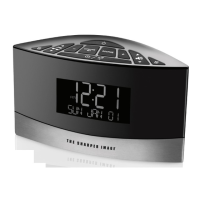
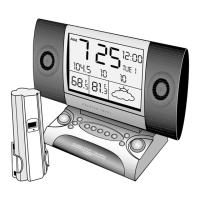
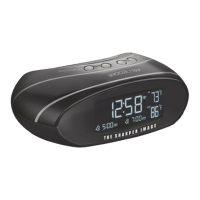
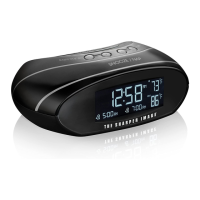
View current time, date, temperature, and status indicators.
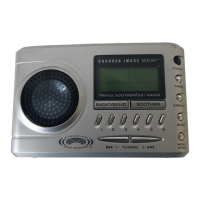
Tune stations, select AM/FM bands, and switch to radio mode.
Operate CD player, select tracks, activate Sound Soother, and set sleep timer.
Adjust volume/bass and connect audio/power accessories.
Icon indicates when the battery power is low or weak.
Use AC adapter for power; SNOOZE/LIGHT controls backlight.
CR2032 battery powers clock and display; handle with care.
Requires four AA batteries for primary functions; replace when low.
CR2032 battery powers clock; reset button for malfunctions.
Press MODE to flash hour, then UP/DOWN to adjust.
Press MODE to flash minute, then UP/DOWN to adjust.
Advance past midnight for 24-hour format; continue to switch back to 12-hour.
Press MODE to flash year, then UP/DOWN to adjust.
Press MODE to flash month, then UP/DOWN to adjust.
Press MODE to flash date, then UP/DOWN to adjust.
Set alarm hour and minute by pressing MODE and UP/DOWN buttons.
Choose alarm sound by pressing the ALARM SOUND button.
Alarm icon on screen indicates the alarm is active and set.
Delay alarm in 10-minute increments up to 30 minutes using SNOOZE button.
Automatic snooze activates if no button is pressed after alarm sounds.
Alarm automatically resets for next day if turned off or not interacted with.
Tune station, press MEM/DEMO to store, then UP/DOWN to select preset number.
Press UP or DOWN to scan and instantly tune to preset stations.
Press SOOTHER button to activate the Sound Soother mode.
Use the soother switch to select different background sounds.
Sound Soother turns off when the alarm sounds; it cannot be used as an alarm.
Start, pause, stop CD playback, and indicate program completion.
Select tracks, scan, toggle repeat modes, or set random play order.
Select single track repeat ('1') or entire CD replay ('ALL') via MODE button.
Activate random play ('RND') via MODE button when unit is stopped.
Program specific tracks by selecting 'PROGRAM' via MODE and using track buttons.
Select Fahrenheit or Celsius display for temperature using UP/DOWN buttons.
Change AM scanning rate (10kHz US / 9kHz European) via MODE and UP/DOWN.
Set sleep timer (15-60 mins) to fall asleep to audio; shuts off automatically.
Product complies with FCC Part 15 for digital devices; avoid interference.
Measures to correct radio/TV interference include reorienting antennas and increasing separation.
One-year warranty covers defects in material/workmanship; excludes abuse and batteries.
Return defective product with proof of purchase and shipping fee to TSI Returns.
Many issues are caused by weak batteries; try replacements before returning the unit.
 General
| Product Type | Clock Radio |
|---|---|
| Model Number | SI735 |
| Brand | Sharper Image |
| Display Type | LED |
| Alarm Function | Yes |
| Snooze Function | Yes |
| Sleep Timer | Yes |
| Functions | Sound machine, alarm clock |
| Sound Options | Nature Sounds, White Noise |
| Additional Sounds | Rain, ocean, brook |
| Power Source | AC adapter |
| Alarm | Buzzer or Nature Sounds |

 To Next Page