Need help?
Do you have a question about the Sharper Image Travel Soother 20 SI621 and is the answer not in the manual?
Controls for adjusting volume and managing alarm functions like on/off and snooze.
Buttons for selecting AM/FM bands, activating the sound soother, and managing presets.
Buttons for power, timer, display, mode selection, and memory/demo functions.
Refers to the adjustable antenna for optimal radio reception.
Details on using the optional AC adapter for power, saving batteries, and backlight.
Information on battery usage, travel light benefit, and automatic backlight shutoff.
Basic steps to adjust settings like clock, alarm, and display preferences.
How to switch between 12-hour and 24-hour time display using the DIS button.
How to activate the alarm using the ALM ON/OFF button and the ALARM icon.
Describes how the alarm starts low and ramps up in volume.
Instructions for resetting, deactivating, or snoozing the alarm.
How to select radio (AM/FM) or Sound Soother using dedicated buttons.
Steps to tune to a station, press MEM/DEMO, and save to a preset number.
How to recall a saved radio station by pressing its corresponding preset number.
Tips to enhance FM reception by tuning the retractable antenna.
Tips to improve AM reception by slightly turning the entire unit.
How to fix basic issues by pressing the RESET button inside the battery compartment.
Caution against unauthorized modifications that could void user authority.
Information regarding FCC compliance for Class B digital devices and interference.
Details on what defects in materials or workmanship are covered by the warranty.
Specifies the warranty period of one year from the original purchase date.
Lists conditions like misuse or damage that are excluded from warranty coverage.
Outlines Sharper Image's options for repair, exchange, replacement, or refund.
Instructions on returning the product with receipt and problem description for service.
Contact information for customer service representatives via phone or email.
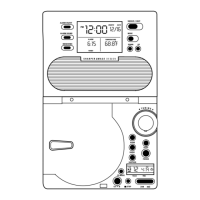
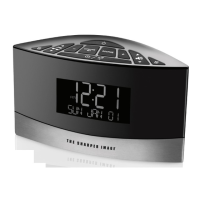
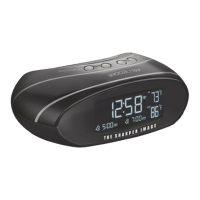
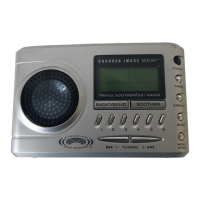
The Sharper Image SI621 Travel Soother 20 Radio Alarm Clock is a versatile and portable device designed to provide a range of audio and timekeeping functions, making it an ideal companion for travel or daily use. This compact unit combines a radio, a sound soother, and an alarm clock, all within a user-friendly interface.
At its core, the SI621 serves as a multi-functional alarm clock with advanced features. It offers a dual-time clock, allowing users to independently set and display time for two different time zones, a practical feature for travelers. The clock can display time in either a 12-hour (AM/PM) or 24-hour (Military) format, catering to individual preferences. A calendar display is also integrated, providing quick access to date information.
The alarm function is highly customizable, featuring a "ramp-up" alarm that gradually increases in volume to provide a gentle wake-up experience. Users can select from several alarm sounds, including a traditional buzzer, soothing church bells, their favorite radio station, or one of the built-in sound soother options. The alarm can be easily activated or deactivated, and a snooze/light button allows for temporary alarm delays (10 to 30 minutes, in 10-minute increments) and activates the screen backlight for visibility in low light.
Beyond its alarm capabilities, the SI621 functions as a radio, capable of receiving both AM and FM frequencies. It includes a telescoping antenna for enhanced FM reception, which can be adjusted in length and direction for optimal signal quality. For AM reception, the unit's built-in antenna can be tuned by slightly turning the entire radio. The device also incorporates a sound soother feature, offering a selection of calming sounds to aid relaxation or sleep.
A timer button is included, enabling users to program the radio or sound soother to play for a specific duration (up to 120 minutes) before automatically shutting off, a convenient feature for falling asleep to music or ambient sounds.
The SI621 is designed for ease of use with clearly labeled controls. Volume adjustments are straightforward, allowing users to increase or decrease the audio output. The "MODE" button is central to setting various features; pressing it repeatedly cycles through different setting options, such as clock time, alarm time, alarm sound, calendar, dual time, and temperature display format (°F or °C). Once a setting is selected, the "TUNING" buttons (<<-TUNING +>>) are used to change and adjust the values.
The display is a backlit LCD, which can be set to remain on continuously when the unit is powered by an AC adapter, or it will automatically shut off after five seconds when running on batteries to conserve power. A "DISPLAY" button allows users to select what secondary information is shown on the screen, providing flexibility in what data is prioritized.
Radio operation is intuitive. The "POWER" button turns the audio on or off. The "RADIO/BAND" button selects between AM and FM radio bands, while the "SOOTHER" button activates the sound soother. The "TUNING" buttons are used to manually tune to desired radio stations. For convenience, the device supports up to six AM and six FM preset radio stations. These presets can be stored by tuning to a station, pressing "MEM/DEMO," and then selecting a number from 1 to 6. Recalling a preset is as simple as pressing the corresponding number button.
The "MEM/DEMO" button also serves a dual purpose: when pressed and held, it will demo the alarm sound, allowing users to preview their selected alarm tone.
The SI621 offers flexible power options, running on either four AA alkaline batteries for portability or an optional 6V AC adapter (Model SM917) for continuous power. Using batteries makes the device lightweight for travel, while the AC adapter saves on battery life and allows the LCD backlight to remain on when the "LIGHT" button is pressed. The battery compartment is located at the back of the unit.
An important maintenance detail for international travelers is a switch located inside the battery compartment (hidden behind the batteries). This switch allows users to toggle between 10K and 9K positions for AM radio tuning, accommodating different regional broadcasting standards outside the United States.
For basic operation problems, the device includes a "RESET" button. This button, located just under the battery cover tab inside the battery compartment, can be pressed with an unbent paper clip or similar object to restore the unit to its default settings, often resolving minor functional issues.
The Sharper Image SI621 Travel Soother 20 Radio Alarm Clock is designed with durability in mind, featuring advanced Aluminum Cone Driver Technology that produces rich, crisp sound from a compact speaker system. This ensures a high-quality audio experience whether listening to the radio or the sound soother.
 General
| Product Name | Sharper Image Travel Soother 20 SI621 |
|---|---|
| Category | Clock Radio |
| Power Source | Battery |
| Sound Options | 6 nature sounds |
| Timer | 15, 30, 60-minute options |
| Volume Control | Yes |
| Included Accessories | travel pouch |
| Display Type | LCD |
| Alarm Features | Dual alarm |

 To Next Page