EasyManua.ls Logo

Shel lab FX14-2 User Manual

Shel lab FX14-2
18 pages
To Next Page IconTo Next Page
Page #1 background imageLoading...
Page #1 background image
CONSTANT
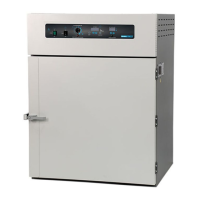
TEMPERATURE OVEN
MICROPROCESSOR
CONTROLLED
FLOOR MODELS:
FX14-2 & FX28-2
02/13
4861581-2
INSTALLATION AND OPERATIONAL MANUAL
Sheldon Manufacturing Inc. P.O. Box 627 Cornelius, Oregon 97113
EMAIL: tech@Shellab.com INTERNET: http://www.Shellab.com/~Shellab
1-800-322-4897 (503) 640-3000 FAX (503) 640-1366
Question and Answer IconNeed help?

Do you have a question about the Shel lab FX14-2 and is the answer not in the manual?

Shel lab FX14-2 Specifications

General IconGeneral
BrandShel lab
ModelFX14-2
CategoryOven
LanguageEnglish

Summary

Receiving and Inspection

Inspection

Check for visible exterior damage upon delivery and document any findings.

Concealed Loss/Damage Inspection

Inspect unit interior and exterior for hidden damage after delivery.

Return Shipment

Instructions for returning the unit, requiring prior authorization from customer service.

Accessories Verification

Confirm all listed accessories are present with the unit packaging.

Graphic Symbols

Potential Shock Hazard Symbol

Warning symbol indicating a potential shock hazard behind a partition.

Over Temperature Safety Symbol

Symbol indicating the over-temperature safety feature of the unit.

Earth Ground Symbol

Symbol representing the earth ground connection for safety.

Consult Manual Symbol

Symbol indicating the need to consult the manual for more information.

Installation

Power Source Requirements

Ensure electrical supply circuit conforms to codes and voltage specs.

Location Selection Criteria

Guidelines for choosing an optimal installation site considering airflow and environment.

Lifting and Handling Procedures

Safe methods for lifting and moving the unit, emphasizing proper restraint.

Leveling the Unit

Instructions for using leveling feet to ensure the unit sits level and solidly.

Safety Precautions

Combustible Materials Warning

Explicit warning against placing explosive, combustible, or flammable materials in the chamber.

Ground Prong Integrity

Do not cut or remove the ground prong from the power cord for electrical safety.

Electrical Repair Safety

Disconnect unit from electrical source before performing any repairs or replacements.

Control Panel Overview

Power Switch and Indicator

Description of the main power switch and its illuminated status indicator.

Main Temperature Control

Details the SET/TEMPERATURE control for inputting and calibrating set points.

Overtemperature Safety Thermostat

Function of the HIGH LIMIT control for over-temperature protection.

Timer Control Operations

Describes controls for setting, activating, and managing timed heating cycles.

Operation

Setting Main Temperature

Guide to entering and adjusting the desired set point temperature for the oven.

Temperature Calibration

Procedure for calibrating the unit's temperature display using a reference thermometer.

Setting Overtemperature Safety

Steps to correctly set the Safety Thermostat for reliable over-temperature protection.

Timer Operation and Control

Timer Programming

Instructions for setting timer functions for hours and minutes.

Timer Activation

Procedure to start and activate the programmed timer cycle.

Timed Operation Start

How to set timed operation to begin only after temperature stabilization.

Maintenance

Routine Cleaning Procedures

Guidelines for regular interior cleaning and care of the door gasket.

Storage Preparation

Procedures for preparing the unit for storage, including cleaning and securing.

Electrical Component Maintenance

Statement that no electrical maintenance is required, referring to troubleshooting.

Troubleshooting - Temperature Issues

Temperature Too High or Low

Diagnosing and resolving issues with temperature exceeding or failing to reach set points.

Display Readings HI or LO

Troubleshooting steps for over-range or under-range indications on the display.

Indicated Temperature Instability

Resolving fluctuations or instability in the displayed chamber temperature.

Troubleshooting - Performance Issues

Unit Not Heating Properly

Addressing problems like unit not heating at all or failing to reach set point.

Will Not Maintain Set Point

Diagnosing why the unit fails to hold the target temperature consistently.

Thermometer Mismatch

Troubleshooting discrepancies between the unit display and an external reference thermometer.

Door Not Sealing Correctly

Steps to correct a door that does not seal properly.

Troubleshooting - Other Issues

Unit Will Not Turn On

Steps to resolve complete failure of the unit to power on.

Smoke During Initial Operation

Explaining and resolving smoke from new units during the first hour of operation.

Contamination in Chamber or Sample

Procedures for addressing and preventing contamination within the chamber or samples.

Parts List

Unit Specifications

Limited Warranty

Related product manuals