EasyManua.ls Logo

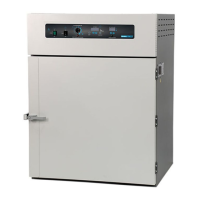
Shel lab FX28-2 - User Manual

Default Icon
18 pages
Print Icon
To Next Page IconTo Next Page
Loading...
CONSTANT
TEMPERATURE OVEN
MICROPROCESSOR
CONTROLLED
FLOOR MODELS:
FX14-2 & FX28-2
02/13
4861581-2
INSTALLATION AND OPERATIONAL MANUAL
Sheldon Manufacturing Inc. P.O. Box 627 Cornelius, Oregon 97113
EMAIL: tech@Shellab.com INTERNET: http://www.Shellab.com/~Shellab
1-800-322-4897 (503) 640-3000 FAX (503) 640-1366

Questions and Answers

Summary

Receiving and Inspection

Initial Inspection Process

Inspect for visible exterior damage upon delivery and note any damage found on the freight bill.

Installation Procedures

Power Source Requirements

Ensure the electrical supply circuit conforms to codes. Verify voltage and ampere requirements.

Essential Safety Precautions

Control Panel Functions

Power and Timer Switches

Explains the main power switch and the timer switch functionality for controlling oven operation.

Temperature Control Interface

Describes the main temperature set point control and the overtemperature safety thermostat.

Timer Control Interface

Details the digital display, arrow pads, and buttons for setting and activating timed cycles.

Operating the Oven

Setting Temperature and Calibration

Enter set point temperature, allow stabilization, and calibrate using a reference thermometer.

Setting Overtemperature Safety

Adjust Safety Thermostat to activate approximately 10°C above the main set point.

Setting the Timer Display

Configure the timer for timed operation using the SET/TIMER display and controls.

Advanced Oven Operation

Routine Maintenance

Temperature Troubleshooting

Overheating and High Readings

Addresses issues where the oven temperature is too high or the display shows 'HI'.

Underheating and Low Readings

Addresses issues where the oven temperature is too low or the display shows 'LO'.

Heating Failure Diagnosis

Diagnoses why the unit will not heat up at all or to the set point.

Performance and Calibration Troubleshooting

Mechanical Troubleshooting

Control and Power Troubleshooting

Summary

Receiving and Inspection

Initial Inspection Process

Inspect for visible exterior damage upon delivery and note any damage found on the freight bill.

Installation Procedures

Power Source Requirements

Ensure the electrical supply circuit conforms to codes. Verify voltage and ampere requirements.

Essential Safety Precautions

Control Panel Functions

Power and Timer Switches

Explains the main power switch and the timer switch functionality for controlling oven operation.

Temperature Control Interface

Describes the main temperature set point control and the overtemperature safety thermostat.

Timer Control Interface

Details the digital display, arrow pads, and buttons for setting and activating timed cycles.

Operating the Oven

Setting Temperature and Calibration

Enter set point temperature, allow stabilization, and calibrate using a reference thermometer.

Setting Overtemperature Safety

Adjust Safety Thermostat to activate approximately 10°C above the main set point.

Setting the Timer Display

Configure the timer for timed operation using the SET/TIMER display and controls.

Advanced Oven Operation

Routine Maintenance

Temperature Troubleshooting

Overheating and High Readings

Addresses issues where the oven temperature is too high or the display shows 'HI'.

Underheating and Low Readings

Addresses issues where the oven temperature is too low or the display shows 'LO'.

Heating Failure Diagnosis

Diagnoses why the unit will not heat up at all or to the set point.

Performance and Calibration Troubleshooting

Mechanical Troubleshooting

Control and Power Troubleshooting

Shel lab FX28-2 Specifications

General IconGeneral
BrandShel lab
ModelFX28-2
CategoryOven
LanguageEnglish

Related product manuals