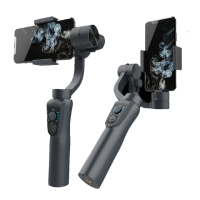
6.3 Light- Stabilizer in Lock Mode
7. Power ON/OFF and Press 2 times to bring the Mobile phone to bring the
Mobile phone to its original position
Power ON/OFF- press and holder the button (8) for 3-4 seconds until the three
light (6.1 )(6.2)(6.3) flashes blue, than turn on (Default Mode: Pan & Tile Mode)
Mode Button- in single press to switch mode from three operation modes
8. Zoom Control- It enables your lens of camera from wide angle to a closer
shot of your subject
9. Holder Adjustment- Hold smartphone steady
10. Roll Motor- Allows the gimbal to rotate 180 degrees vertically.
11 Balance Screw- Help balance the weight of smartphone on gimbal.
12. Adjustable Arm- Pull out or push the arm back the adjustable arm until the
smartphone balance itself
13. Tilt Motor- It allow your phone to rotate 325 degree horizontally.
14. USB Power Out- Charges the smartphone directly from the gimbal
15. Micro USB Port- Allows the gimbal to recharge its battery by connecting
the Micro-USB to any standard USB outlet or phone charger
16. Shutter Button: Press once to take a picture,
17. 1/4 Thread Screw- Allow the gimbal to mounted on the device through the
/4 thread screw.


 To Next Page
 Loading...