EasyManua.ls Logo

Sherwood WA-240 - User Manual

Sherwood WA-240
41 pages
Print Icon
To Next Page IconTo Next Page
Loading...
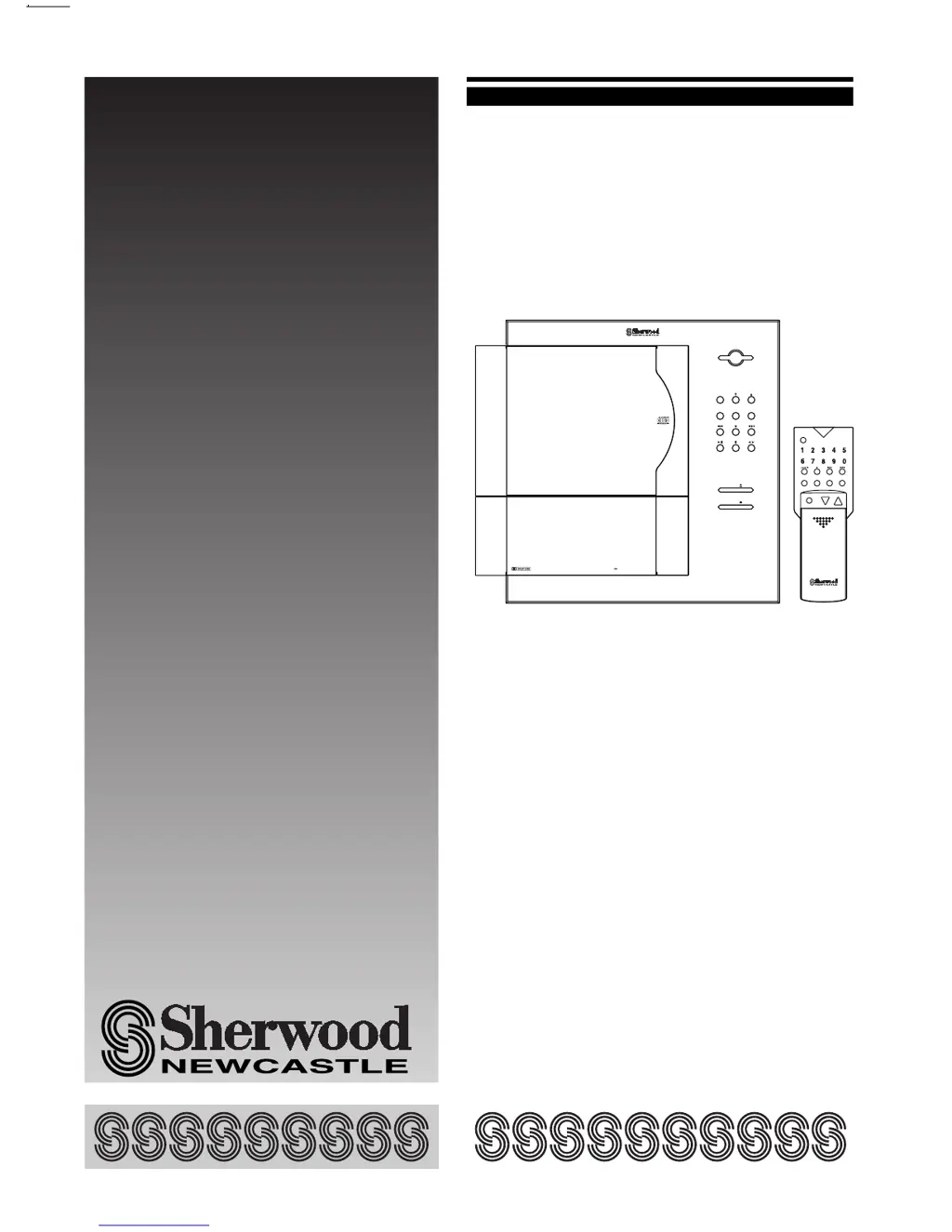
OPERATING INSTRUCTIONS
STYLISH AUDIO SYSTEM
WA-240
STEREO INTEGRATED AMPLIFIER
STEREO FM TUNER & TIMER
COMPACT DISC PLAYER
STEREO CASSETTE DECK
SP-240
BASS REFLEX TYPE 2 WAY-
2 SPEAKER SYSTEM
POWER
ON/OFF
INPUT
PRESET FM MODE SURROUND
TUNING/
CD
CD DECK
VOLUME
DECK
SOUND RETRIEVAL SYSTEM
STYLISH AUDIO WA-240
MUTE
POWER
VOLUME
INPUT SURROUND T/P MODE MEMO/SET
WA-240

Questions and Answers

  • J
    josephpotterAug 19, 2025
    What to do if my Sherwood Stereo System has no power?
    • J
      Jessica JohnsonAug 19, 2025
      If your Sherwood Stereo System has no power, ensure the AC input cord is properly plugged into the AC outlet. Also, verify that the POWER button is pressed to turn the system on.
  • H
    horngabrielleAug 21, 2025
    Why is there no sound coming from my Sherwood WA-240 Stereo System?
    • G
      Glenn RamosAug 21, 2025
      If your Sherwood Stereo System is producing no sound, first, check the volume level and adjust it if it's set too low. Next, ensure that the MUTE button on the remote control is not activated. Finally, verify that the speaker cords are securely and correctly connected.
  • M
    Monica JohnsonAug 23, 2025
    How to fix a Sherwood WA-240 remote that is not working?
    • E
      Eric JamesAug 25, 2025
      If your Sherwood Stereo System remote control isn't working, first, replace the batteries with new ones. If that doesn't solve the issue, make sure you're operating the remote within its effective range, without any obstructions, and at an appropriate angle to the main system.
  • N
    Nancy HunterAug 26, 2025
    How to stop interference on my Sherwood WA-240?
    • N
      ncoleAug 26, 2025
      If you're experiencing interference with your Sherwood Stereo System, especially noise, try these steps: * If the noise seems related to vehicle ignition, position the outdoor antenna away from the road. * If it seems to be related to another electrical appliance, try turning off the appliance to see if that resolves the issue. * If the noise is related to a nearby TV, ensure the stereo system is at least two feet away from the TV.
  • P
    Pamela WestAug 28, 2025
    What to do if my Sherwood WA-240 Stereo System is not receiving stations?
    • P
      Patrick HughesAug 28, 2025
      If you're not receiving stations on your Sherwood Stereo System, ensure an antenna is connected. If an antenna is connected, try tuning in the frequency of the desired station.
  • J
    Jean HaasAug 30, 2025
    Why is sound only coming from one speaker on my Sherwood WA-240?
    • D
      Dr. Brandi SalazarAug 30, 2025
      If you're only getting sound from one speaker on your Sherwood Stereo System, the speaker cord may not be properly connected. Ensure that it is firmly and correctly connected.
  • M
    Mr. Sean DouglasSep 1, 2025
    What to do if my Sherwood Stereo System is not playing a disc?
    • K
      kristen95Sep 1, 2025
      If your Sherwood Stereo System is not playing a disc, make sure that a disc is loaded into the system. Ensure the disc is loaded with the printed side facing up and is not in pause mode. If the issue persists, the disc may be dirty or scratched, so try cleaning it or using a different disc.
  • A
    Angela WhiteSep 3, 2025
    Why does my Sherwood WA-240 Stereo System keep skipping sound or tracks?
    • C
      Calvin SmithSep 3, 2025
      If your Sherwood Stereo System is skipping sound or tracks, the disc may be dirty or scratched. Try cleaning the disc or loading another one.
  • J
    Joan OlsonSep 6, 2025
    What should I do if my Sherwood WA-240 isn't playing tapes?
    • A
      Amy CarrollSep 6, 2025
      If your Sherwood Stereo System is not playing a tape, ensure you are playing a recorded tape, not a blank one. If a recorded tape is inserted, the head may be dirty, so try cleaning it.
  • D
    Deanna FischerSep 8, 2025
    Why is the sound distorted on my Sherwood WA-240 Stereo System?
    • J
      julie40Sep 8, 2025
      If your Sherwood Stereo System is producing distorted sound, the head may be dirty, so try cleaning it. Alternatively, the tape could be stretched or wrinkled; try playing a different tape.

Summary

Introduction

UNPACKING AND INSTALLATION

Details on unboxing, system placement, and handling precautions for safe operation.

READ THIS BEFORE OPERATING YOUR UNIT

BEFORE INSTALLATION

DESK-TOP INSTALLATION

WALL-MOUNT INSTALLATION

System Connections

Controls

Front Panel Controls

Detailed explanation of buttons and indicators on the main unit's front interface.

Remote Controls

Operation of the Tuner

Listening to FM Broadcasts (Tuning Mode)

Instructions for manually tuning into FM radio stations and receiving broadcasts.

Operation of the Compact Disc Player

Playing a Disc

Detailed instructions for playing audio CDs, including starting, pausing, and stopping playback.

Operation of the Cassette Deck

Recording

Comprehensive instructions for recording audio onto cassette tapes from various sources.

Other Operations

Operating the Timer

Instructions for setting the timer to automatically play or record at a specified time.

Troubleshooting Guide

Specifications

Sherwood WA-240 Specifications

General IconGeneral
Power output40W per channel (RMS at 8 ohms, 1kHz, 10% THD)
Dimensions440 x 137 x 300mm
Weight7.2kg
Frequency response20Hz to 20kHz
Input sensitivity150mV (line)
Speaker load impedance8 ohms
Speaker Impedance8 ohms

Related product manuals