This document describes the ACTIVE Pro CALL+ smartwatch, a device designed for daily activity tracking, communication, and health monitoring.
General Overview
The ACTIVE Pro CALL+ is a smartwatch that connects to your mobile phone via Bluetooth, offering a range of functionalities from fitness tracking to call management. It features a customizable watch face and a user-friendly interface.
Important Technical Specifications
- Charging Time: Approximately 2 hours for a full charge.
- Bluetooth Version: Bluetooth hardware 4.0 and above.
- App Compatibility:
- Android: Supports 5.0 and above.
- iOS: Supports 8.0 and above.
- Address Book Capacity: Can import up to 1000 contacts from the connected phone.
Function Description
The smartwatch offers a comprehensive set of functions, categorized for ease of use:
Watch Function Description
- Side Button:
- Press and hold for 3 seconds to turn the watch on or off.
- Short press on any page to return to the dial.
- Short press on the dial page to turn off the screen.
- Navigation:
- Swipe up to access message notifications.
- Swipe down to enter the shortcut menu (where Bluetooth for U68-Audio can be turned on).
- Swipe left to enter the main menu interface.
- Slide the dial interface to the right to enter the audio interface.
- Dial Pads: Press and hold for 3 seconds on the main screen to select different dial pads (watch faces).
Bluetooth Display and Call Functions
- Bluetooth Display: The watch dial interface and mobile phone will synchronize in real-time when entering a number.
- Bluetooth Call: The watch supports making and receiving Bluetooth calls.
- Address Book: Syncs with the APP to import up to 1000 contacts, making them accessible directly from the watch.
Health Monitoring
- Heart Rate: Measures and displays the current heart rate value.
- Blood Pressure: Measures and displays the current blood pressure value.
- Blood Oxygen: Measures and displays the current blood oxygen value.
- Sleep Tracking: Records and displays total sleep duration, including deep sleep and light sleep. Sleep data detection starts from 9 PM. More detailed analysis is available in the APP.
- Note: Product measurement results are for reference only and should not be used for medical purposes.
Activity Tracking
- Sports Record: Displays current exercise steps, mileage, and calorie consumption.
- Sport Mode: Supports six sport modes: walking, running, yoga, elliptical machine, mountaineering, and swimming. Each mode records sport time and calories.
Smart Features
- Intelligent Voice: Control your mobile phone using voice commands via Bluetooth connection.
- Bluetooth Music: After connecting to the mobile phone's Bluetooth, control music playback (previous song, next song, play, pause).
- Message Notification: Receive notification alerts from selected apps on your watch, set up through the V Band app.
- Find Phone: When connected to the APP, tap "find the phone" on the watch to make your phone ring.
- More Features: Includes weather display, calculator, alarm clock, stopwatch, remote photography, sedentary reminder, drinking water reminder, and charging reminder.
Settings
- Set up: Adjust volume, screen brightness, perform a factory reset, shut down the device, and view the version number.
Usage Features
APP Installation & Connection
- Download APP: Scan the provided QR codes for iOS or Play Store, or search for "Vband" in your device's app store.
- Device Connection (Bluetooth):
- Turn on Bluetooth on your mobile phone.
- Connect the watch by searching for "U68" in the Bluetooth device list. If multiple devices appear, identify the watch by its MAC address.
- Upon successful connection, the V Band app will show "connected" and display the battery level.
- Audio Connection:
- Turn on Bluetooth on the watch.
- Search for "U68-Audio" in your phone's Bluetooth device list and connect.
- Permissions: Allow all necessary notification permissions (e.g., reading, contact information) and enable the app to run in the background in your phone settings.
APP Introduction
- User Registration: Register using a mobile phone number or email address to record and share sports and health data. Unregistered temporary users cannot record or save information.
- Connect the Watch (APP): In the "Add Device" section of the APP, search for and pair the watch.
- Troubleshooting: If the watch name is not found, ensure it is powered on. If it's on but not found, it might be connected to another phone; reset the watch and try pairing again.
- Step Counting Function: The APP's step menu displays step count, calories, mileage, and completion percentage based on a set target. It distinguishes between jogging and fast running and allows viewing daily, weekly, and monthly history.
- Sleep Function: Displays daily, weekly, and monthly sleep data graphically, calculating daily sleep quality and duration, and providing historical records.
- Training Function: Facilitates real-time training, recording exercise steps, time, calories, mileage, and movement track, with historical training records available.
- Detection Function: The APP's detection menu includes heart rate, blood oxygen, and blood pressure detection. Test results are synchronously displayed and saved in the APP.
- Firmware: The APP automatically sends upgrade reminders for watch firmware or APP updates. Manual updates are also possible from the menu.
Maintenance Features
Precautions for Use
- Water Resistance: Not suitable for soaking, diving, or bathing.
- Medical Disclaimer: This product is an electronic monitoring device, and its data is for reference only, not for medical purposes.
- Factory Reset: Use with caution. Restoring factory settings will erase all APP content settings and historical data from the watch.
Charging
- Charging Procedure: Align the two contacts of the charger to the charging position on the back of the watch. Connect the other end of the charger to a standard USB interface.
- Cable Usage: Use the provided cable for charging to prevent damage to the watch.
Measurement Tips
- Sensor Contact: When taking measurements (e.g., heart rate), ensure the sensor is close to the skin and hold still for accurate readings.

 Need help?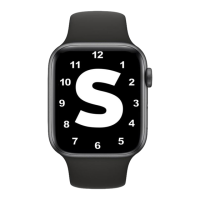

 To Next Page
 General