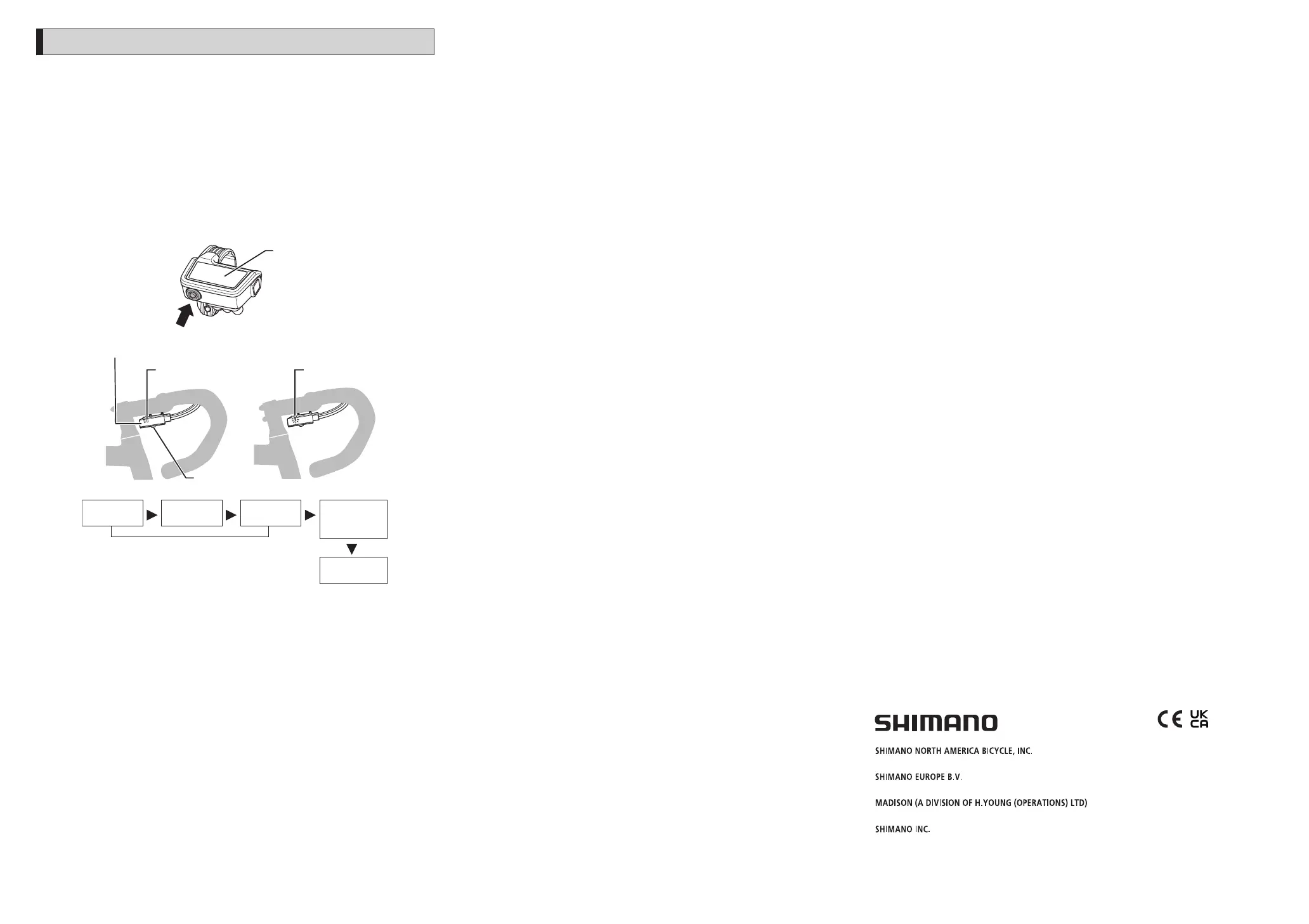
About the RD protection function
* Rotate the front chainwheel while restoring operation after the RD protection
function has activated.
In order to protect the system when the bicycle falls and is subjected to a strong
impact, the RD protection function will activate and momentarily sever the
connection between the motor and the link, impairing the proper function of the
rear derailleur. If this happens, press and hold the mode button on the system
information display or the button on junction [A] for 5 seconds or more. This will
restore the connection between the motor and the link, and clear the RD protection
function for the rear derailleur. When recovery cannot be performed via button
operations, it may be possible by hand. Check with the place of purchase in
advance.
System information
display
(press for 5
seconds or more)
Button
Press and
hold button
Red Flashing red
RD protection
reset
Complete
Requires
approximately 5
seconds
LED window for
button
Red
Button (push)
When the red LED of junction [A] is lit, the rear derailleur will not shift. Press the
button until the red LED turns off.
Please note: specifications are subject to change for improvement without notice. (English)
© Feb. 2021 by SHIMANO INC. ITP
One Holland, Irvine, California 92618, U.S.A. Phone: +1-949-951-5003
High Tech Campus 92, 5656 AG Eindhoven, The Netherlands Phone: +31-402-612222
Roebuck Way, Knowlhill, Milton Keynes, Buckinghamshire, MK5 8HL, United Kingdom
3-77 Oimatsu-cho, Sakai-ku, Sakai City, Osaka 590-8577, Japan



 To Previous Page