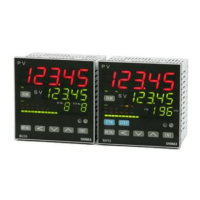
Event 1 latching setting screen
Initial value:
Setting range:、
key
When latching is set as , once event is output, even if event is OFF state event output
state is held. Not displayed when event 1 mode is .
Being initialized if measuring range, scaling, and unit are changed.
Event 1 output characteristics setting screen
Initial value:
Setting range:、
key Output characteristics event 1 is chosen from : normal open,
: normal closing.
Not displayed when event 1 mode is .
Note: If is chosen,relay turns to ON about 1.8 seconds later when power source is
switched on,and turns to OFF in event output range.
Event 2 mode setting screen
Initial value:
Setting range: Chosen from event type character table.
key Type allotted to event 2 should be chosen from character table.
Change in measuring range, scaling, unit, and the event 1 mode make it initialize.
Event 2 differential-gap setting screen
Initial value: 5digit
Setting range:1~999 digit
key The same as event 1.
Event 2 standby operation setting screen
・ Initial value:
Setting range:、、
key The same as event 1.
Event 2 latching setting screen
Initial value::
Setting range::、
key The same as event 1.
Event 2 output characteristics setting screen
・ Initial value::
Setting range::、
key The same as event 1.
Event 3 mode setting screen
Notes: Apart from event 1-2, event 3 is displayed when being added as additional option.
Initial value:
Setting range: Chosen from event type character table.
key Type allotted to event 2 should be chosen from character table.
Change in measuring range, scaling, unit, and the event 1 mode make it initialize.
Event 3 differential-gap setting screen
Initial value: 5 digit
Setting range: 1~999 digit
key The same as event 1.
Event 3 standby operation setting screen
Initial value:
Setting range:、、
key The same as event 1.
Event 3 latching setting screen
Initial value:
Setting range:、
key The same as event 1.
Event 3 output characteristics setting screen
Initial value:
Setting range:、
key The same as event 1.
Return to mode 5 lead screen
(9) Mode 6 screens
Mode 6 screens is the setup screens of external control input (DI) option.
Not displayed when option is not added.
DI input is a no-voltage contact or open collector
Mode 6 lead screen
Press key , it shifts to the first setting screen, DI1 mode setting screen.
key
In MAC 3D (48x48), when option of CT OUTPUT is added,
DI 1~DI3 cannot be chosen and not displayed.
DI 1 mode setting screen
Initial value:
Setting range: chosen from DI operation character table
key
Choose DI operation that is allotted to DI 1 from character table.
DI 2 mode setting screen
Initial value:
Setting range: chosen from DI operation character table
key
Choose DI operation that is allotted to DI 2 from character table.
DI 3 mode setting screen
Initial value:
Setting range: Chosen from DI operation character table.
key
Choose DI operation that is allotted to DI 3 from character table.
DI 4 mode setting screen
Notes: Apart from DI 1-3, DI 4 is displayed when being added as additional option.
Initial value:
Setting range: Chosen from DI operation character table.
key
Choose DI operation that is allotted to DI 4 from character table.
Return to mode 6 lead screen
DI operation character table and restrictions concerning DI
DI operation character table
DI character Operation type Input
detection
Contents
No allotment
2st SV level With closed DI terminal Execution SV = 1st SV
2nd SV level With closed DI terminal Execution SV = 2nd SV
3rd SV level With closed DI terminal Execution SV = 3rd SV
4th SV level With closed DI terminal Execution SV = 4th SV
control RUN level RUN with closed DI terminal, STBY with open one.
program level Program with closed DI terminal.
Constant value with opened.
manual inpu t level Manual with closed DI terminal,auto with open one.
auto tuning edge AT-start with rise edge.
hold level Program's time stops temporarily.
skip edge Shift to the next program's step.
Pattern 1 level Choose pattern 1 with close DI rerminal
Pattern 2 level Choose pattern 2 with close DI rerminal
Pattern 3 level Choose pattern 3 with close DI rerminal
Pattern 4 level Choose pattern 4 with close DI rerminal
latching release edge All latching are released by rise edg.
super key lock level Super keylock with closed DI terminal.
Release with opened.
*When ~ are conducted during AT execution, they are performed at the time of AT
termination.
*When ~ are allotted to to each DI, priority is given to --- in order.
* can be performed at the time of a RUN-automatic output.
*When is allotted to, release in the middle of AT operation is carried out by off-key operation chosen in
AT screen.
*While AT is performed, if STBY (RST) or a manual output is performed, AT is released.
*Even when a keylock is not OFF,conducting of DI is effective.
*The same operation other than is impossible to allot to DI1-DI4 at a time.
*Operation allotted to DI takes priority over DI.. Key operation cannot be performed.
*Execution of DI operation is possible to perform. But neither release of AT nor numerical change of SV and
manual output is possible to perform.*In DI input, 5VDC 0.5mA per point is impressed.Use endurable
switch, transistor and so on. ・Wiring distance of DI should be less than 30m
30m30m
30m.


 To Next Page
 Loading...