4
Setup Instructions:
Turn on Computer1.
Plug Shintaro Wireless Multimedia RF receiver into a vacant USB port on 2.
your computer
Open battery cover located on the underside of the Wireless Multimedia 3.
Keyboard and place four AA batteries inside the battery compartment.
Carefully close the compartment cover
ConguringWirelessIDSignal 4.
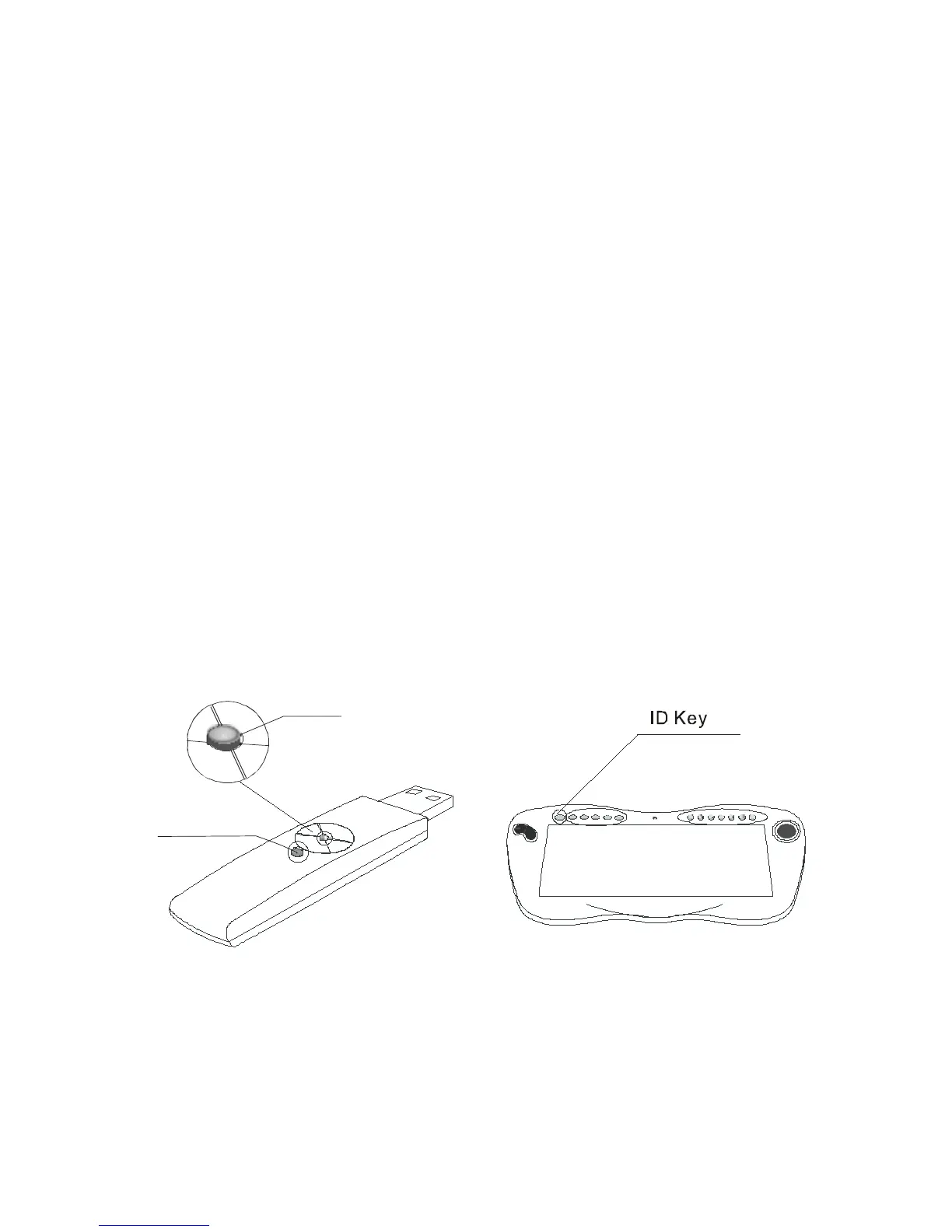
a) Press circular ID button on the RF receiver (Picture A ).
b) Next push the grey ID button located on the top left of the Wireless
Multimediakeyboard.WhenthegreenLEDisashingtheWireless
Multimedia Keyboard and RF receiver are establishing a wireless
connection. This may take a few seconds. The green LED situated on the
RFreceiverwillstopashingonceawirelessconnectionisestablished


 To Next Page