6
Troubleshooting
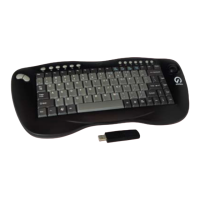
If your Shintaro Wireless Keyboard does not work after following the
instructions outlined in Setup Instructions please check the following:
Ensure the RF receiver is correctly connected to a functioning USB port•
Ensure four AA alkaline batteries have been correctly inserted within the •
battery compartment
When using more than one Shintaro Wireless Keyboard, interference may •
occur.PleasefollowConguringWirelessIDSignalinstructionstoresolve
signalconicts
The effective wireless range of the Shintaro Wireless Keyboard is 10 •
metres. Nearby computer peripherals may affect this range
OnlyPresstheIDontheUSBdonglebriey,holdingitdownformorethan•
5 seconds resets the frequency back to factory default
The KEY-RF supports 8 different channels, meaning 8 x KEY-RF’s can •
be used within close proximity and not interfere with each other. Please
make sure that each KEY-RF is set to a different frequency by following the
channel setting steps in section, “Setup Instructions”
If communication between keyboard and PC are lost or unstable, please •
checkbatteriesarenotat,andthatyouarewithin10metersfromthe
USB dongle. As this device works on 2.4GHz frequency it is possible
that wireless inference from devices such as cordless phones or wireless
internet can interfere with the keyboards operation
For improved range and signal strength please use a USB extension cable, •
and try placing the USB dongle as far away from the PC or other objects
which may act as a shield hampering the strength of the signal


 To Next Page