Page 37
845180 SHOPSMITH MARK V
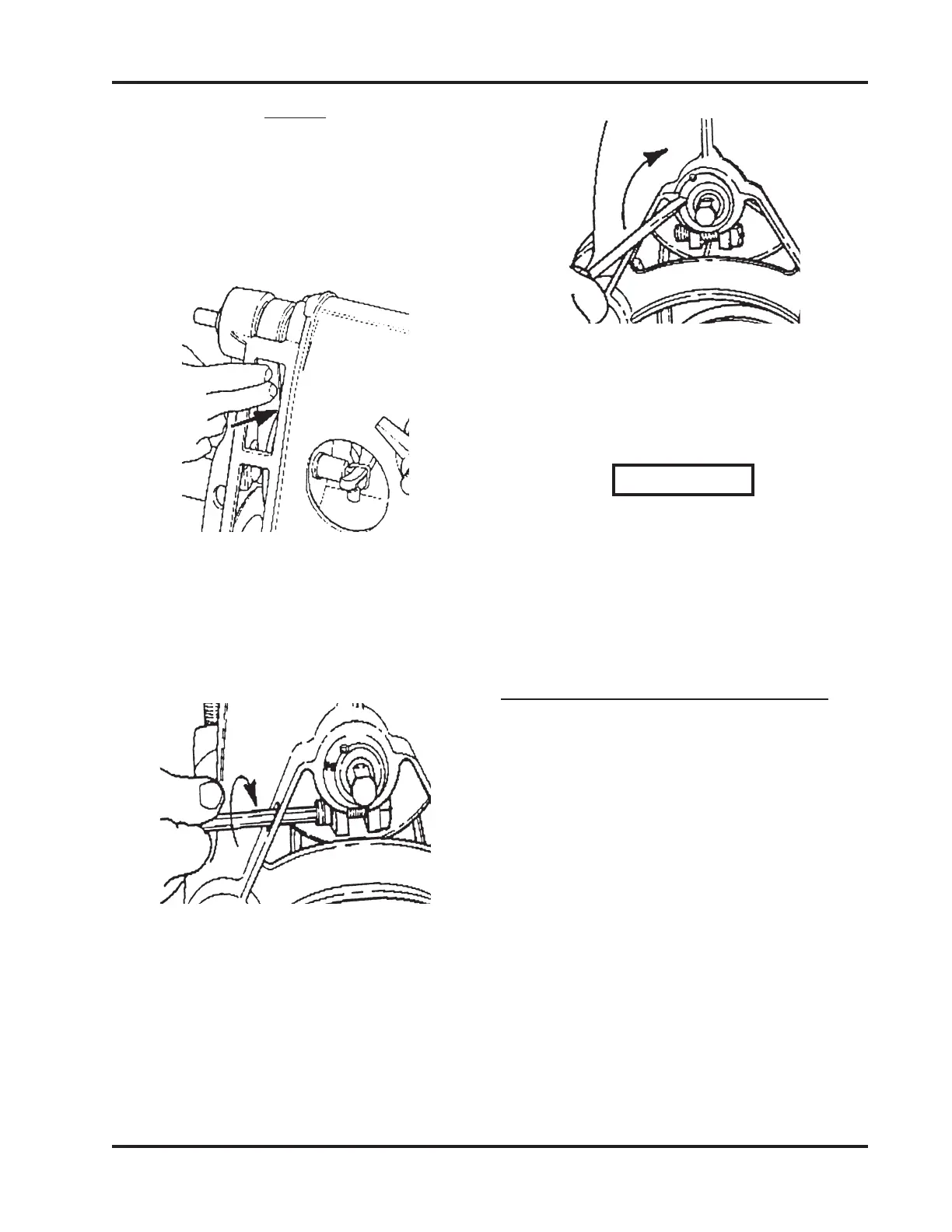
Figure 119
4. With your finger, test the tension to see
that you have taken the "slack" out of the
Belt. Retighten the Bolt.
WARNING
DO NOT overtighten the Bolt. Only
tighten the Bolt until it bottoms out,
then turn the Allen Wrench no more
than 1/4 additionally. Overtightening
the Bolt will cause you Headstock to
break.
MAINTAINING ACCESSORIES
In addition to maintaining the basic machine
and the parts you use in more than one mode
(such as the Miter Gauge or Rip Fence), you
must maintain the individual accessories for
each separate mode - Saw Guards, Sanding
Discs, Drill Bits, etc...
SAW GUARD SYSTEM
1. As needed, brush off and blow away the
sawdust that accumulates in the Saw
Guards. The Upper Saw Guard has a
plastic insert toward the front, where
most of the sawdust builds up. This can
easily be removed, cleaned, and rein-
stalled. Dissolve the impacted sawdust
with mineral spirits.
NOTE
If the Poly V-belt seems tight but it still slips, DO
NOT increase the belt tension, this will just stretch
the Belt out of shape. Instead, apply a very small
amount of "belt dressing" to the inside of the Belt
to increase its traction.
Figure 117
2. To adjust the tension, loosen the Bolt that
holds the Idler Shaft Eccentric Bushing
in the Headstock Casting, as shown in
Figure 118.
Figure 118
3. Insert a Straight Blade Screwdriver in
the slot of the Eccentric Bushing and turn
the Bushing clockwise in the Casting
until it stops, as seen in Figure 119.


 To Next Page