H | SHOREMASTER.COM
ASSEMBLY INSTRUCTIONS
STEP 6
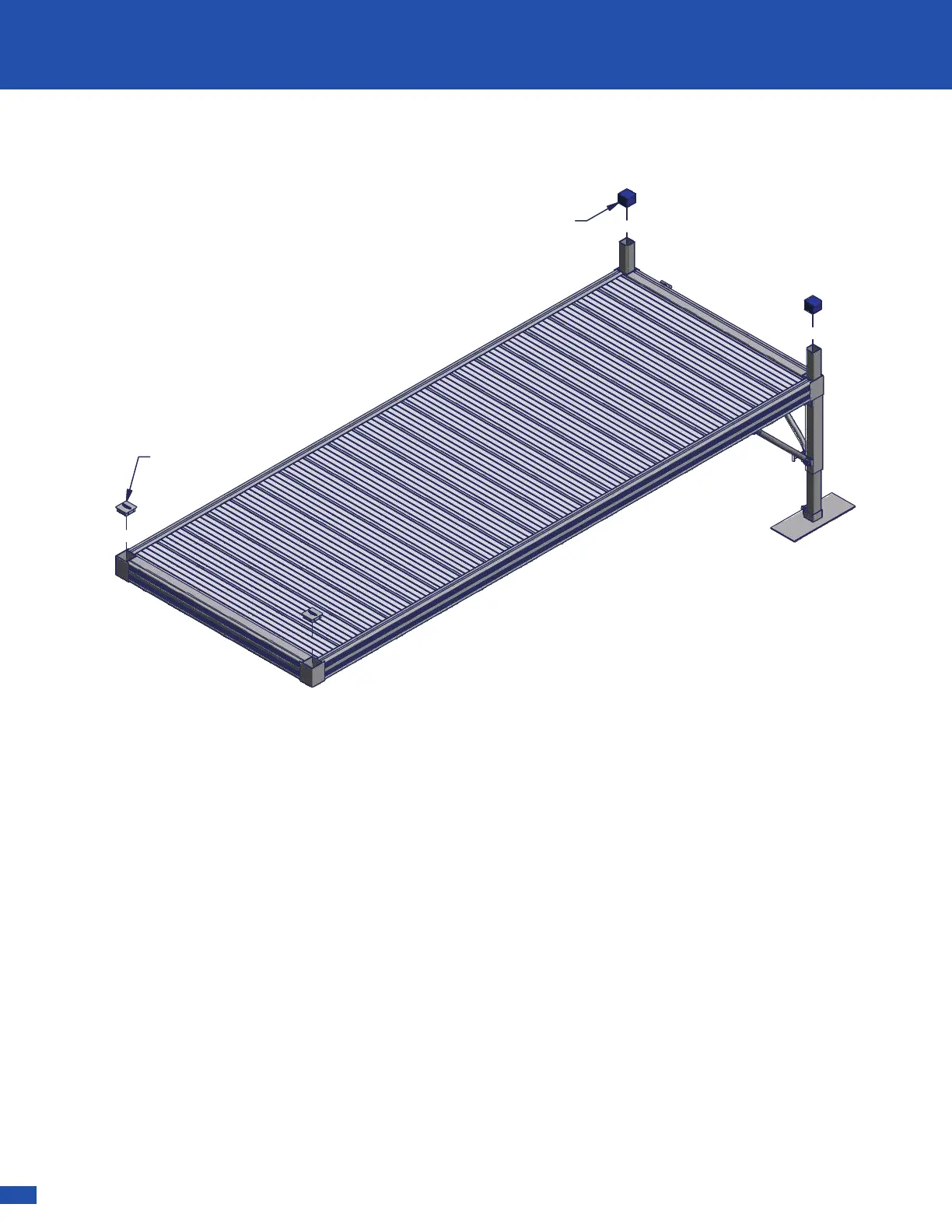
Leg Caps are included for each Corner Tube that is
not used or does not have a Leg Post above the deck
surface - as shown below.
The Leg Posts that are above the deck surface may
be covered with a Blue Cap - as shown below.
Leg Cap
Blue Cap
USE, REMOVAL, STORAGE AND SERVICE
▪Upon completed installation, your RS-4 Dock System is ready for use. Many ShoreMaster dock accessories are
available to compliment your dock system. Contact your dealer for available options.
NOTICE:
The dock system must be removed from water during the winter months. Warranty is void if dock is exposed
to ice conditions.
▪You may remove each frame with panels in place, or you can remove the panels before detaching the frames. Stack
panels on a flat surface, and store them in a dry area to preserve life.
▪Inspect frames, panels, connections, nuts, and bolts at least once every six months for damage, wear or loose
connections. Tighten or replace parts as needed.
▪ShoreMaster dealers usually offer service visits. Please contact them if you are unable or unwilling to perform service to
docks.
Common Dock Accessories
- QC 4-Step Dock
- QC Pivoting Ladder
- QC LakeView Rhino Bench (Off Deck)
- LakeView Rhino Bench (On Deck)
- LakeView Bench Armrest
- Furniture Hardware Box
- QC Umbrella Holder
- QC Flagpole Holder
- QC Fishing Rod Holder
- QC Cleat Kit
- QC Vertical Roto Bumper
- QC Canoe/Kayak Rack
- Wheel/Axle Adapter for 2 x 2 Dock Legs
- Single Leg Pocket
- QC Leg Pocket Add-On Bracket


 To Next Page
 Loading...