Need help?
Do you have a question about the Shure SCL5 and is the answer not in the manual?
Soft Flex Sleeves are available in small, medium, and large sizes and are made from pliable rubber.
Foam sleeves require compression before insertion and expand to create a seal. Available in small, medium, large sizes.
Triple-Flange Sleeves can be trimmed to a desired length using sharp scissors for a custom fit.
Keep earphones and sleeves clean and dry. Rinse sleeves in warm water and air dry. Avoid alcohol-based disinfectants.
Replace sleeves if they do not fit. Do not modify the product, as it voids the warranty and may cause injury.
Two popular methods for wearing earphones are illustrated: over the ear in back or over the ear in front.
Use the supplied wax removal loop to clean a blocked nozzle. Do not force objects into the nozzle to avoid damaging the sound filter.
Replacement nozzles may be used. The wax removal loop is only for earphone cleaning, not for ear cleaning.
Check seal tightness for low frequency response. Try different sleeve options if needed.
Ensure the sleeve completely covers the earphone nozzle. Exposed nozzle means improper installation.
Do not push the earphone sleeve beyond the ear canal opening to prevent injury.
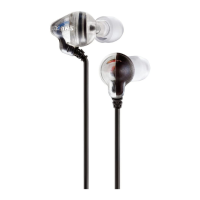
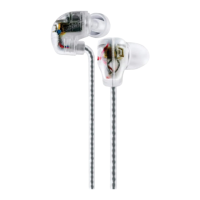
The Shure SCL5 Sound Isolating Earphones are designed to deliver high-quality audio, replicating the reference-grade sound developed for professional musicians. These earphones feature Dual Live Performance Drivers and an Inline Crossover, which separates sound frequencies to dedicated speakers for highs and lows. This design results in precise high-frequency reproduction, natural mid-range tones, and full-bodied bass.
The SCL5 earphones come with a selection of sleeves to ensure a comfortable and secure fit. Users should select a sleeve that is easy to insert and remove from the ear, and that fits comfortably. The available sleeve types include:
Two popular methods for wearing the SCL5 earphones are illustrated:
Proper maintenance is crucial for ensuring a tight seal between the sleeve and nozzle, which directly impacts sound quality and product safety.
If the earphone nozzle becomes blocked, it should be cleaned using the supplied wax removal loop.
The SCL5 earphones come with several furnished accessories:
Additional accessories, such as replacement sleeves, carrying cases, adapters, extension cables, Push To Hear (PTH Module), and volume controls, are available and can be found on the Shure website.
For users who wear earphones for extended periods, custom-fit molded sleeves can provide enhanced comfort and sound isolation. Users are encouraged to consult a Hearing Health Care Professional for information on creating custom molded sleeves for their earphones.
The Shure SCL5 earphones are CE certified, conforming to European EMC Directive 89/336/EEC. They meet applicable tests and performance criteria outlined in European Standard EN 55103 (1996) Parts 1 and 2, for residential (E1) and light industrial (E2) environments.

 To Next Page

 General