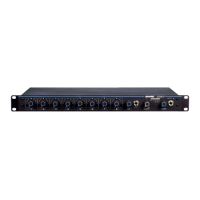
TO STEREO OR MONO HEADPHONES
FROM AUX– OR LINE–LEVEL SOURCE
TO AMP/REC/MIXER INPUT (CH. ٧–١)
FROM MIC/LINE SOURCE (CH. ٨–١)
TO AMP/RECORD/MIXER INPUT
OR FROM AUX SOURCE (CH. ٨)
MIXER OUTPUT TO AMP/REC/MIXER INPUT
TO ADVANCED FUNCTION WIRING TO ١٢٠
AUDIO CONNECTIONS FIGURE 5
OUTPUT LIMITER SETTINGS
The output limiter prevents distortion during loud program peaks without affecting normal program levels. This prevents overloading of the devices connected
to the SCM810/E output.
Increasing the individual channel or Master Gain controls will increase the average output and, in turn, the amount of limiting. As supplied, the output limiter
is defeated. However, you can change the limiter threshold so that the peak output level is +4, +8, or +16 dBm. Refer to the Internal Modifications section.
EQUALIZER FUNCTIONS
Low Cut Filter (High-Pass)
The low-cut (or high-pass) filter allows all frequencies above its cutoff point
to pass from filter input to filter output without attenuation, while frequencies
below the cutoff are attenuated (see Figure 6). The cutoff point is defined as
the frequency where the signal has dropped 3 dB relative to the flat, or
bandpass, region. Below the cutoff point, the filter exhibits increasingly more
attenuation as the frequency diminishes. The rate at which this attenuation
occurs is defined in decibels per octave (dB/oct). The SCM810 has a one-
pole, low-cut (high-pass) filter of 6 dB per octave.
Low-cut filters are ideally used for attenuating, or rolling off, the audio signal
where extraneous noise, excessive proximity effect, or other unwanted ma-
terial is present. For example, the low-frequency vibration cause by footsteps
and vehicle traffic can be transmitted through microphone stands to the mi-
crophone, and then into the sound system. These frequencies, typically
ranging from 5 to 80 Hz, are generally not desirable.
-10
-8
-6
-4
-2
0
+2
20 100 1,000 5,000
FREQUENCY (Hz)
FULL CW
FULL CCW
50%
ROTATION
LOW-CUT FILTER EFFECTS FIGURE 6
High-Frequency Shelving
The fixed-frequency equalizer produces a 6 dB boost or cut at 5 kHz and
above (see Figure 7). High-frequency shelving is extremely useful for
boosting flat frequency response, tempering very sibilant vocal microphones,
or enhancing the sound of off-axis lavalier microphones.
200
-10
-8
-6
-4
-2
0
+2
+4
+6
+8
+10
1,000 10,000
20,000
FREQUENCY (Hz)
FULL
CW
FULL
CCW
50%
ROTATE
FREQUENCY (Hz) HIGH-FREQUENCY SHELVING EFFECTS FIGURE 7
USING AN EQUALIZER/FEEDBACK CONTROLLER WITH AN AUTOMATIC MIXER
When setting up a sound system which has an outboard equalizer or feedback
controller in the signal chain, set the SCM810 to MANUAL. This activates all
microphone inputs, so every possible feedback path is open. With the
SCM810 in MANUAL mode, equalize the sound system and/or “Ring Out”
the room to set the feedback controller.
After equalizing the sound system, set the SCM810 to AUTOMATIC mode.
Remember that the input of an automatic mixer drops by 3 dB every time the
number activated inputs doubles. When using an SCM810 in MANUAL mode,
the master output drops by 9 dB when all 8 inputs are activated. Conversely,
it will rise by 9 dB when switched back to AUTOMATIC mode.
Shure IncorporatedSCM810 Eight-Channel Microphone Mixer
5/132017/10/09


 To Next Page
 Loading...