Need help?
Do you have a question about the Shure SE215SPE and is the answer not in the manual?
Shure Sound Isolating Earphones offer detailed soundstage, detachable cable, and comfortable fit.
Suggested ways of wearing the earphones, including over the ear and using the cable cinch.
Instructions on how to detach and reattach the cable, emphasizing care to prevent damage.
Guidance on inserting earphones for a tight seal to ensure optimal sound quality.
Steps to twist and pull to remove, and slide on a new sleeve, ensuring proper fit.
Instructions to grasp the earphone body and gently twist to remove, avoiding pulling the cable.
Guidance on selecting an earphone sleeve for the best fit and sound isolation.
Instructions on using the remote to control media players and handle calls.
Advice on keeping earphones clean, rinsing sleeves, wiping with antiseptic, and avoiding damage.
Steps to check and clear the earphone nozzle for sound quality issues, using a wire loop tool.
Technical details including transducer type, sensitivity, impedance, frequency range, and net weight.
Information on where to find earphone accessories and other Shure products.
Details on product compliance with European directives and CE marking eligibility.
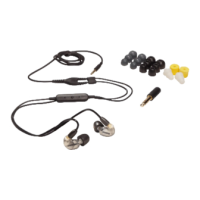
Description of UNI cables featuring a 3.5mm TRRS connector and three button controls with in-line microphone.
Lists key features like 3.5mm adapter, selectable Android/iOS, three-button control, and in-line microphone.
Explains the location and function of the universal switch for Android/iOS device selection.
Instructions on how to use the remote to control compatible media phone players.
Technical details including connector type, housing, cable length, diameter, and net weight.
Information on product compliance with European directives and CE marking.
This document provides user manuals for two Shure products: the SE215 PRO Wired Earbuds and the RMCE-UNI Remote Mic Universal Communication Cable.
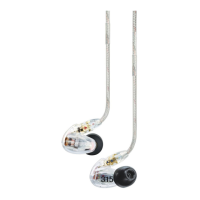
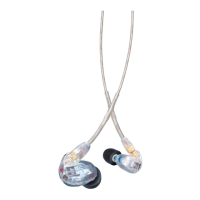
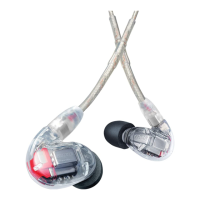
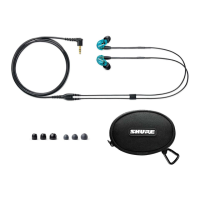
The Shure SE215 PRO Wired Earbuds are professional sound isolating earphones designed to deliver a detailed soundstage free from outside noise. These earbuds feature clear sound and deep bass, achieved through a single dynamic MicroDriver. They are designed for a secure fit, making them suitable for use as in-ear monitors. The product comes with a carrying case and a fit kit, ensuring comfort and personalization. The earbuds are blue and identified by the model number SE215SPE.
To wear the earphones, several methods are suggested. A common method involves wearing the cable over the ear and securing it behind the head. This helps keep the earphones in place, especially during physical activity. The cable cinch can be tightened to take up any slack, further enhancing stability. It's crucial to ensure the earphone sleeve forms a tight seal in the ear canal for optimal sound quality, particularly for low-frequency response (bass). If bass seems lacking, gently push the earphone deeper into the ear canal or try a different sleeve. Users are warned not to push the earphone sleeve beyond the ear canal opening.
The SE215 PRO earphones feature a detachable cable, which allows for the attachment of optional components or replacement of the cable if it becomes damaged. The connector has a snug fit to prevent accidental separation, so special care must be taken to avoid damaging the earphone and connector. When detaching, users should grasp the connector and the earphone as close as possible to where they join and pull straight apart without twisting. The cable is a snap fit, not threaded. Pulling at an angle may prevent detachment. It's important not to pull on the cable or put pressure on the earphone nozzle. An audible click indicates proper connection when reattaching the cable. For clear cables and earphones, users should match the color dots (Red for Right, Blue for Left), and for other cables, match the "L" and "R" markings.
The earphones come with various sleeve options to ensure the best fit and sound isolation. These include Soft Flex Sleeves (small, medium, large) made from pliable rubber, Soft Foam Sleeves that compress and expand in the ear canal, and Triple-Flange Sleeves that can be trimmed for a custom fit. To change sleeves, twist and pull to remove the old sleeve from the nozzle, then slide on a new one, ensuring it completely covers the barb and nozzle. If the barb or nozzle is exposed, the sleeve is not properly installed. Sleeves should be replaced if they do not tightly grip the nozzle. Only Shure-supplied sleeves (unless using custom molded sleeves) should be used to ensure proper fit and performance.
Maintenance and cleaning are essential for ensuring a tight seal between the sleeve and nozzle, which directly impacts sound quality and product safety. Users should keep the earphones and sleeves as clean and dry as possible. Sleeves can be removed and gently rinsed in warm water, then air-dried. Foam sleeves require a longer drying time and must be completely dry before reuse. The earphones and sleeves should be wiped with a mild antiseptic to prevent infections, but alcohol-based disinfectants should be avoided. The earphones should not be exposed to extreme temperatures. Sleeves should be replaced if they no longer fit properly. Users are advised not to modify the product, as this will void the warranty and could lead to personal injury or product failure. If sound quality changes, the earphone nozzle should be checked for obstructions using the wire loop end of the cleaning tool. If no obstruction is found, replacing the sleeve may improve sound quality. When cleaning, no object should be forced through the earphone nozzle, as this can damage the sound filter. The cleaning tool is solely for cleaning the earphones; using it to clean ears or foam sleeves can result in injury. Cable connectors may accumulate debris, affecting audio quality; these should be cleaned with a dry cotton swab after disconnecting the cables.
The Shure RMCE-UNI Remote Mic Universal Communication Cable is designed for use with detachable SE Earbuds Earphones. This cable features a 3.5mm connector and is 50 inches long. It allows for calls, voice prompts, and volume/playback control on both Apple and Android devices. The UNI Accessory Cable ensures continued functionality between mobile devices and Shure earphones. It incorporates a 3.5 mm (1/8") TRRS connector and a three-button remote with an in-line microphone for phone calls and voice applications.
The remote control functionality includes:
The universal switch, located on the base of the three-button remote, allows users to select "A" for Android devices or "i" for iOS devices. Users should consult their mobile device's user guide for more information on using the answer/end button, additional features, or troubleshooting. On some phones, it might be necessary to adjust the volume when switching between a phone call and music.
The product meets the Essential Requirements of all relevant European directives and is eligible for CE marking. Testing is based on the use of supplied and recommended cable types; using other than shielded (screened) cable types may degrade EMC performance. The "Made for iPod," "Made for iPhone," and "Made for iPad" certifications indicate that the electronic accessory has been designed to connect specifically to these Apple devices and has been certified by the developer to meet Apple performance standards. Apple is not responsible for the device's operation or compliance with safety and regulatory standards, and users should note that using this accessory with iPod, iPhone, or iPad may affect wireless performance. iPad, iPhone, iPod, iPod classic, iPod nano, iPod touch, and Retina are trademarks of Apple Inc., registered in the U.S. and other countries. iPad Air and iPad mini are trademarks of Apple Inc. The trademark "iPhone" is used with a license from Aiphone K.K.
 General
| Type | In-ear |
|---|---|
| Frequency Response | 22 Hz - 17.5 kHz |
| Sensitivity | 107 dB SPL/mW |
| Cable Style | Detachable |
| Connector | 3.5 mm |
| Noise Isolation | 37 dB |
| Driver | Dynamic |
| Impedance | 20 Ω |
| Color | Blue |

 To Next Page